
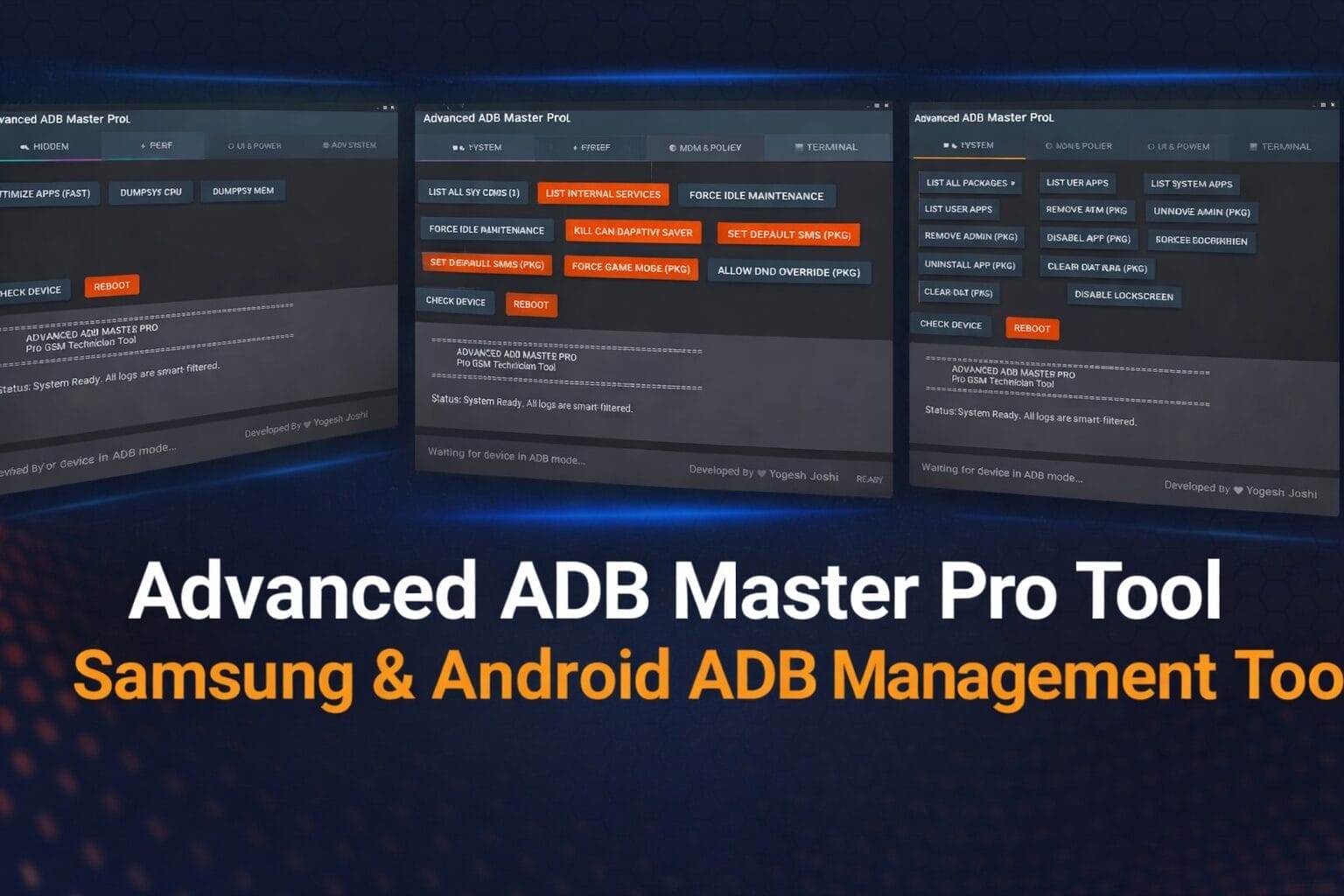
Advanced adb master pro tool samsung & android adb management tool
Many Android Users And Gsm Technicians Often Face Problems When They Need To Control Their Devices Using Adb Commands. Typing Commands Manually Can Feel Confusing And Slow, Especially When You Just Want To Check Device Information, Manage Apps, Or Change System Settings Quickly. This Is Where The Advanced Adb Master Pro Tool Becomes Very Helpful, Because It Provides A Simple And Clean Interface To Perform Many Important Adb Tasks Easily.
In This Article, We Will Take A Closer Look At The Advanced Adb Master Pro Tool And Explore Its Main Sections And Useful Features. You Will Learn How This Tool Helps Manage Android Devices, Control Apps, Adjust System Settings, And Perform Advanced Functions Without Complicated Commands. If You Are A Gsm Technician Or Someone Who Works With Android Devices Regularly, This Guide Will Help You Understand How Powerful And Useful This Tool Can Be.
What Is Advanced Adb Master Pro Tool?
Managing Android Devices Through Adb Commands Can Sometimes Feel Complicated, Especially If You Need To Perform Multiple Tasks Quickly. Many Users And Gsm Technicians Often Struggle With Remembering Different Commands Or Navigating Complex Tools. The Advanced Adb Master Pro Tool Solves This Problem By Providing A Simple Interface Where Important Adb Functions Are Organized In One Place.
This Advanced Adb Master Pro Tool Is Designed To Help Users Control And Manage Android Devices Easily Through Adb Mode. Instead Of Typing Long Commands Manually, You Can Perform Different Actions With Just A Few Clicks. From Checking Device Information To Managing Apps And System Settings, This Tool Makes Android Management Much Faster And More Convenient.
Also Read:
- Android App Optimizer Pro Tool
- Crypto Blob & Tee Extractor Pro Tool
- Hyperos Call Recorder Enabler Pro Tool
- Oppo Demo Unlocker Pro Tool
Whatsaap Groups Link:
- GSM ATOZ TOOLS SOFTWAR:: Group Link Join
- GSM ATOZ TOOLS Tech::Group Link Join
- GSM ATOZ TOOLS EXPERTS::Group Link Join
- WORLD OF GSM ATOZ TOOLS::Group Link Join
- GSM ATOZ TOOLS MOBILE SOFTWARE::Group Link Join
Join Us On Telegram
- Telegram Channel: GSM ATOZ TOOLS::Link Join
- Telegram Group Link: GSM ATOZ TOOLS:: Link Join
How Work Hidden Section?
The Hidden Section Of The Tool Provides Access To Some Useful System Options That Are Normally Difficult To Reach. These Features Are Especially Helpful For Technicians Who Want To Explore Device Details Or Adjust Hidden Samsung Settings. With A Few Clicks, Users Can Access Important Information And Configuration Options.
For Example, Open Device Info Allows You To Quickly View Important Device Information Without Running Commands Manually. Samsung Hidden Net And Csc Changer Are
Android Win Tool V1.9.5 Flashing & Unlocking Android Devices Useful For Samsung Devices Because They Allow Technicians To Access Hidden Network Settings And Change The Device Csc Configuration.
How Work Performance Optimization?
Android Devices Can Slow Down When Apps Consume Too Many System Resources. The Performance Section Helps Users Monitor System Activity And Optimize Device Performance Using Adb-based Tools. It Gives You A Quick Overview Of Cpu And Memory Usage While Allowing You To Improve System Performance.
For Example, The Optimize Apps Feature Helps Improve App Performance Quickly. Dumpsys Cpu And Dumpsys Mem Commands Allow You To Check How Much Cpu And Memory Your Device Is Using. These Features Are Very Helpful For Diagnosing Performance Problems.
How Work Ui & Power Management?
Sometimes Users Need Quick Control Over Device Interface Settings Or Battery Status. The Ui & Power Section Allows You To Manage Display Settings And Power-related Options Easily. These Features Are Helpful When Testing Devices Or Adjusting Interface Behavior.
For Instance, Fake Battery 50% Can Simulate Battery Status For Testing Purposes. Wm Reset Helps Reset Screen Dpi Settings, While Expand Notifications Allows Quick Access To The Notification Panel. These Simple Options Can Save Time When Troubleshooting Device Issues.
How Work Mdm & Policy Management?
Device Policy Management Is Very Important For Technicians Who Need To Control Apps And Permissions On Android Devices. The Mdm & Policy Section Allows You To Manage Installed Applications, Device Administrators, And System Policies Easily.
These Features Make It Easy To Manage Applications On The Device. For Example, You Can Uninstall Unwanted Apps, Disable Specific Packages, Or Remove Device Administrator Permissions. This Section Is Particularly Useful When Troubleshooting Restricted Devices Or Managing Enterprise Policies.
How Work Advanced System?
The Advanced System Section Gives Users Deeper Control Over Android System Operations. It Includes Useful Commands That Help Monitor Services, Manage System Behavior And Control Certain Device Functions.
These Options Allow Technicians To Interact Directly With System Services And Configurations. For Example Force Idle Maintenance Can Help Improve System Performance By Triggering Maintenance Tasks.
How Work Terminal Section?
The Terminal Option Allows Users To Manually Send Adb Commands If Needed. This Feature Gives Advanced Users More Flexibility When Performing Complex Tasks.
These Simple Options Allow Users To Quickly Verify If The Device Is Connected Properly And Restart It When Necessary.
Benefits Of Using Advanced Adb Master Pro Tool
The Advanced Adb Master Pro Tool Offers Several Advantages For Android Users And Gsm Technicians. First, It Simplifies Adb Command Usage By Placing Important Functions Into A Clean Graphical Interface. This Means You Can Perform Complex Operations Without Memorizing Commands.
Another Major Benefit Is Efficiency. Instead Of Switching Between Different Tools, You Can Manage Apps, Control System Settings, And Monitor Device Performance All In One Place. This Makes The Tool Especially Valuable For Technicians Who Work With Multiple Android Devices Daily.
Features Of Advanced Adb Master Pro Tool
Main Menu Sections
- Hidden
- Perf
- Ui & Power
- Mdm & Policy
- Adv System
- Terminal
Hidden Section Features
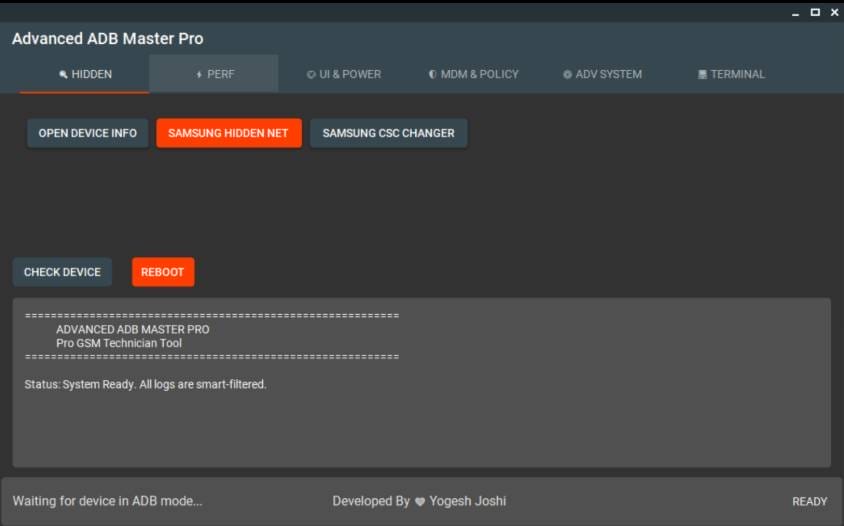
- Open Device Info
- Samsung Hidden Net
- Samsung Csc Changer
Device Control Options
- Check Device
- Reboot
Perf Section Features

- Optimize Apps (fast)
- Dumpsys Cpu
- Dumpsys Mem
Device Control Options
- Check Device
- Reboot
Ui & Power Section Features
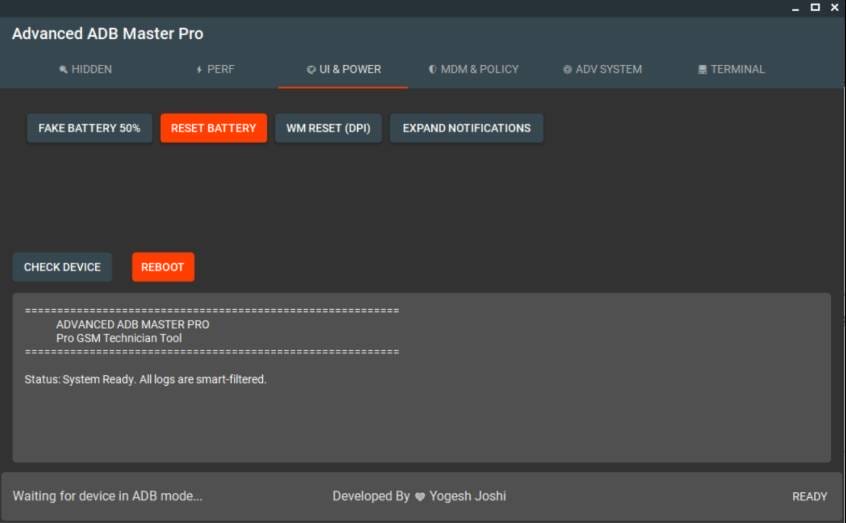
- Fake Battery 50%
- Reset Battery
- Wm Reset (dpi)
- Expand Notifications
Device Control Options
- Check Device
- Reboot
Mdm & Policy Section Features
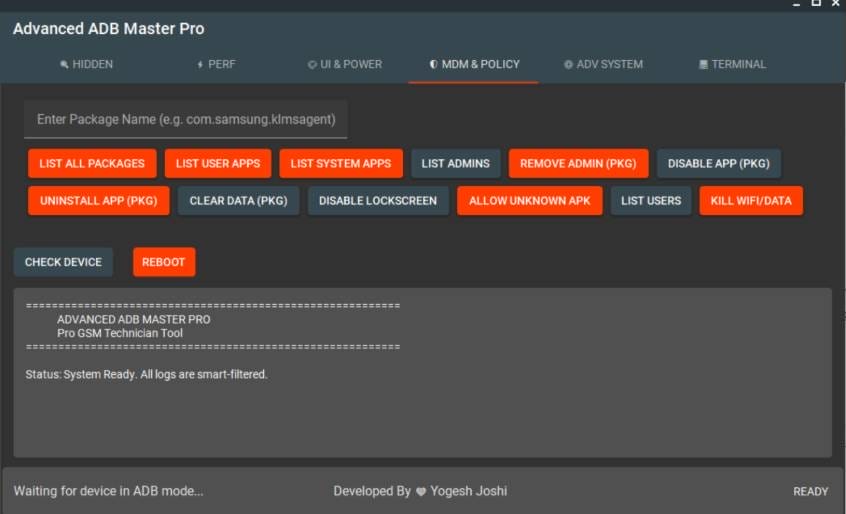
- List All Packages
- List User Apps
- List System Apps
- List Admins
- Remove Admin (pkg)
- Disable App (pkg)
- Uninstall App (pkg)
- Clear Data (pkg)
- Disable Lockscreen
- Allow Unknown Apk
- List Users
- Kill Wifi/data
Device Control Options
- Check Device
- Reboot
Adv System Section Features
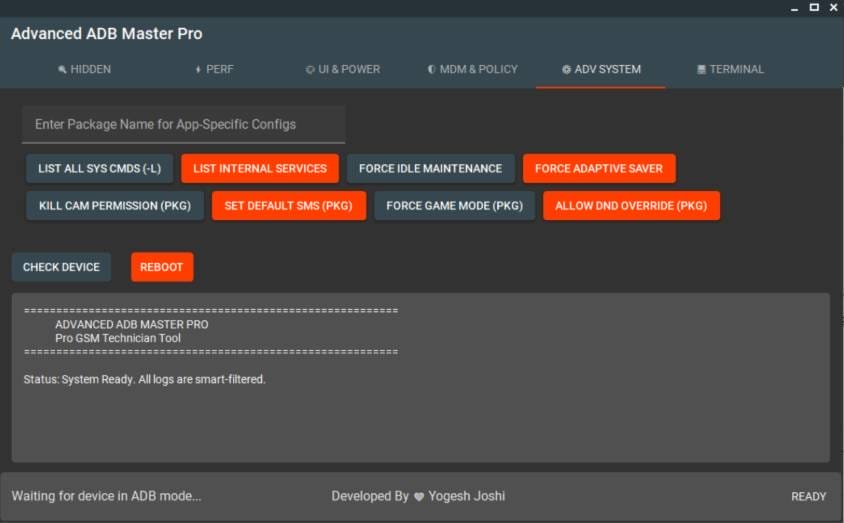
- List All Sys Cmds (-l)
- List Internal Services
- Force Idle Maintenance
- Force Adaptive Saver
- Kill Cam Permission (pkg)
- Set Default Sms (pkg)
- Force Game Mode (pkg)
- Allow Dnd Override (pkg)
Device Control Options
- Check Device
- Reboot
Terminal Section Features
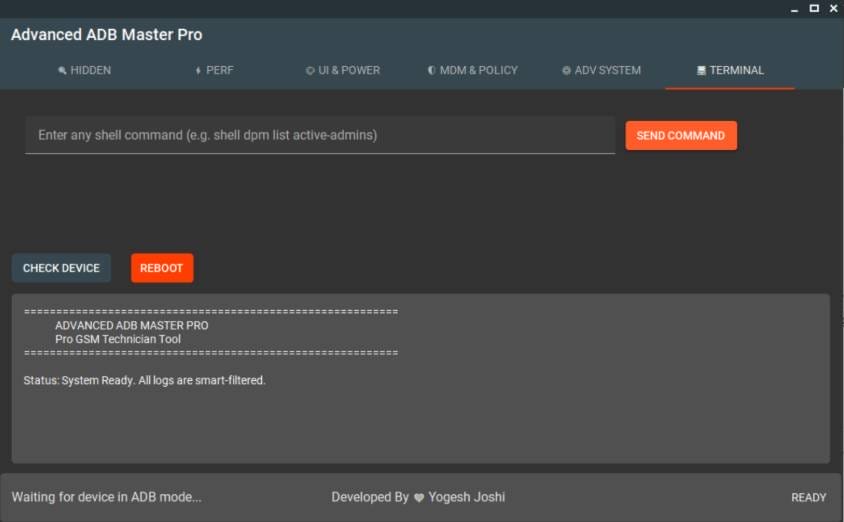
- Send Command
Device Control Options
- Check Device
- Reboot
How To Use It?
- First, Download The Advanced Adb Master Pro Tool.
- Extract The Rar File And Open The Folder.
- In File Content, You Can Find The Setup File By Simply Double-clicking.
- Run The Tool As Admin “Advanced Adb Master Pro Tool“.
- The Tool Will Open On Your Pc Screen.
Advanced adb master pro tool
- Enjoy Using The Tool.
Frequently Asked Questions (faqs)
Is Adb Safe To Use On My Phone?
When Adb Debugging Is Active, The Connected Device Is More Vulnerable To Unauthorized Data Access, Command Execution, Or Even Malware Installation.
What Is An Adb Tool?
A Versatile Command-line Tool That Lets You Communicate With A Device.
Can I Check If My Android Phone Is Hacked?
Use Your Device’s Baked-in Security Software To Check For Malware.
What Are The Benefits Of Using Adb?
An Effortless Way To Push And Pull Files Between Your Computer And Android™ Device
What Is The Purpose Of Adb?
Supports Projects In Developing Member Countries That Create Economic And Development Impact
Final Thoughts
The Advanced Adb Master Pro Tool Is A Powerful Utility Designed For Anyone Who Works With Android Devices Through Adb Mode. It Brings Together Many Important Features Such As Device Management, Performance Monitoring, And System Control In A Single Interface.
Whether You Are A Gsm Technician Or An Android Enthusiast, This Tool Can Make Device Management Easier And Faster. By Simplifying Complex Commands Into Easy Options, It Helps Users Perform Advanced Tasks With Confidence And Efficiency.
How To Download?
- Visit The Gsmatoz Tools Website Of The Tool.
- Find The Download Page. Don’t Click The Button, And Click Only The (Download Link)
- Below Buttons Are Advertisements.Please Use The Download Links Above.
- Once The Download Is Complete, Locate The Downloaded File On Your Device.
- Tap On The File To Begin The Installation Process.
- Follow The On-screen Instructions To Complete The Installation.
Advanced Adb Master Pro Tool






