
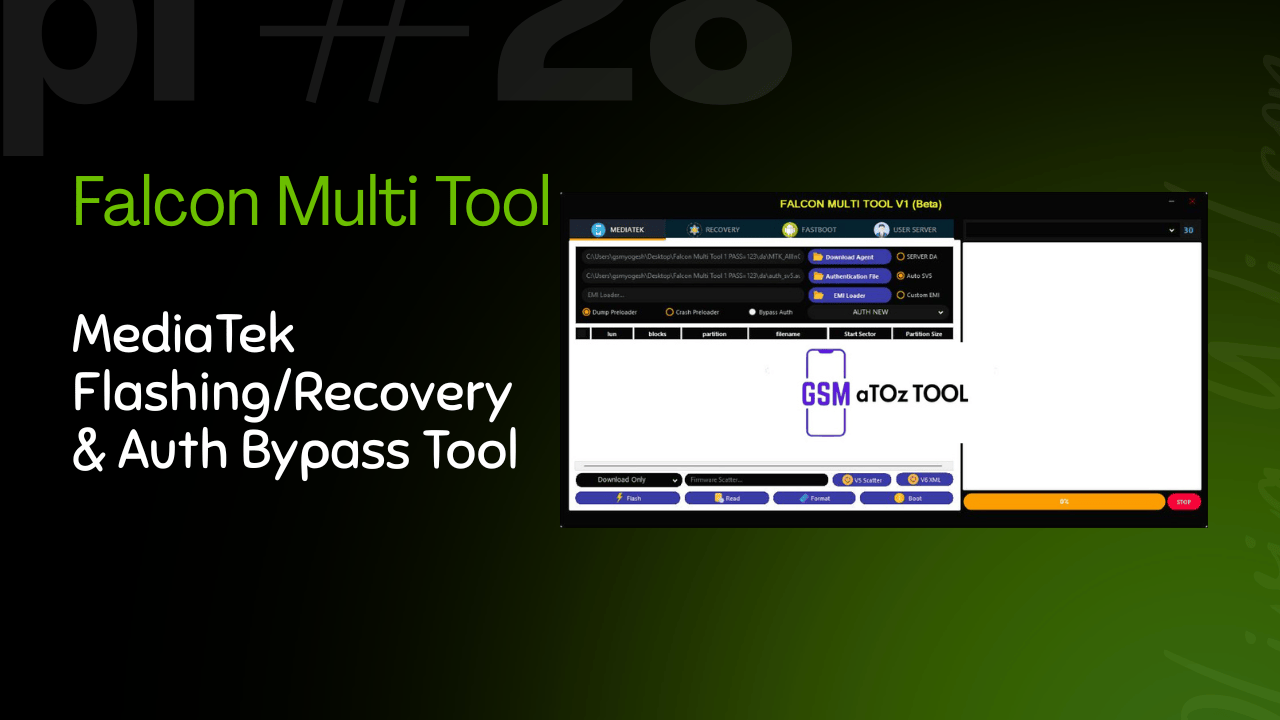
Falcon multi tool v1 mediatek flashing/recovery & auth bypass tool
If You’ve Ever Struggled With Flashing A Mediatek Phone Dealing With Recovery Issues Or Getting Stuck At Authentication Errors You’re Not Alone. Many Users Search For A Reliable Tool After Facing Failed Flashes Frp Locks Or Confusing Fastboot Options. That’s Usually When Falcon Multi Tool Comes Into The Picture As A Possible All In One Solution.
In This Blog Post We’ll Walk You Through What Falcon Multi Tool Offers And Why It’s Gaining Attention Among Mediatek Users And Technicians. You’ll Learn About Its Recovery Fastboot File Management Authentication Bypass And Core Flashing Functions In A Clear And Simple Way. By The End You’ll Know Exactly How This Tool Can Help You Handle Mediatek Devices More Easily And Confidently.
What Is Falcon Multi Tool?
Falcon Multi Tool Is A Comprehensive Utility Designed To Handle Common And Advanced Mediatek Tasks From One Place. It Supports Mediatek Recovery And Fastboot Modes So You Don’t Need To Jump Between Multiple Tools. Whether You’re Flashing Firmware Booting Into Recovery Or Working With Fastboot Commands Everything Feels More Organized.
It Also Includes Strong File Management Support Such As Download Agent Authentication File Emi Loader Server Da Auto Sv5 And Custom Emi. These Options Matter When You’re Dealing With Newer Devices Or Protected Firmware. Instead Of Guessing You Can Load The Correct Files And Move Forward With Confidence.
Also Read:
Why Falcon Multi Tool Is Popular Among Mediatek Users
One Big Reason Falcon Multi Tool Stands Out Is Its Authentication Handling. Features Like Bypass Auth V5 Scatter And V6 Xml Support Make It Easier To Work On Devices That Usually Block Flashing. For Many Technicians This Alone Saves Hours Of Trial And Error.
The Tool Also Covers Core Functions Such As Flash, Read, Format, Boot, And Recovery In A Clean Workflow. On Top Of That The Partition Table Viewer Shows Lun Blocks Partition And Filename Details Which Helps When Diagnosing Storage Or Firmware Issues. You’re Not Just Clicking Buttons You Actually See What’s Happening.
Who Should Use Falcon Multi Tool?
This Tool Is Ideal For Mobile Technicians Repair Shop Owners And Advanced Users Who Regularly Work On Mediatek Phones. If You Often Deal With Recovery Problems Frp Locks Or Dead Boot Situations Its Recovery Module Can Be A Real Lifesaver. Options Like Format Data And Format Data + Frp Are Especially Useful During Resets.
It’s Also Suitable For Users Who Understand Fastboot Operations. The Fastboot Module Including Fastboot To Edl Reboot Gives More Control During Deep Repairs. Beginners Can Use It Too But Only If They Follow Proper Guides And Understand The Risks Involved.
Features Of Falcon Multi Tool
Main:
- Mediatek
- Recovery
- Fastboot
Mediatek
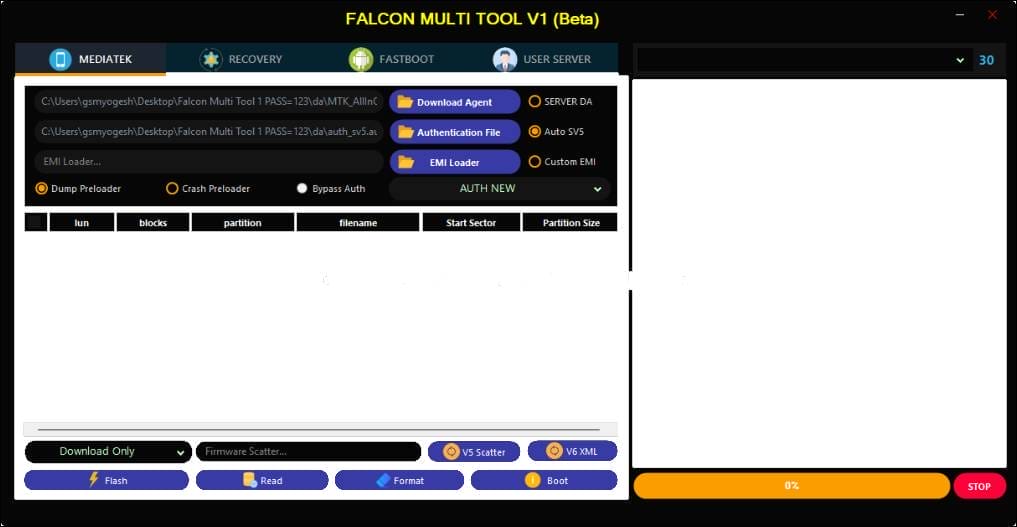
Falcon multi tool
File Management:
- Download Agent
- Authentication File
- Emi Loader
- Server Da
- Auto Sv5
- Custom Emi
Preloader Options:
- Dump Preloader
- Crash Preloader
Authentication:
- Bypass Auth
- V5 Scatter
- V6 Xml
Core Functions:
- Flash
- Read
- Format
- Boot
- Recovery
Partition Table Viewer:
- Lun
- Blocks
- Partition
- Filename
Recovery Module
- Format Data
- Format Data + Frp
Fastboot Module
- Fastboot To Edl Reboot
How To Use It?
- First, Download The Tool.
- Extract The Rar File And Open The Folder.
- In File Content, You Can Find The Setup File By Simply Double-clicking.
- Run The Tool As Admin “Falcon Multi Tool “.
- The Tool Will Open On Your Pc Screen.
- Enjoy Using The Tool.
Final Thoughts On Falcon Multi Tool
Overall Falcon Multi Tool Brings Many Powerful Mediatek Features Into One Practical Solution. From Preloader Options Like Dump Preloader And Crash Preloader To Advanced Authentication Handling It’s Built For Real-world Repair Scenarios. You Don’t Need Ten Different Programs To Get The Job Done.
If You’re Tired Of Switching Tools Or Facing Unnecessary Limitations Falcon Multi Tool Is Worth Considering. Used Carefully It Can Simplify Your Workflow Save Time And Make Mediatek Device Servicing Far Less Stressful.
What Is Falcon Multi Tool Used For?
Falcon Tool Is Used For Flashing, Recovery And Fastboot Operations On Mediatek Devices. It Helps Users Perform Tasks Like Firmware Flashing Format Data Frp Removal And Authentication Bypass From A Single Interface.
Does Falcon Multi Tool Support Authentication Bypass?
Yes, Falcon Tool Supports Authentication Bypass On Many Mediatek Phones. It Works With V5 Scatter And V6 Xml Files Making It Easier To Flash Protected Devices That Normally Block Unauthorized Access.
Can Beginners Use Falcon Multi Tool Safely?
Beginners Can Use Falcon Multi Tool But They Should Follow Proper Guides And Instructions Carefully. Incorrect Use Of Flashing Format Or Preloader Options May Cause Device Damage So Basic Knowledge Is Recommended.
What Recovery Features Are Available In Falcon Multi Tool?
The Tool Includes A Dedicated Recovery Module With Options Like Format Data And Format Data + Frp. These Features Are Helpful When Fixing Boot Loops Removing Frp Locks Or Resetting Mediatek Devices.
Does Falcon Multi Tool Support Fastboot Functions?
Yes Falcon Multi Tool Includes A Fastboot Module That Allows Users To Perform Fastboot Operations. One Notable Feature Is Fastboot To Edl Reboot Which Helps During Advanced Repair And Flashing Scenarios.
How To Download?
- Visit The Gsmatoz Tools Website Of The Tool.
- Find The Download Page. Don’t Click The Button, And Click Only The (Download Link)
- Below Buttons Are Advertisements.Please Use The Download Links Above.
- Once The Download Is Complete, Locate The Downloaded File On Your Device.
- Tap On The File To Begin The Installation Process.
- Follow The On-screen Instructions To Complete The Installation.
Falcon Multi Tool
Password: [softwarecrackguru]






