
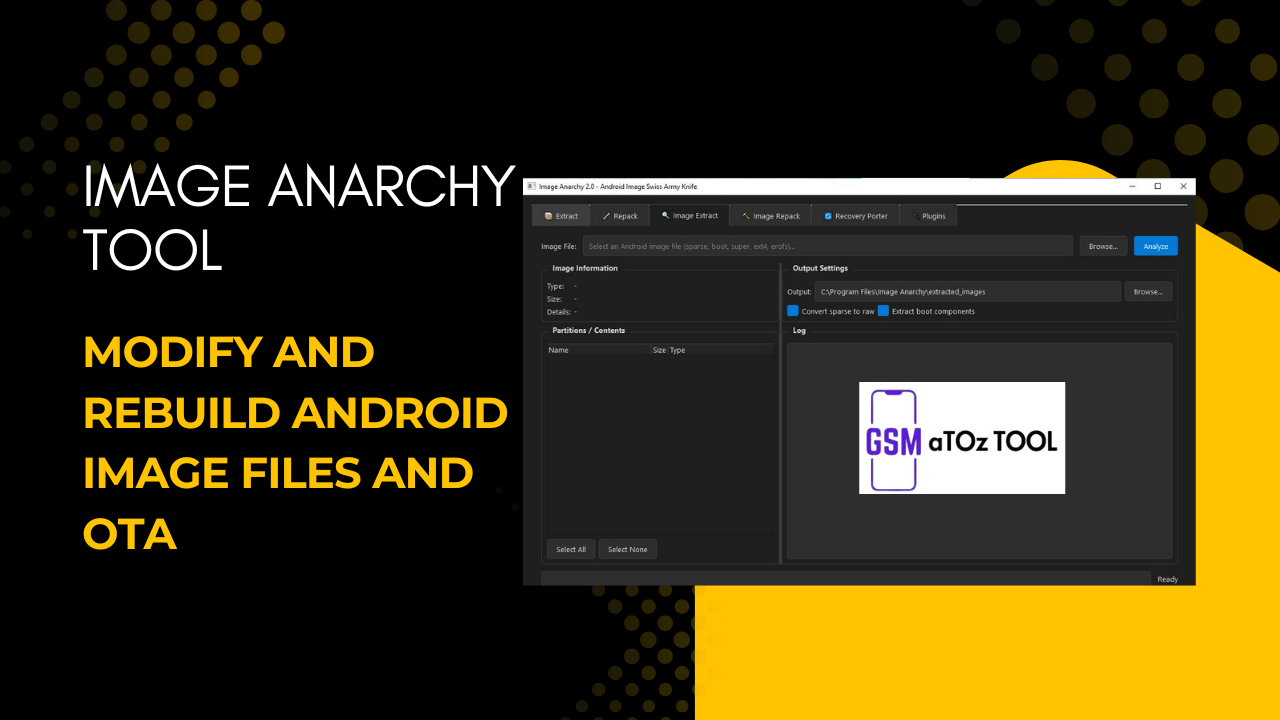
Image anarchy tool v2. 0 modify and rebuild android image files and ota
If You’ve Ever Tried To Open Edit Or Rebuild Android Image Files And Ota Packages You Know How Confusing And Frustrating It Can Feel. Many People Searching For Image Anarchy V2.0 Modify And Rebuild Android Image Files And Ota Are Simply Looking For A Way To Take Control Of Their Firmware Without Breaking Everything Or Wasting Hours On Failed Tools.
In This Post You’ll Learn What Image Anarchy Tool V2.0 Modify And Rebuild Android Image Files And Ota Is What It Can Do, And How It Helps Simplify Tasks Like Extracting, Repacking And Porting Images. We’ll Walk Through Its Main Features In A Clear Beginner-friendly Way So You Can Understand How To Use It With Confidence And Actually Enjoy Working With Android Images Instead Of Fighting Them.
What Is Image Anarchy Tool?
Image Anarchy Is A Windows-based Android Utility Designed To Extract Modify And Rebuild Android Image Files And Ota Packages In A Simple All-in-one Interface.
In Practical Terms The Image Anarchy Tool Helps Users Work With Files Like Payload.bin Boot.img, Recovery.img System Vendor And Super Images Without Relying On Many Separate Command-line Tools. It Allows You To Extract Partitions From Ota Updates, Unpack And Repack Image Files Convert Sparse Images To Raw Rebuild Payloads And Even Port Or Modify Custom Recoveries Like Twrp And Orangefox.
Also Read:
Whatsaap Groups Link:
- GSM ATOZ TOOLS SOFTWAR:: Group Link Join
- GSM ATOZ TOOLS Tech::Group Link Join
- GSM ATOZ TOOLS EXPERTS::Group Link Join
- WORLD OF GSM ATOZ TOOLS::Group Link Join
- GSM ATOZ TOOLS MOBILE SOFTWARE::Group Link Join
Join Us On Telegram
- Telegram Channel: GSM ATOZ TOOLS::Link Join
- Telegram Group Link: GSM ATOZ TOOLS:: Link Join
What Image Anarchy Is Mainly Used For?
Extracting Payload.bin And Ota Contents Unpacking And Rebuilding Android Partition Images
Working With Boot And Recovery Images (kernel, Ramdisk, Dtb) Extracting Super Partitions (system, Vendor, Product, Etc.) Porting And Editing Custom Recoveries Repacking Images With Modern Compression Like Zstd
Who Should Use Image Anarchy Tool?
The Image Anarchy Tool Is Best Suited For People Who Regularly Deal With Android System Files And Ota Packages. If You’re A Mobile Repair Technician Custom Rom Developer Or Serious Android Enthusiast You’ve Likely Faced Situations Where You Needed To Open Images Inspect Partitions, Or Rebuild Files After Making Changes. This Tool Brings Many Of Those Advanced Operations Into One Organized Interface, Which Saves Time And Reduces Mistakes.
It’s Also Useful For Learners Who Want To Move Beyond Basic Flashing. Instead Of Only Installing Ready-made Firmware You Can Explore What’s Inside Experiment With Boot Or Recovery Images And Understand How Ota Updates Are Structured. However Beginners Should Still Move Carefully Because Working With System Images Always Carries Risk If You Don’t Keep Proper Backups.
Extract Functions In Image Anarchy
One Of The Strongest Areas Of This Software Is Extraction. You Can Load An Ota Or Payload Source And Quickly Pull Out Partitions Without Juggling Several Command-line Utilities. The Interface Lets You Select All Select None Or Pick Only What You Need Which Is Helpful When You Only Care About System Vendor Or Boot Instead Of The Entire Package.
It Also Supports Extracting Super Partition Contents, So You Can Directly Access System Product Vendor And Related Images. On Top Of That You Can Convert Sparse Images To Raw Format Extract Boot Components Like Kernel And Ramdisk And View Image Information Such As Type Size And Partition Layout. All Actions Are Logged Making It Easier To Track What The Tool Is Doing In The Background.
Repack & Build Functions
Extraction Alone Isn’t Enough If You Plan To Modify Files And That’s Where The Repack Side Becomes Important. After Editing Images Or Directories You Can Rebuild Partition Images And Even Recreate Payload.bin Files With Modern Compression Like Zstd. Output Settings Let You Control File Locations Compression Levels And Formats So Your Rebuilt Images Match Your Project’s Needs.
The Tool Also Supports Building New Boot Or Recovery Images From Components. You Can Choose Header Versions Set Page Size Define Kernel Paths Add Ramdisk Archives And Include Dtb Files If Required. This Makes It Possible To Take Extracted Parts, Apply Your Changes And Then Turn Them Back Into Flashable Images Without Leaving The Program.
Recovery Porter Module Explained
The Recovery Porter Is Designed For Users Who Work With Custom Recoveries Like Twrp Or Orangefox. Instead Of Guessing What’s Inside A Recovery Image You Can Load It And Analyze Its Structure. The Tool Shows Recovery Information Ramdisk Contents And Key Properties So You Know Exactly What You’re Working With Before Making Changes.
You Can Then Replace The Kernel Swap Dtb Files Edit The Fstab, Or Adjust The Kernel Command Line. After Your Edits The Recovery Can Be Repacked Into A New Image Ready For Testing. This Module Is Especially Useful When Porting A Recovery Between Devices, Because It Centralizes Analysis Modification And Rebuilding In One Workflow.
Features Of Image Anarchy Tool
Extract

Payload source
- Browse
- Load
Partitions
- Select All
- Select None
Output Settings
Output Directory:
- Output
- Differential Ota (requires Original Images)
- Extract Super Partition Contents (system, Vendor, Etc.)
- Log
Repack
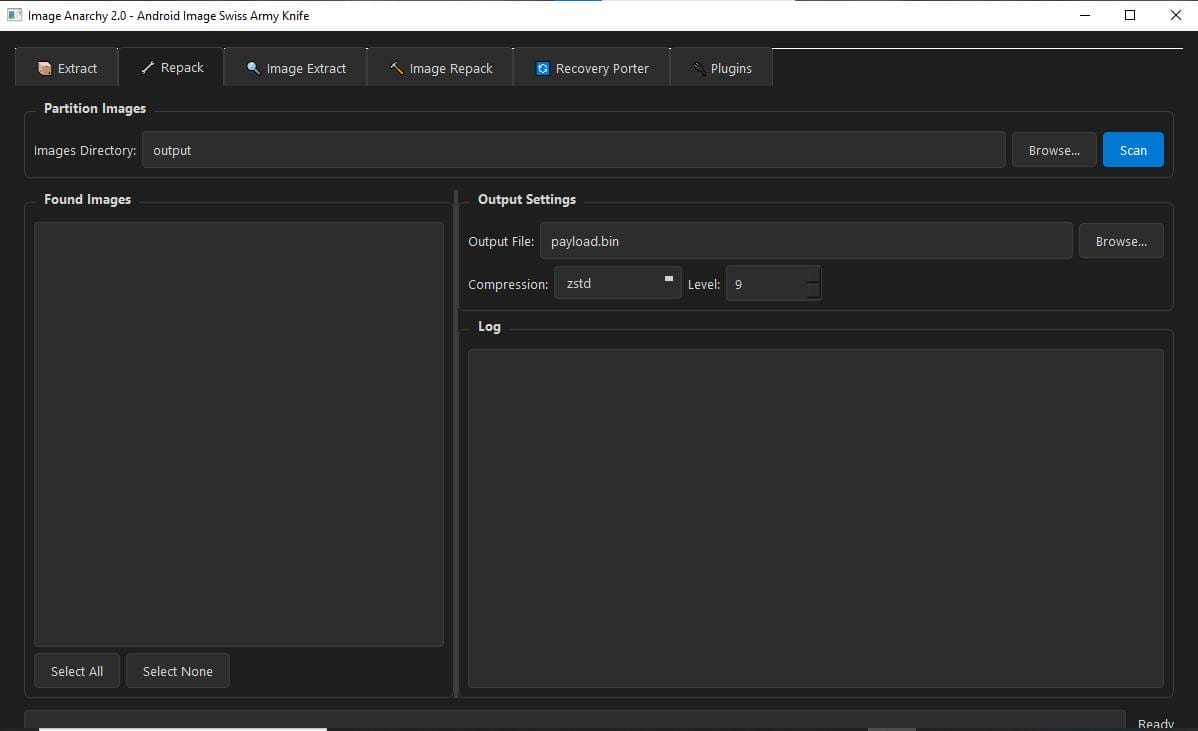
Partition Image
- Image Directory
- Output
Found Imagees
- Select All
- Select None
Output Settings
- Output File:payload.bin
- Compression:zstd
- Level: 9
- Log
Image Extract
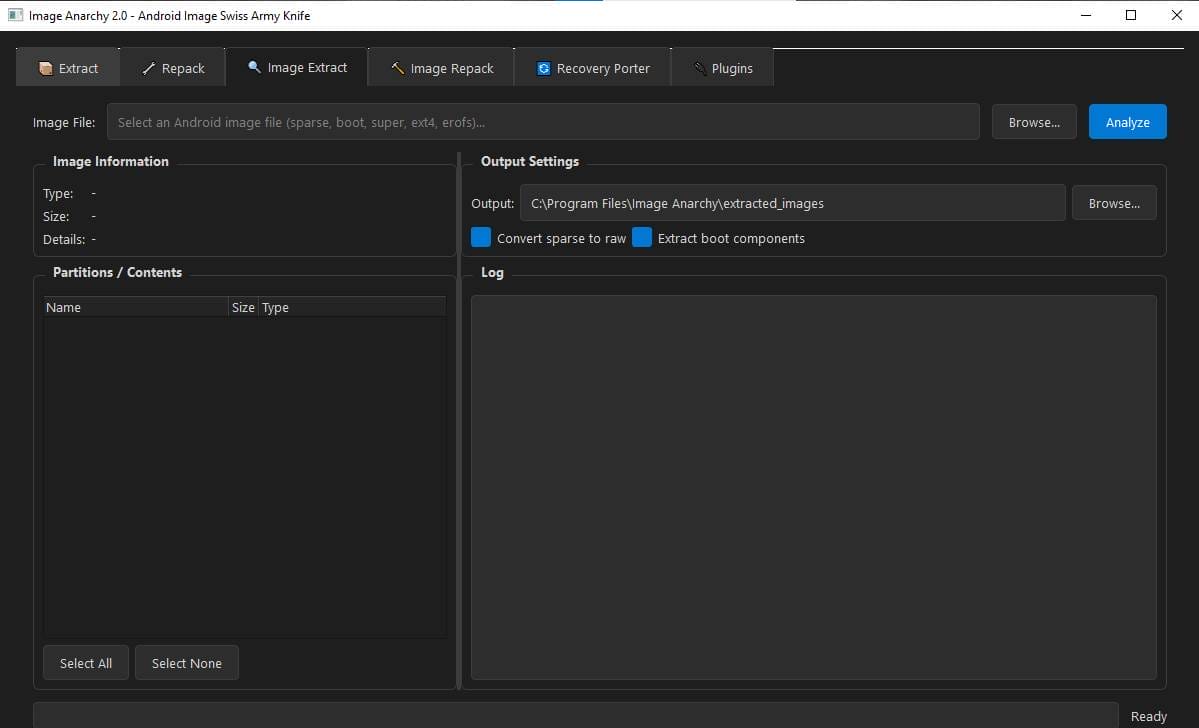
- Image File
Image Information
- Type
- Size
- Details
Partitions/contents
- Name
- Size Type
- Select All
- Select None
Output Settings
- Output
- Convert Sparse To Raw
- Extract Boot Components
- Log
Image Repack
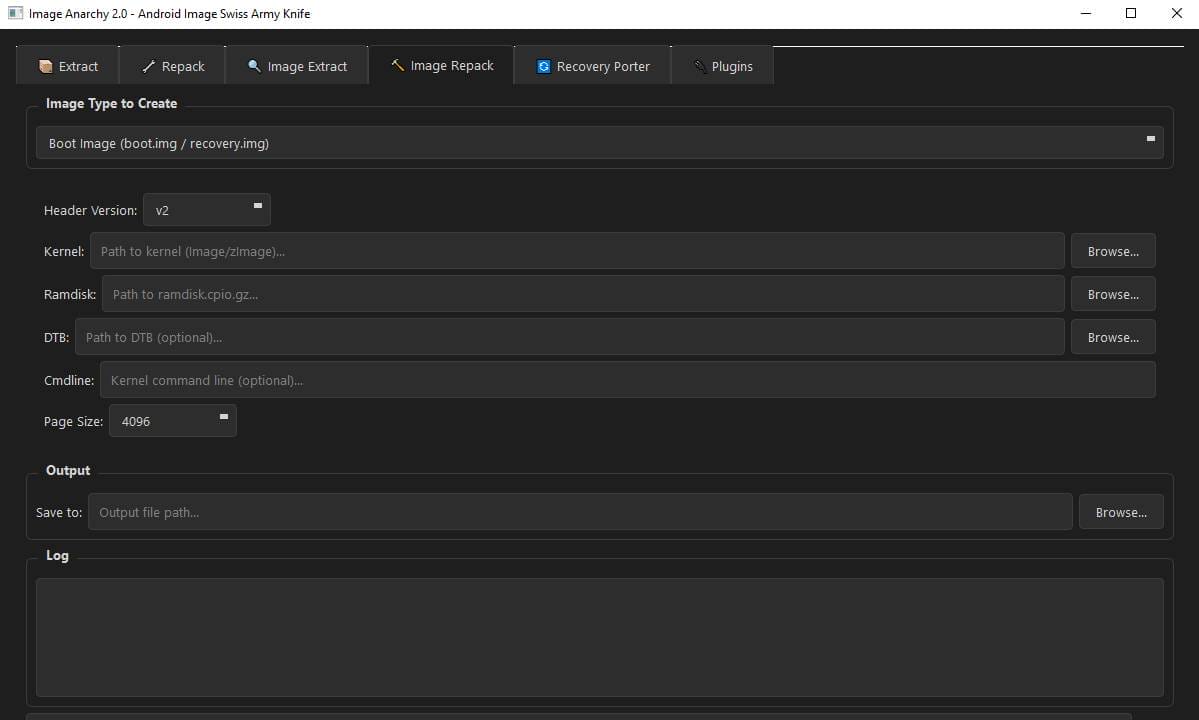
Image Type To Create
- Boot Image (boot.img / Recovery.img)
- Header Version:v2
- Kernel: Path To Kernel (image/zimage)…
- Ramdisk:path To Ramdisk.cpio.gz…
- Dtb:path To Dtb (optional)…
- Cmdline:kernel Command Line (optional)…
- Page Size:4096
Output
- Save To: Output File Path…
- Log
Recovery Porter
Recovery Porter – Port Custom Recoveries (twrp, Orangefox) Between Devices Load A Recovery.img To Analyze, Modify, Swap Kernel, Edit Fstab, And Repack.
Source Recovery
- Analyze Recovery
Recovery Information
- Property
- Value
Modifications
- Replace Kernel: Leave Empty To Keep Original…
- Replace Dtb: Leave Empty To Keep Original…
- Cmdline: Kernel Command Line…
- Output: Path For New Recovery.img
Ramdisk Contents
- Name
- Size
- Type
- Extract All
- Edit Fstab
- Log
Plugin
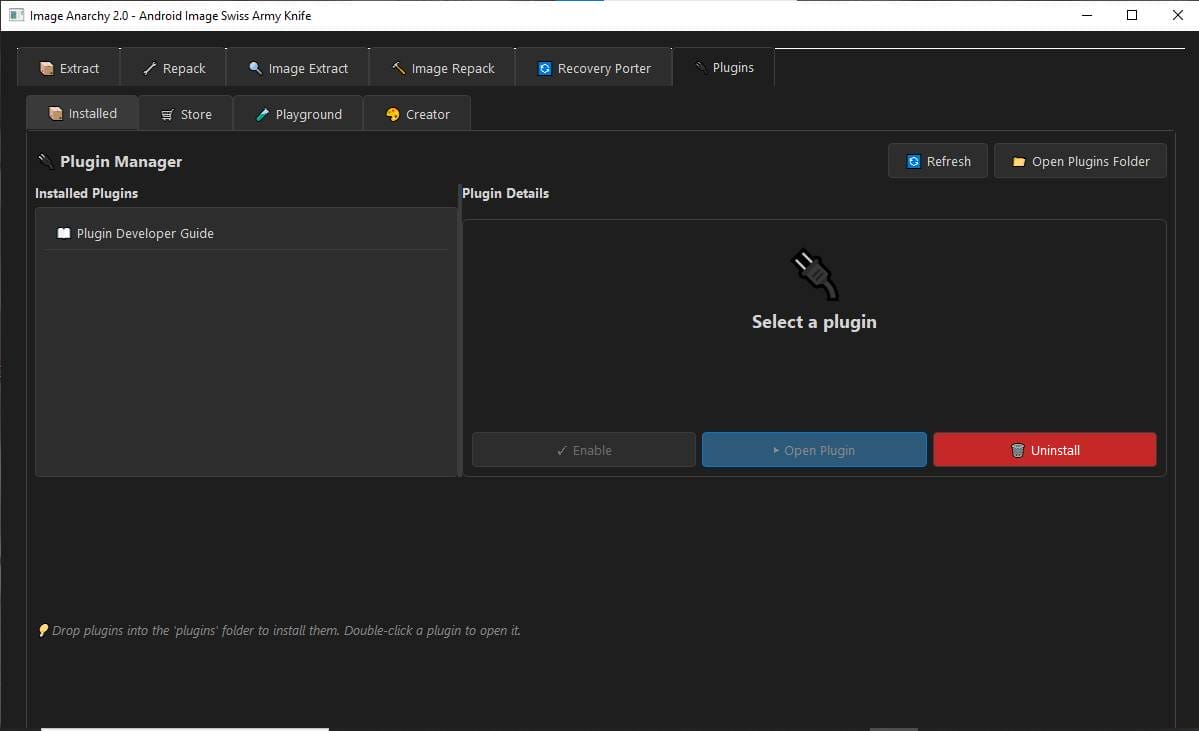
Plugin Manager
- Installed Plugins
- Plugin Developer Guide
- Refresh
- Open Plugins Folder
Plugin Details
- Enable
- Open Plugin
- Uninstall
How To Use?
- First, Open The Tool From The Download Option.
- Extract The Rar File And Open The Tool Folder.
- In File Content You Can Find The Setup File By Simply Double-clicking.
- A Setup Will Open In Front Of You. Click Next To Continue.
- Click Next To Create A Shortcut.

- Now, A Setup Will Open In Front Of You. Click Install To Continue The Installation.

- After Some Time The Tool Will Be Installed On Your Pc.
- After The Installation Is Complete Click On Finish To Close The Setup.

- Go To The Desktop Of Your Pc And Open The Tool.
- Run The Tool As Admin “Image Anarchy Tool”.
- The Tool Will Open In Front Of You.
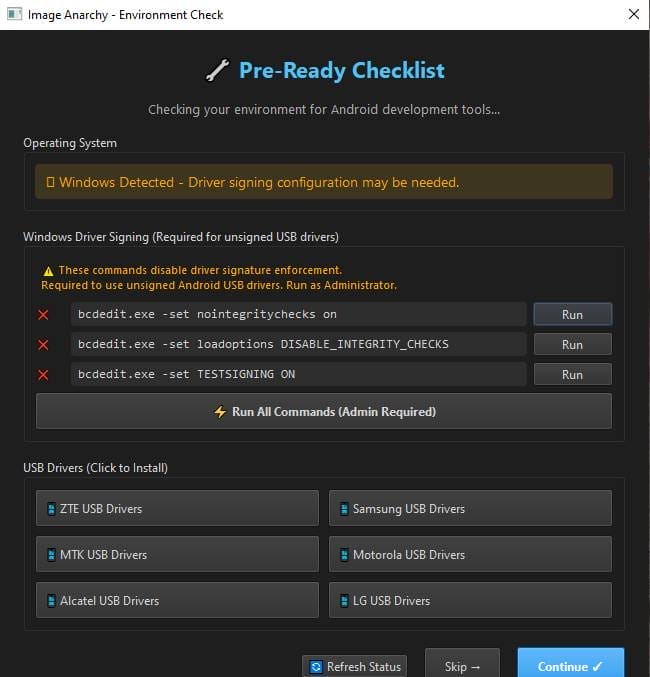
- Use The Features You Need For Free And Enjoy!
Final Thoughts
The Real Strength Of The Image Anarchy Tool Lies In How Many Complex Android Image Tasks It Brings Together. Instead Of Moving Between Different Scripts And Utilities You Get Extraction Rebuilding Boot Image Handling And Recovery Porting Under One Roof. This Doesn’t Just Save Time It Also Makes The Whole Process Feel More Approachable And Organized.
If You Often Deal With Ota Files Partitions, Or Custom Recoveries, This Tool Can Become A Solid Part Of Your Android Toolkit. Just Remember To Work Carefully Keep Backups And Test Changes Properly. When Used Responsibly Image Anarchy Tool V2.0 Can Turn Frustrating Firmware Work Into A Much Smoother And More Understandable Experience.
FAQs
What Is Image Anarchy Tool Used For?
Image Anarchy Tool Is Used To Extract, Modify And Rebuild Android Image Files And Ota Packages. It Helps Users Work With Payload.bin Super Images Boot And Recovery Files And Individual Partitions Like System Or Vendor. The Tool Is Popular Among Technicians And Developers Who Need More Control Than Simple Flashing Tools Provide.
Can Image Anarchy Extract Payload.bin And Super.img?
Yes, Image Anarchy Can Extract Payload.bin Files And Pull Out Super Partition Contents Such As System Vendor Product And Odm Images. It Also Shows Image Information Like Type And Size And It Allows Selective Extraction So You Don’t Have To Unpack Everything.
Does Image Anarchy Support Rebuilding Android Images?
Yes, The Tool Supports Repacking Partition Images And Rebuilding Payload.bin Files. You Can Choose Compression Methods Like Zstd Set Output Options And Create New Boot Or Recovery Images From Kernel And Ramdisk Components.
Is Image Anarchy Useful For Recovery Porting?
Image Anarchy Includes A Recovery Porter Module Designed To Port Custom Recoveries Like Twrp And Orangefox Between Devices. It Allows You To Analyze Recovery Images Replace Kernel Or Dtb Files Edit Fstab, And Then Repack A New Recovery Image.
Who Should Use Image Anarchy Tool?
Image Anarchy Is Best Suited For Mobile Repair Professionals Rom Developers, And Advanced Android Users. It’s Also Useful For Learners Who Want To Understand Android Image Structure But Beginners Should Proceed Carefully And Always Keep Backups.
How To Download?
- Visit The Gsmatoz Tools Website Of The Tool.
- Find The Download Page. Don’t Click The Button And Click Only The (Download Link)
- Below Buttons Are Advertisements.Please Use The Download Links Above.
- Once The Download Is Complete Locate The Downloaded File On Your Device.
- Tap On The File To Begin The Installation Process.
- Follow The On-screen Instructions To Complete The Installation.
Image Anarchy Tool v2.0






