
Multi utility tool v3. 0 pro free download
If You’ve Ever Felt Annoyed By Useless System Apps Constant Ads Or Slow Performance On Your Android Device You’re Not Alone. Many Users Search For A Proper Multi Utility Tool Because They’re Tired Of Limited Controls And Confusing Methods That Don’t Really Fix The Problem. The Curiosity Usually Starts With A Simple Thought There Has To Be An Easier And Safer Way To Manage All This.
In This Blog, We’ll Explore How The Multi Utility Tool Brings Everything Together In One Place From Debloating Ads And Analytics To Managing Processes Packages Performance And Reboot Options. You’ll Learn What Each Feature Does How It Helps And Why It’s Useful For Both Beginners And Advanced Users. By The End You’ll Clearly Understand How This Tool Can Make Device Management Cleaner Faster And Stress Free.
What Is Multi Utility Tool?
The Multi Utility Tool Is An All-in-one Android Management Solution Designed To Give Users Deeper System Level Control. Instead Of Relying On Multiple Small Tools It Combines Debloating Task Management Package Control Performance Tuning Diagnostics And Reboot Options Into One Interface. This Makes Device Maintenance Simpler And Far More Efficient.
What Really Sets It Apart Is How It Organizes Complex Actions Into Easy To Use Sections. You Don’t Need To Be An Android Developer To Understand What’s Happening. Even If You’re New To System Tools The Layout And Clear Options Help You Make Changes Confidently And Safely.
Also Read:
Whatsaap Groups Link:
- GSM ATOZ TOOLS SOFTWAR:: Group Link Join
- GSM ATOZ TOOLS Tech::Group Link Join
- GSM ATOZ TOOLS EXPERTS::Group Link Join
- WORLD OF GSM ATOZ TOOLS::Group Link Join
- GSM ATOZ TOOLS MOBILE SOFTWARE::Group Link Join
Join Us On Telegram
- Telegram Channel: GSM ATOZ TOOLS::Link Join
- Telegram Group Link: GSM ATOZ TOOLS:: Link Join
Overview Of Multi Utility Tool
At Its Core This Tool Focuses On Cleaning Controlling And Optimizing Android Devices. It Includes Debloater Pro For Categorized Removal And Robust Restore A Task Manager For Running Processes A Package Manager For System Apps And Power & Performance Tools For Speed And Battery Improvements. Each Section Works Independently But Complements The Others.
The Multi Utility Tool Also Includes Advanced Options Like A System Inspector And Reboot Menu. These Features Are Especially Helpful For Users Who Want Diagnostics Access Shell Command Execution Or Safe Reboot Modes Without Jumping Between Different Utilities.
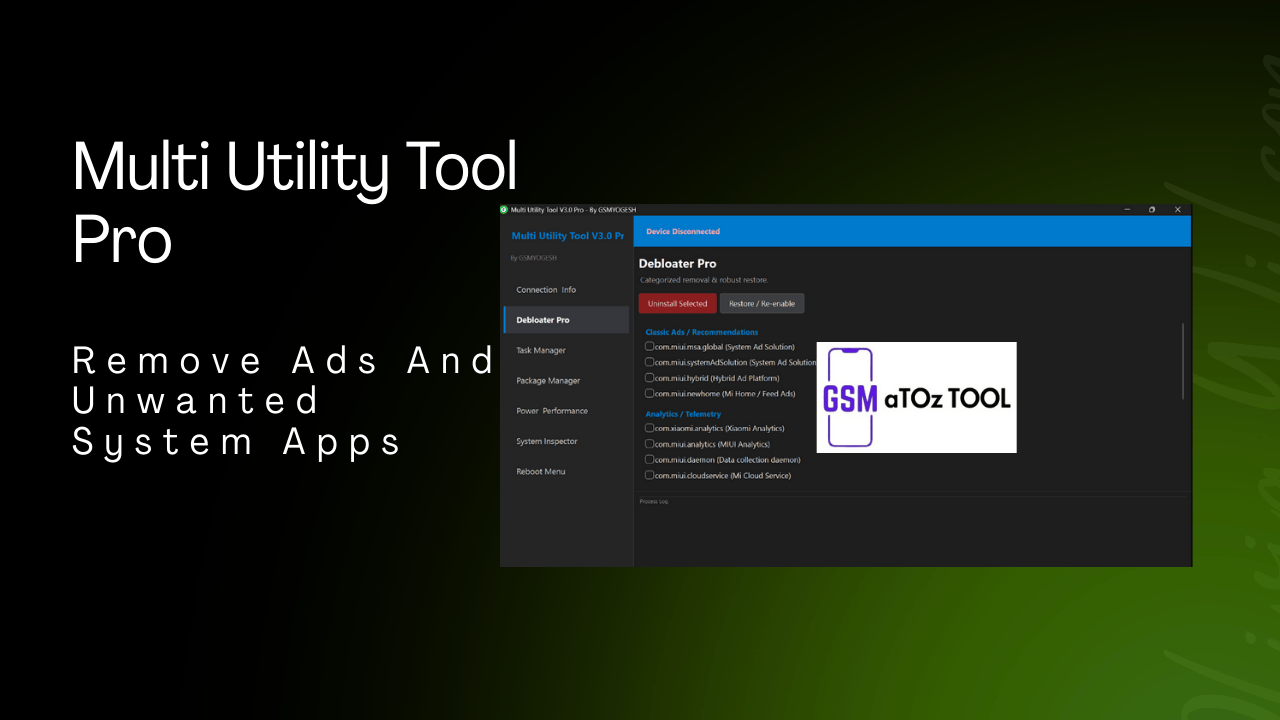
Remove Ads And Unwanted System Apps
One Of The Most Popular Features Is Debloater Pro Which Allows Categorized Removal And Robust Restore Of Unwanted System Components. With Options Like Uninstall Selected And Restore / Re-enable Users Can Safely Remove Apps And Bring Them Back If Needed. This Flexibility Makes Debloating Far Less Risky.
The Tool Targets Classic Ads And Recommendations Such As Com.miui.msa.global Com.miui.systemadsolution Com.miui.hybrid And Com.miui.newhome. It Also Covers Analytics And Telemetry Services Like Xiaomi Analytics Miui Analytics The Data Collection Daemon, And Mi Cloud Service. A Built-in Process Log Keeps Track Of Every Action So Nothing Happens Silently.
Control Running Processes Easily
The Task Manager Section Helps You Monitor And Control Running Processes In Real Time. You Can Search Kill Or Crash Processes Depending On Your Needs. Options Like Find Foreground App And Search Process Make It Easier To Locate Exactly What’s Running On Your Device.
Each Process Shows Details Such As Pid User And Process Name Giving You Better Visibility Into System Activity. With Simple Buttons Like Refresh Kill And Crash (sigsegv) Troubleshooting Misbehaving Apps Becomes Quick And Straightforward. The Process Log Ensures You Always Know What Actions Were Taken.
Advanced App Filtering And Control
The Package Manager Focuses On Advanced Filtering And Management Of Installed And Uninstalled System Apps. It Allows You To View Uninstalled System Apps Search By Package Name And Refresh The List Whenever Needed. This Is Especially Useful When Managing Devices With Heavy Oem Customization.
You Can Uninstall Selected Packages Or Use The Restore Enable Option If Something Needs To Be Brought Back. This Controlled Approach Reduces The Risk Of Breaking Essential Functions While Still Giving You Full Authority Over System Packages. Like Other Sections It Includes A Process Log For Transparency.
Power & Performance Optimization Tools
Performance Tuning Is Another Strong Area Of The Tool. The Power & Performance Section Merges Multiple Utilities Related To Animations Gaming And Battery Optimization. You Can Adjust The Global Animation Scale Anywhere From 0.1x To 10x To Make The Interface Feel Faster Or Smoother.
It Also Includes Performance Tweaks Like Enabling Or Disabling Game Booster Forcing Doze Mode Or Unforcing It When Necessary. These Options Help Balance Speed Battery Life And Responsiveness Based On How You Actually Use Your Phone.
System Inspector And Diagnostics
The System Inspector Is Designed For Diagnostics And Advanced Inspection. It Allows You To Dump Ui Xml Take Screenshots Inspect Notification Channels And Review App Permissions. These Tools Are Useful When Debugging Ui Issues Or Checking How Apps Interact With The System.
There’s Also A Shell Runner Where You Can Enter Package Names For Diagnostics Or Run Adb Shell Commands Directly. With The Run Shell Option And Detailed Process Logs Advanced Users Can Perform Deep System Checks Without Switching Environments.
Reboot Menu And Safe Boot Options
The Reboot Menu Offers Safe And Controlled Reboot Options For Different Situations. Instead Of Relying Only On A Normal Restart You Can Reboot Into Recovery Bootloader Or Even Edl Mode When Required. There’s Also A Power Off Option For Complete Shutdowns.
These Features Are Particularly Useful During Flashing Testing Or Troubleshooting Sessions. Every Reboot Action Is Recorded In The Process Log Adding An Extra Layer Of Clarity And Safety For The User.
Why Multi Utility Tool Is Useful
The Real Strength Of This Tool Lies In How It Brings Everything Together.you Don’t Have To Juggle Multiple Apps Or Remember Complicated Commands.everything From Debloating To Diagnostics Sits In One Place With A Consistent Interface.
For Users Who Want Control Without Chaos, Multi Utility Tool Feels Like A Practical And Well Thought Out Solution. It Saves Time Reduces Risk And Gives You Confidence When Managing Your Android Device.
Features:
Debloater Pro

Categorized Removal & Robust Restore:
Uninstall Selected
- Classic Ads / Recommendations
- Com.miui.msa.global (system Ad Solution)
- Com.miui.systemadsolution (system Ad Solution)
- Com.miui.hybrid (hybrid Ad Platform)
- Com.miui.newhome (mi Home / Feed Ads)
- Restore / Re-enable
Analytics / Telemetry
- Com.xiaomi.analytics (xiaomi Analytics)
- Com.miui.analytics (miui Analytics)
- Com.miui.daemon (data Collection Daemon)
- Com.miui.cloudservice (mi Cloud Service)
- Process Log
Task Manager
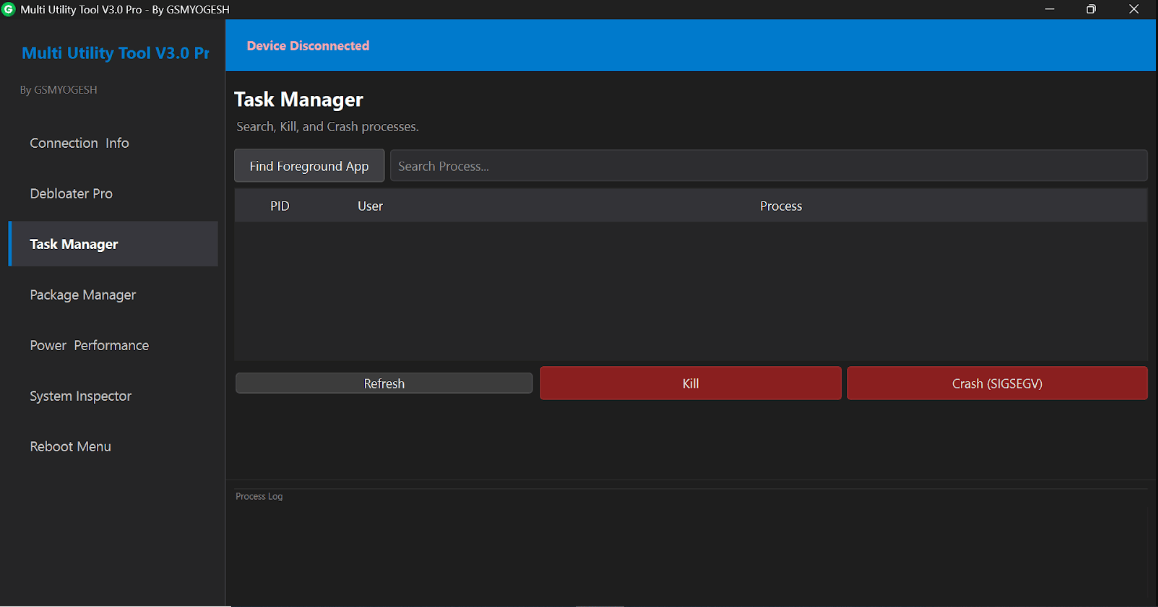
- Search Kill, And Crash Processes
- Find Foreground App
- Search Process…..
- Pid
- User
- Process
- Kill
- Refresh
- Crash (sigsegv)
- Process Log
Package Manager
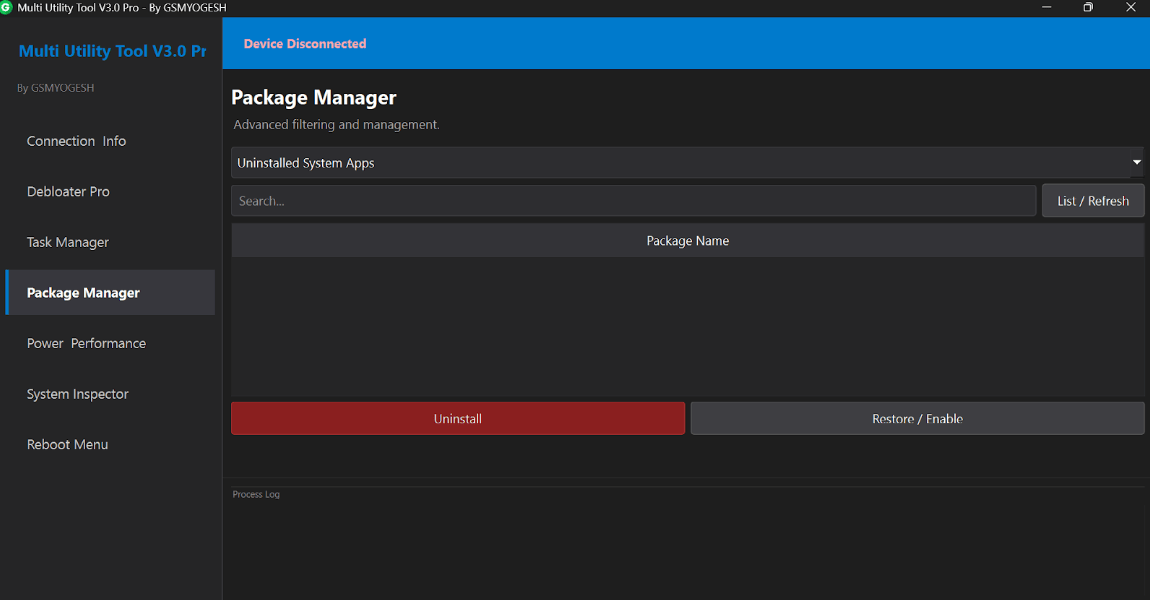
- Advanced Filtering And Management.
- Uninstalled System Apps
- Package Name
- List/refresh
- Uninstall
- Restore/enable
- Process Log
Power & Performance
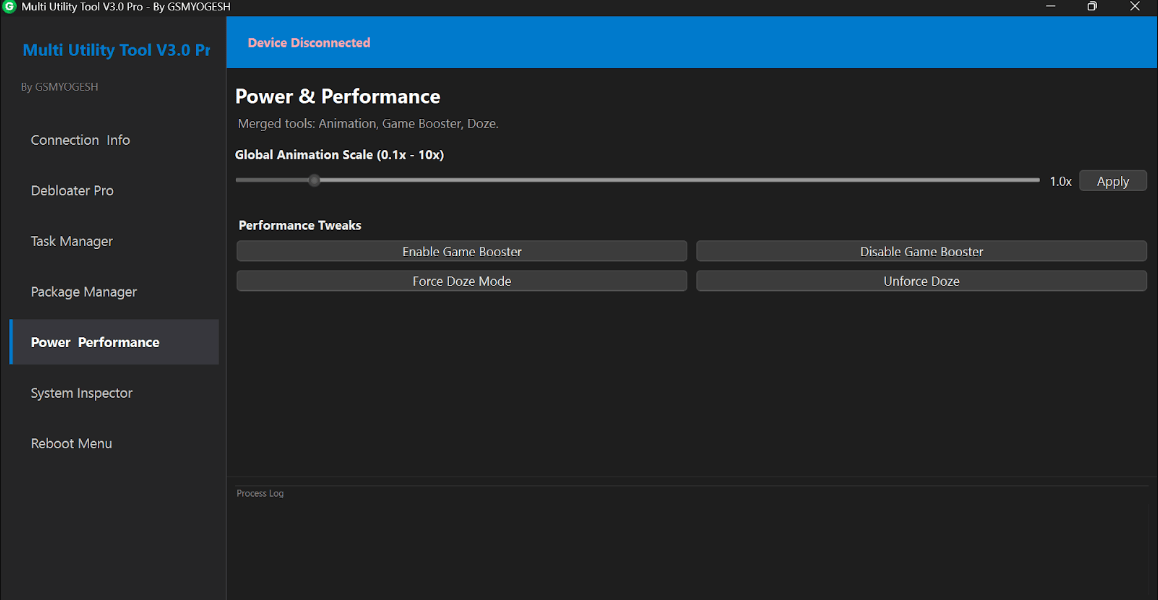
- Merged Tools. Animation, Game Booster, Doze.
- Global Animation Scale (0.1x – 10x)
Performance Tweaks
- Enable Game Booster
- Disable Game Booster
- Force Doze Mode
- Unforce Doze
- Process Log
System Inspector
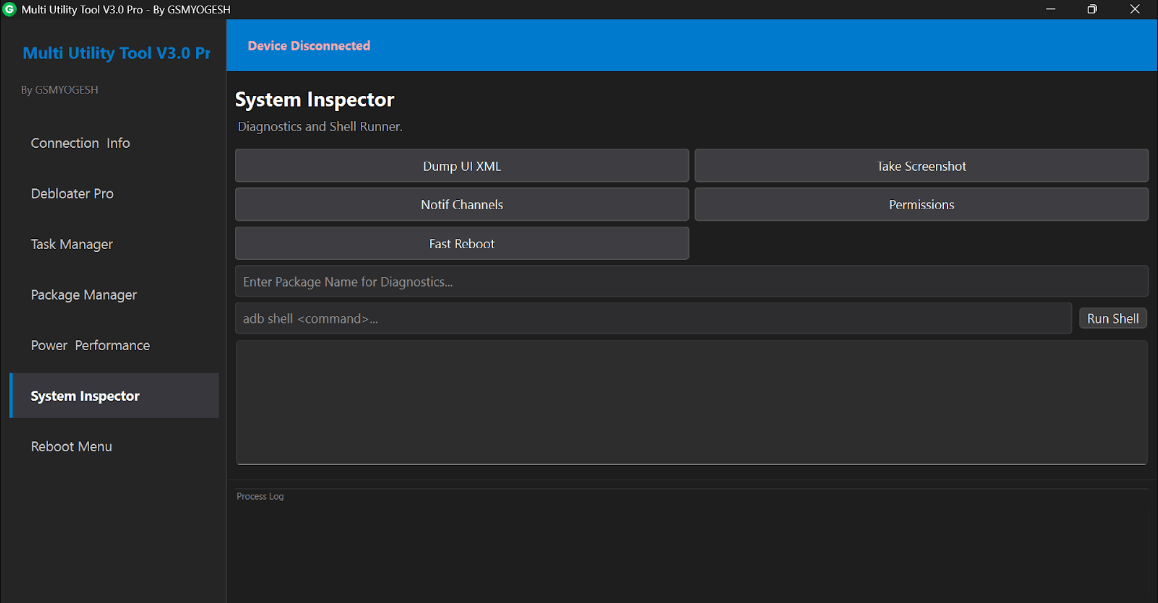
Diagnostics And Shell Runner.
- Dump Ui Xml
- Jake Screenshot
- Notif Channels
- Permissions
- Fast Reboot
Eriter Package Name For Diagnostics….
- Adb Shell <command>..
- Run Shell
- Process Log
- Reboot Menu
Safe Reboot Options.
- Normal Reboot
- Recovery
- Bootloader
- Edl Mode
- Power Off
- Process Log
How To Use It?
- First, Download The Tool.
- Extract The Rar File And Open The Folder.
- In File Content, You Can Find The Setup File By Simply Double-clicking.
- Run The Tool As Admin “Multi Utility Tool“.
- The Tool Will Open On Your Pc Screen.
- Enjoy Using The Tool.
FAQ’s
What Is Multi Utility Tool Used For?
Multi Utility Tool Is Used To Manage And Optimize Android Devices From One Place. It Helps Remove System Ads, Uninstall Unwanted Apps, Control Running Processes, Improve Performance, And Access Advanced System Features Safely.
Is Multi Utility Tool Safe To Use?
Yes It Is Safe When Used Correctly. The Tool Includes Restore And Re Enable Options Along With Detailed Process Logs So You Can Track Changes And Reverse Actions If Needed.
Can I Restore Apps After Removing Them With Debloater Pro?
Absolutely. Debloater Pro Offers Robust Restore And Re-enable Features That Allow You To Bring Back Removed Or Disabled System Apps Anytime Without Issues.
Does Multi Utility Tool Require Advanced Technical Knowledge?
No Basic Features Are Easy To Use Even For Beginners. However Advanced Sections Like Shell Commands And System Diagnostics Are More Suitable For Experienced Users.
Which Android Features Can I Control With Multi Utility Tool?
You Can Manage System Apps Background Processes Performance Settings Game Booster Doze Mode, Diagnostics Tools And Multiple Reboot Options All From A Single Interface.
Final Thoughts
If You’re Serious About Cleaning Optimizing And Controlling Your Android Phone This Tool Is Worth Exploring. It’s Powerful Enough For Advanced Users But Structured Well Enough For Beginners. With Features Covering Ads Removal Process Control Package Management Performance Tuning Diagnostics And Reboot Options It Offers Real Value.
Used Carefully The Multi Utility Tool V3.0 Pro Can Help You Turn A Cluttered Slow Device Into Something Clean Fast And Easier To Manage Without Unnecessary Complexity.
How To Download?
- Visit The Gsmatoz Tools Website Of The Tool.
- Find The Download Page. Don’t Click The Button, And Click Only The (Download Link)
- Below Buttons Are Advertisements.Please Use The Download Links Above.
- Once The Download Is Complete, Locate The Downloaded File On Your Device.
- Tap On The File To Begin The Installation Process.
- Follow The On-screen Instructions To Complete The Installation.
Multi Utility Tool






