
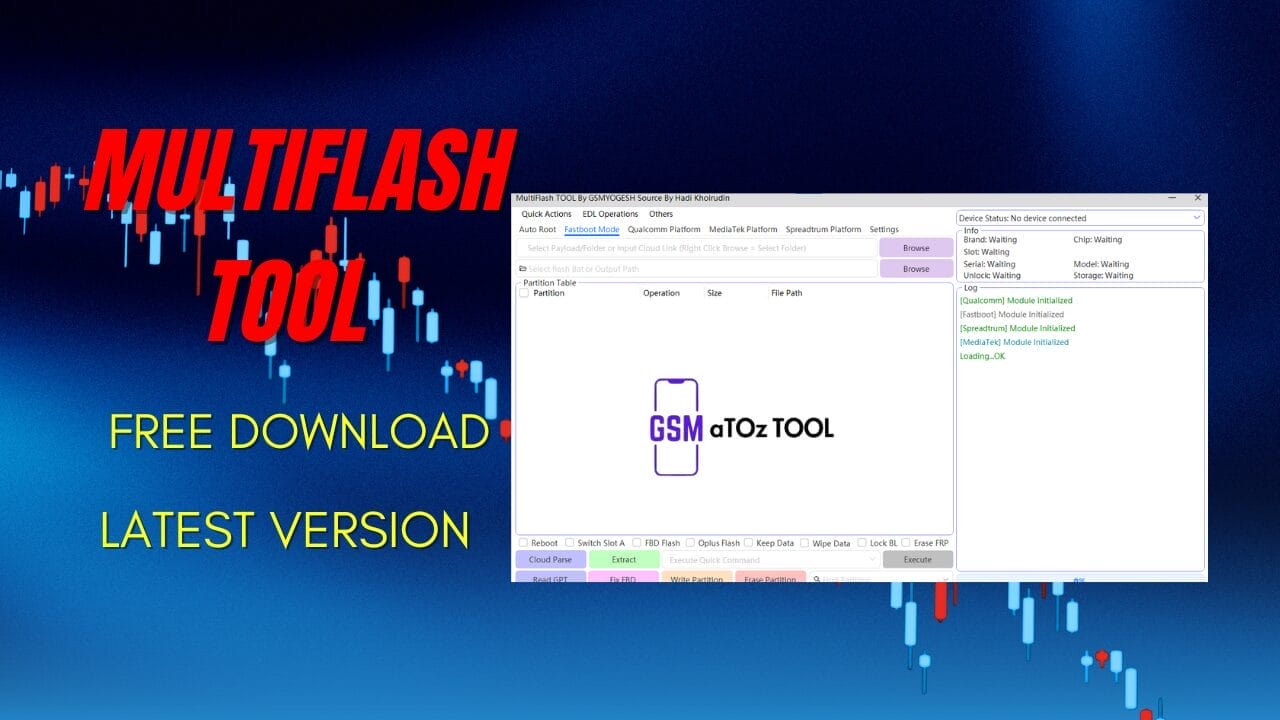
Multiflash tool v3. 0 free download
If You’ve Ever Been Stuck With A Phone That Won’t Boot Keeps Looping Or Refuses To Flash Properly You Know How Frustrating That Moment Feels.you Start Searching Everywhere Hoping To Find One Reliable Tool That Actually Works Without Confusing Steps Or Hidden Limits. That’s Usually When People Come Across Multiflash Tool V3.0 Free Download And Wonder If It’s Really The Solution They’ve Been Looking For.
In This Blog Post I’ll Walk You Through What Multiflash Tool V3.0 Free Download Is All About And Why It’s Gaining Attention Among Technicians And Android Users. You’ll Get A Clear Idea Of Its Features Supported Platforms And How It Helps With Flashing Partitions And Repairs. By The End You’ll Know Whether This Tool Fits Your Needs And How To Use It With Confidence.
What Is MultiFlash Tool?
Multiflash Tool Is A Professional Android Servicing Utility Designed To Flash Read Write And Manage Partitions On Multiple Smartphone Platforms. It Supports Fastboot Mode Operations Partition Table Handling And Advanced Options Like Read Gpt Generate Xml And Skip Bootloader. Because It Brings Many Features Under One Interface It Saves Time And Reduces Guesswork.
At Its Core The Tool Helps You Communicate Directly With A Device’s Storage Whether It’s Ufs Or Emmc. You Can Reboot Keep Data Wipe Data Erase Partitions Or Even Fix Frp-related Issues. In Fact Many Users Prefer Multiflash Tool V3.0 Free Download Because It Combines Flexibility With A Cleaner Workflow.
Also Read:
Whatsaap Groups Link:
- GSM ATOZ TOOLS SOFTWAR:: Group Link Join
- GSM ATOZ TOOLS Tech::Group Link Join
- GSM ATOZ TOOLS EXPERTS::Group Link Join
- WORLD OF GSM ATOZ TOOLS::Group Link Join
- GSM ATOZ TOOLS MOBILE SOFTWARE::Group Link Join
Join Us On Telegram
- Telegram Channel: GSM ATOZ TOOLS::Link Join
- Telegram Group Link: GSM ATOZ TOOLS:: Link Join
Qualcomm Platform Features Explained
On Qualcomm Devices The Tool Offers Deep Control Over Flashing And Partition Management. You Can Use Cloud Auto Match Read Gpt Extract Partitions And Execute Flashing Tasks With Better Accuracy. Options Like Lock Bl Erase Frp, And White Partition Make It Useful For Both Repair And Refurbishment Work.
It Also Supports Advanced Partition Table Views With Details Like Start Address End Address Sector Size And File Path. This Is Especially Helpful When You Need To Write Or Erase A Specific Partition Without Touching The Rest Of The System.for Technicians That Level Of Control Can Mean The Difference Between A Successful Fix And A Bricked Phone.
Mediatek Platform Flashing Options
For Mediatek Devices The Tool Focuses On Smart Automation And Safe Flashing. Features Like Auto Mode Use Exploit And Skip Userdata Allow You To Handle Common Issues Without Wiping Personal Data.you Can Read And Write Partitions Generate Xml Files And Reboot The Device Directly After Operations.
The Partition Table View Shows Type Size Address And Filename Which Helps You Understand Exactly What You’re Flashing. Also Metasuper And Protect Options Give Extra Safety When Working On Sensitive Partitions. This Balance Of Power And Protection Is Why Mediatek Users Often Stick With This Tool Long Term.
Spreadtrum Platform Support Details
Spreadtrum Support Covers A Wide Range Of Chipsets Including Sc65xx Sc77xx And Sc85xx Series. The Tool Can Auto-detect Supported Cpus Like Sc7731e Sc8541e And Sc8581a Which Removes A Lot Of Manual Setup. That’s A Big Win If You Work On Feature Phones Or Entry-level Smartphones.
You Can Read Write Erase And Extract Pac Files With Ease. It Also Includes Nv Manager Options Such As Read Imei Write Imei Backup Nv And Restore Nv. For Service Centers These Features Make Multiflash Tool V3.0 Free Download A Practical Choice For Daily Spreadtrum Repairs.
Features
Quick Action:

- Reboot System
- Reboot Fastboot
- Reboot Fastbootd
- Reboot Recovery
- Mi Kick To Edl
- Lenovo / Android Kick To Edl
- Erase Frp
- Switch Slot
- Merge Super
- Extract Payload
Edl Operation:
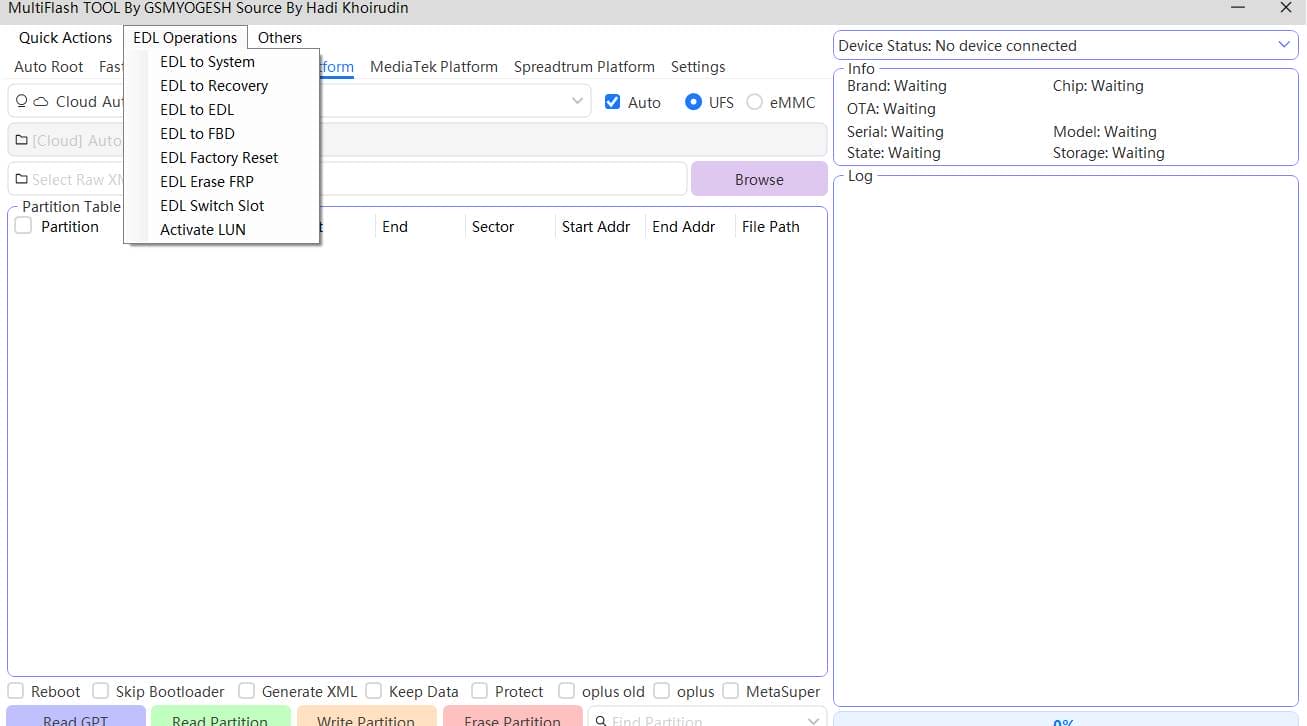
- Edl To System
- Edl To Recovery
- Edl To Edl
- Edl To Fbd
- Edl Factory Reset
- Edl Erase Frp
- Edl Switch Slot
- Activate Lun
Other:
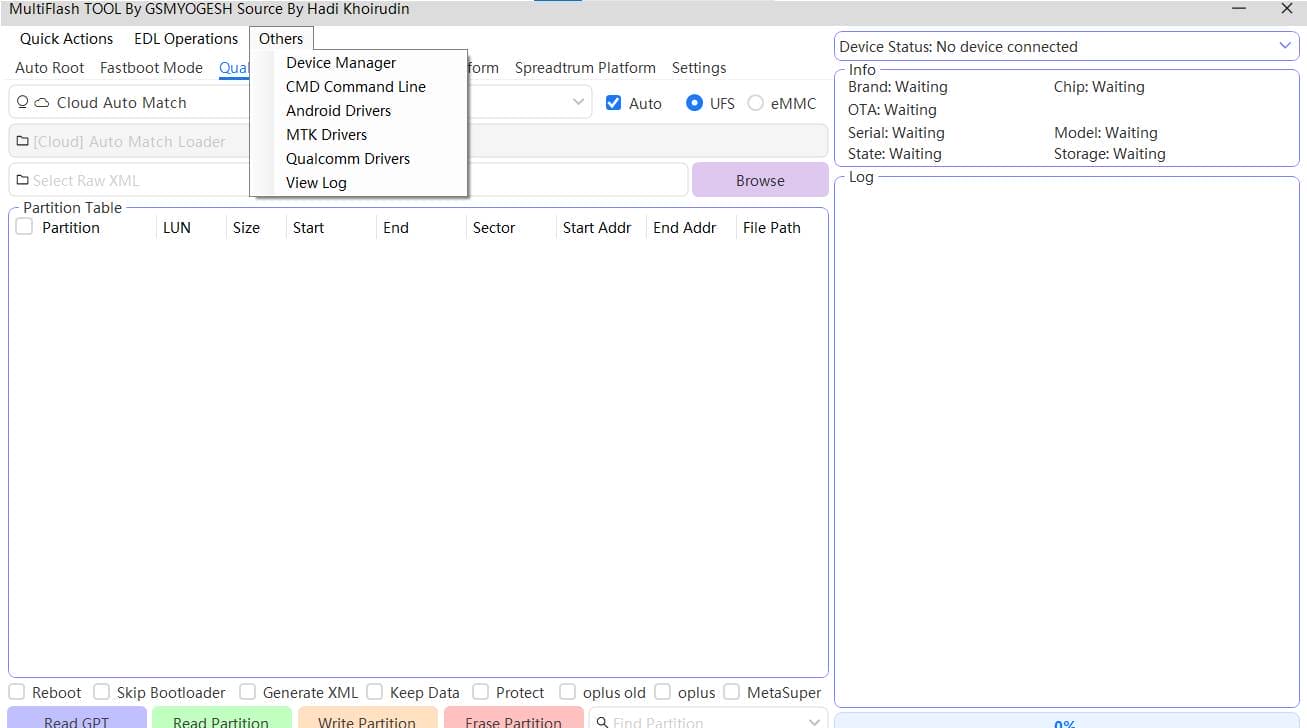
- Device Manager
- Cmd Command Line
- Android Drivers
- Mtk Drivers
- Qualcomm Drivers
- View Log
Fastboot mode

Partition Table:
- Partition
- Operation
- Size
- File Path
- Browse
Flash And Repair Function:
- Reboot
- Switch Slot A
- FBD Flash
- Oplus Flash
- Keep Data
- Wipe Data
- Lock BL
- Erase FRP
- Cloud Parse
- Read GPT
- Extract
- Fix Frd
- White Partition
- Erase Partition
- Execute
Qualcomm Platform
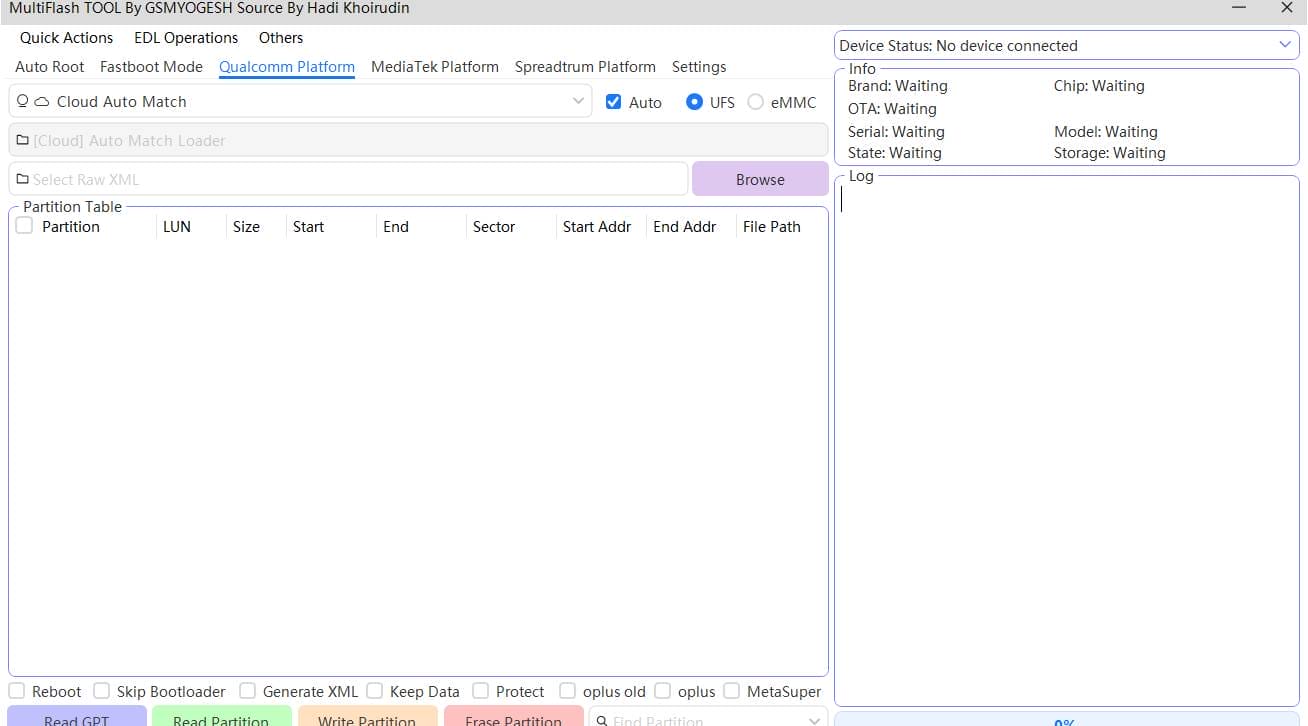
Cloud Auto Match
Storage type:
- Auto
- Ufs
- Emmc
Partition Table:
- Partition
- Browse
- Lun
- Size
- Start
- End
- Sector
- Start Addr
- End Addr
- File Path
Partition Flash Opetations
- Reboot
- Read GPT
- Skip Bootloader
- Generate XML
- Keep Data
- Protect
- oplus old
- oplus
- MetaSuper
- Read Partition
- Write Partition
- Frase Partition
Mediatek platform

- Auto
- Use Exploit
- Skip Userdata
- Reboot
- Partition Table
- Partition
- Type
- Size
- Address
- Filename
Partition Flash Operations
- Read GPT
- Read Partition
- Write Partition
- Erase Partition
Spreadtrum
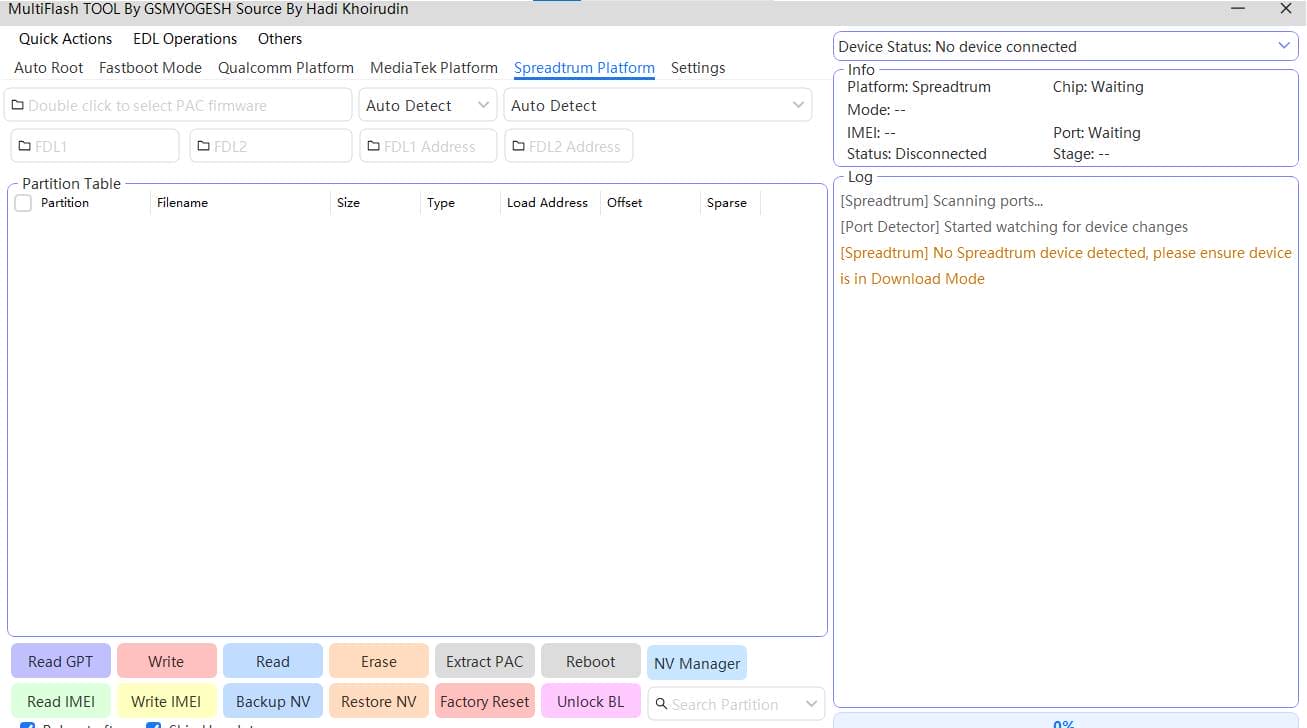
Auto Detect:
- SC65xx
- SC6531E
- SC6533G
- SC77xx
- SC7730
- SC7731E
- SC85xx
- SC8541E
- SC8581A
Auto Detect
Partition Table
- Partition
- Filename
- Size
- Type
- Load Address
- Offset
- Sparse
Partition Flash Operations
- Read GPT
- Write
- Read
- Erase
- Extract PAC
- Reboot
- NV Manager
- Read IMEI
- Write IMEI
- Backup NV
- Restore NV
- Factory Reset
- Unlock BL
How To Use It?
- First, Download The Tool.
- Extract The Rar File And Open The Folder.
- In File Content, You Can Find The Setup File By Simply Double-clicking.
- Run The Tool As Admin “MultiFlash Tool“.
- The Tool Will Open On Your Pc Screen.
- Enjoy Using The Tool.
Frequently Asked Questions (Faqs)
What Is Multiflash Tool Used For?
Multiflash Tool Is Used To Flash Firmware, Manage Partitions, And Repair Android Devices. It Supports Fastboot Operations Read Gpt Write Or Erase Partitions And Reboot Devices Across Qualcomm Mediatek And Spreadtrum Platforms. Technicians Often Use It For Fixing Bootloops Frp Issues And Software Corruption.
Does Multiflash Tool Support Qualcomm Mediatek And Spreadtrum Devices?
Yes The Tool Supports All Three Major Platforms. It Works With Qualcomm Devices Using Advanced Partition And Cloud Auto-match Features Mediatek Devices With Exploit And Userdata Options And Spreadtrum Chipsets Through Pac File Handling And Auto-detect Cpu Support.
Can I Flash Firmware Without Losing My Data?
In Many Cases Yes. The Tool Offers Options Like Keep Data And Skip Userdata Which Help Preserve Personal Files During Flashing. However Data Safety Still Depends On The Firmware And Partitions You Select So Backing Up Is Always Recommended.
Is Multiflash Tool Safe For Beginners?
Multiflash Tool Is Powerful But Beginners Should Use It Carefully. The Interface Is Clean But Features Like Erase Partition Write Partition And Unlock Bootloader Can Cause Issues If Misused. Learning The Basics And Reading Gpt Before Flashing Makes It Much Safer.
Can Multiflash Tool Fix Imei And Nv-related Problems?
Yes It Includes An Nv Manager That Allows You To Read Imei Write Imei Backup Nv And Restore Nv. This Is Especially Useful For Spreadtrum And Some Mediatek Devices. Always Follow Legal Guidelines When Handling Imei-related Functions.
Final Thoughts
Overall Multiflash Tool Stands Out Because It Supports Multiple Platforms Without Forcing You To Learn A New Workflow Each Time. Whether You’re Dealing With Qualcomm Mediatek Or Spreadtrum The Interface Stays Familiar And The Options Stay Powerful. That Consistency Builds Confidence Especially When Working On Risky Repairs.
If You Flash Devices Often Or Want More Control Than Basic Tools Offer This Utility Is Worth Considering.just Remember To Double-check Partitions And Keep Backups Before Making Changes.used Carefully It Can Save You Hours Of Troubleshooting.
How To Download?
- Visit The Gsmatoz Tools Website Of The Tool.
- Find The Download Page. Don’t Click The Button, And Click Only The (Download Link)
- Below Buttons Are Advertisements.Please Use The Download Links Above.
- Once The Download Is Complete, Locate The Downloaded File On Your Device.
- Tap On The File To Begin The Installation Process.
- Follow The On-screen Instructions To Complete The Installation.
MultiFlash Tool






