
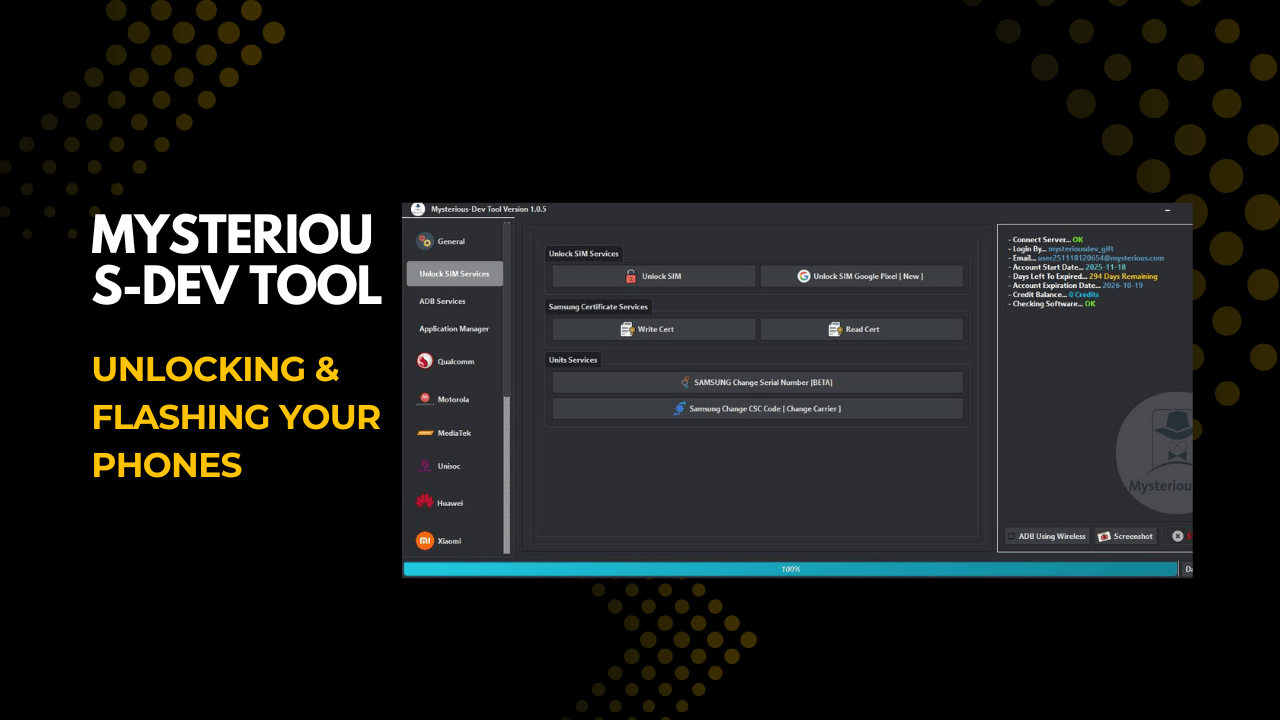
Mysterious-dev tool v1. 1. 3 unlocking & flashing your phones
If You’ve Ever Felt Stuck While Trying To Fix A Phone Issue Like Frp Locks Imei Problems Firmware Errors Or Hidden Service Modes You’re Not Alone. Many Technicians And Advanced Users Search Endlessly For One Reliable Solution, And That Curiosity Or Frustration Often Leads Them To The Mysterious-dev Tool. It’s The Kind Of Tool People Hear About In Forums But Aren’t Sure If It’s Really Worth Their Time.
In This Blog Post We’ll Break Down What The Mysterious-dev Tool Actually Offers And How It Helps With Sim Unlocks, Frp Removal Firmware Flashing Imei Repair And Advanced Services Across Multiple Brands. You’ll Get A Clear Easy To Follow Explanation Of Its Features And Real Use Cases So You Can Decide If It’s The Right Tool For Your Needs. By The End You’ll Feel Confident And Informed Not Confused Or Overwhelmed.
What Is Mysterious-dev Tool?
Mysterious-dev Tool Is An All-in-one Mobile Servicing Solution Designed For Unlocking Flashing, And Repairing Smartphones. It Supports Critical Operations Like Unlock Sim Services Flash Firmware Factory Reset Protection (frp) Removal And Imei Repair Across Qualcomm Mediatek And Unisoc Devices. Instead Of Switching Between Multiple Utilities You Can Manage Most Repair Tasks From One Interface.
What Makes It Stand Out Is How It Handles Advanced Modes Such As Edl Services, Diag Mode And Fastboot Operations. The Tool Also Reads Device Information Detects Brand And Model Automatically And Works With Xml Patch And Multi-firmware Files. In Simple Words It’s Built To Save You Time When Phones Don’t Behave Normally.
Also Read:
Whatsaap Groups Link:
- GSM ATOZ TOOLS SOFTWAR:: Group Link Join
- GSM ATOZ TOOLS Tech::Group Link Join
- GSM ATOZ TOOLS EXPERTS::Group Link Join
- WORLD OF GSM ATOZ TOOLS::Group Link Join
- GSM ATOZ TOOLS MOBILE SOFTWARE::Group Link Join
Join Us On Telegram
- Telegram Channel: GSM ATOZ TOOLS::Link Join
- Telegram Group Link: GSM ATOZ TOOLS:: Link Join
Benefits Of Useing Mysterious-dev Tool?
One Major Benefit Is Flexibility. You Can Unlock Sims Change Csc Codes Manage Samsung Certificate Services And Even Handle Xiaomi Network Repair Without Jumping Between Tools. Features Like Backup Qcn Restore Qcn And Application Manager Give You Control Over Both Software And Network-related Problems.
Another Big Advantage Is Reliability During Risky Tasks. Mysterious-dev Tool Lets You Safely Remove Frp Repair Imei (including Rsa-protected Devices) And Flash Firmware While Skipping Unnecessary Security Partitions When Needed. For Technicians That Means Fewer Failed Jobs And More Confident Repairs.
How To flash firmware with this tool?
Flashing firmware with this tool is straightforward even for complex cases. You start by connecting the device, letting the tool perform brand and model detection and choosing the correct flash mode like EDL Fastboot or Download mode. Then you load the firmware files—single multi or XML—and select the required partitions.
Before starting options like Disable AVB Ignore MD5 and Auto Reboot help prevent common flashing errors. Once everything is set you begin the flash process and monitor progress in real time. This guided workflow reduces mistakes and makes firmware flashing feel less intimidating.
Freatures Of Mysterious-dev Tool
General
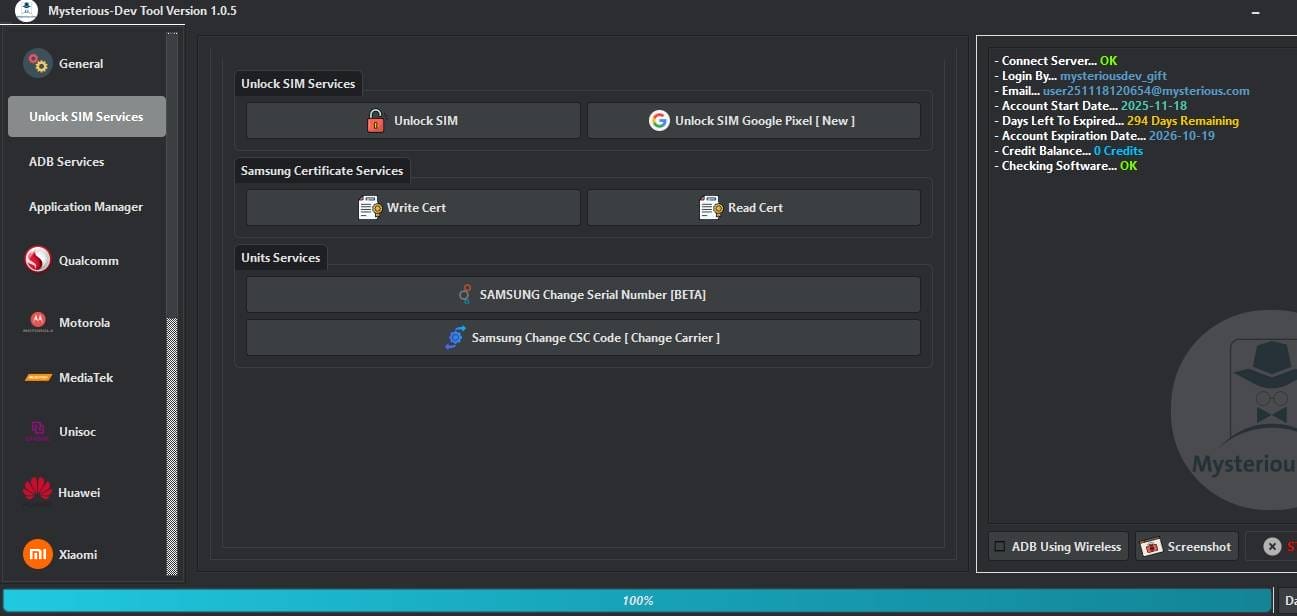
Unlock SIM Services
- Unlock SIM
- Unlock SIM Google Pixel [New]
Samsung Certificate Services
- Write Cert
- Read Cert
Units Services
- SAMSUNG Change Serial Number [BETA]
- Samsung Change CSC Code [Change Carrier]
Adb Services
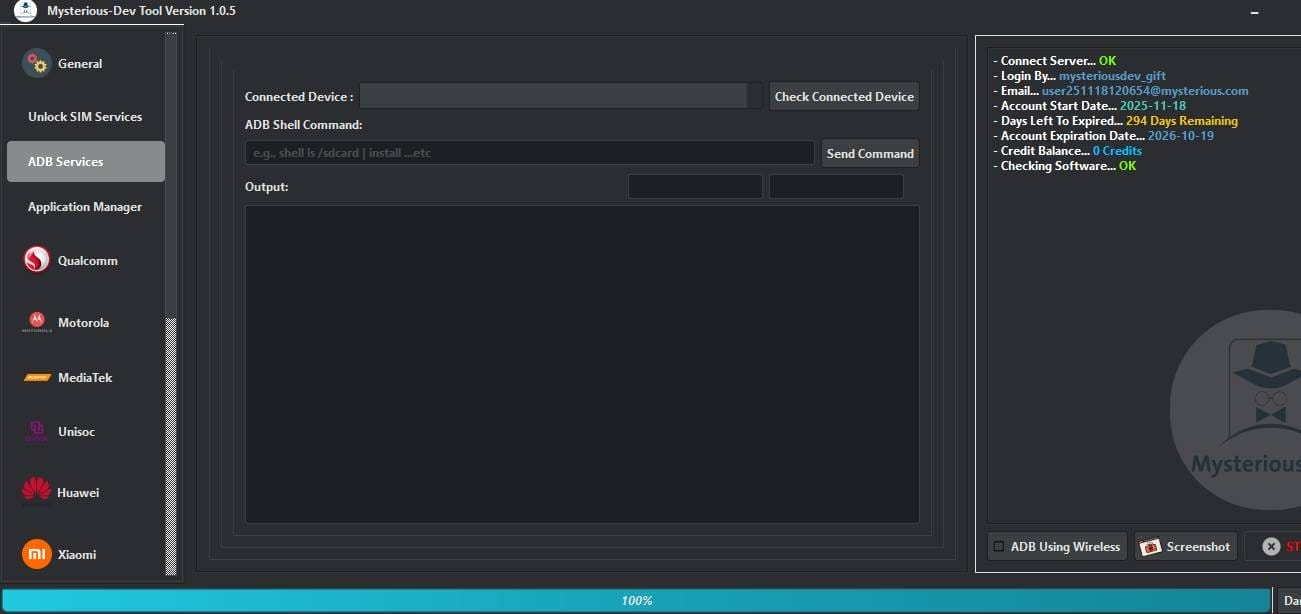
- Conected Device
- Check Conected Device
- Adb Shell Command
- Send Command
- Output
Application Manager
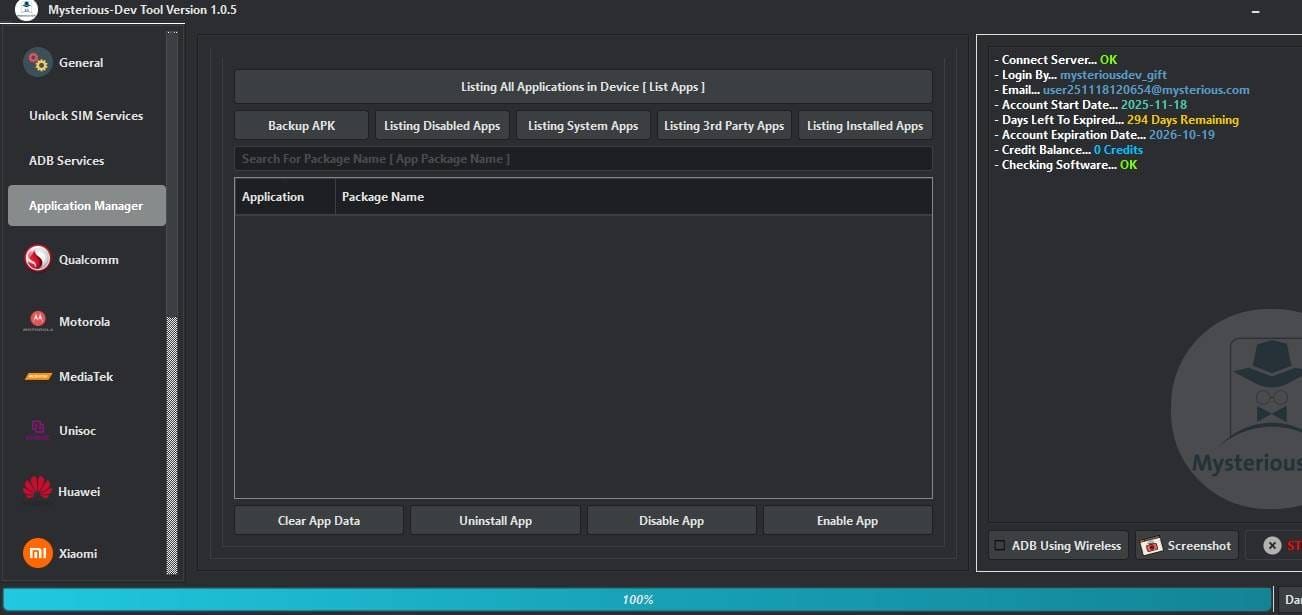
- Backup APK
- Listing Disabled Apps
- Listing System Apps
- Listing 3rd Party Apps
- Listing Installed Apps
- Search For Package Name [App Package Name]
- Clear App Data
- Uninstall App
- Disable App
- Enable App
Qualcomm
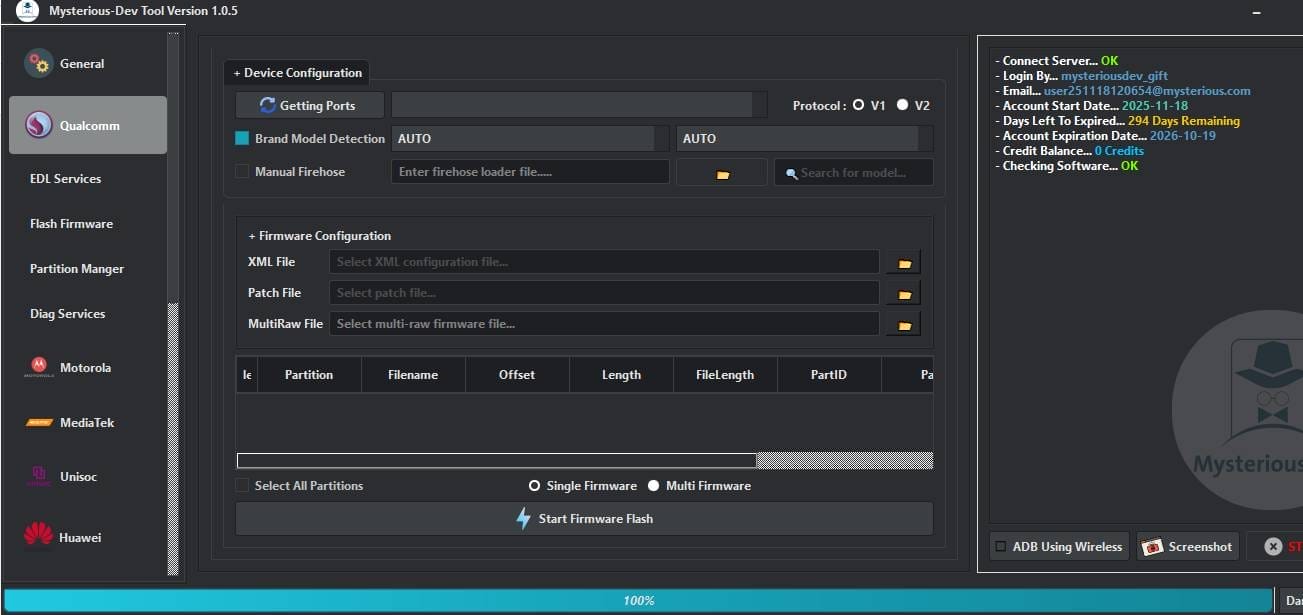
EDL Services
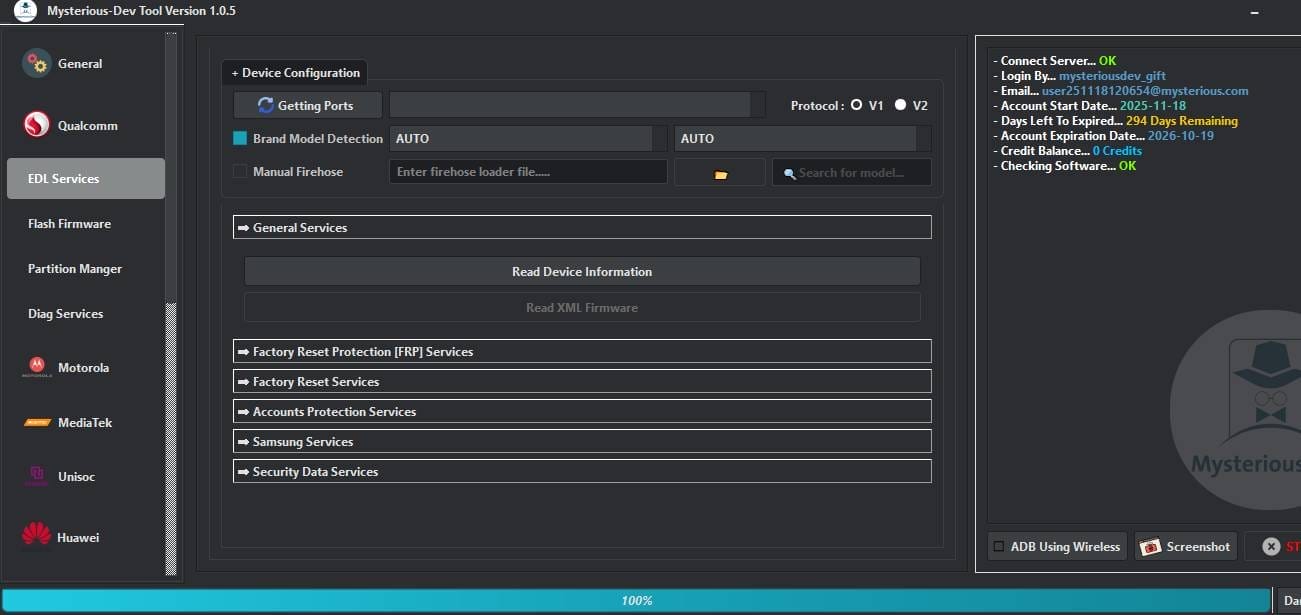
- Getting Ports
- Brand Model Detection
- Manual Firehose
- Read Device Information
- Read XML Firmware
- Factory Reset Protection [FRP] Services
- Factory Reset Services
- Accounts Protection Services
- Samsung Services
- Security Data Services
Flash Firmware
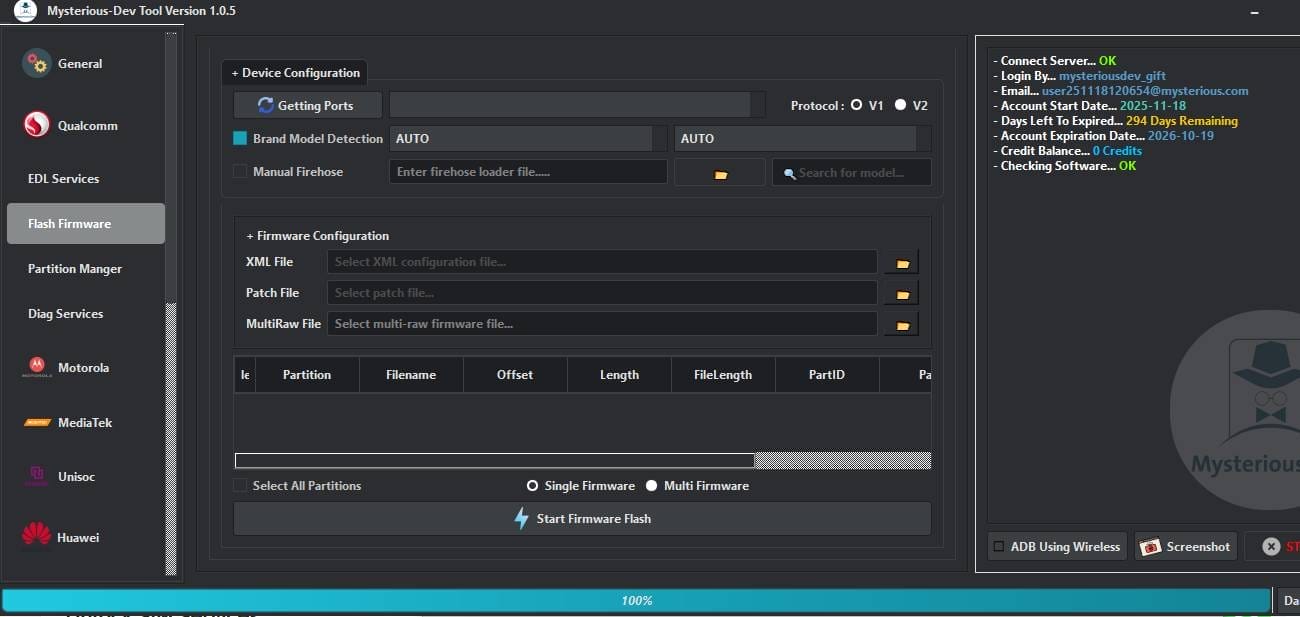
- Getting Ports
- Brand Model Detection
- Manual Firehose
- XML File
- Patch File
- MultiRaw File
- Select All Partitions
- Single Firmware
- Multi Firmware
- Start Firmware Flash
Partition Manager
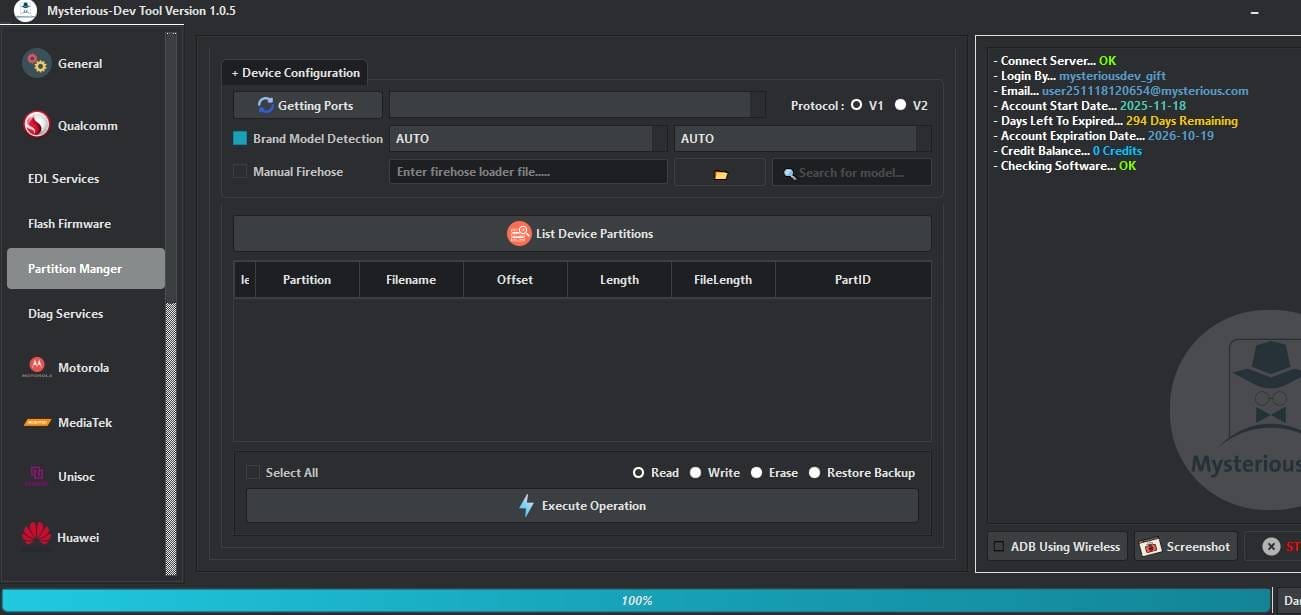
- Getting Ports
- Brand Model Detection
- Manual Firehose
- List Device Partitions
- Select All
- Read
- Write
- Erase
- Restore Backup
- Execute Operation
Diag Services
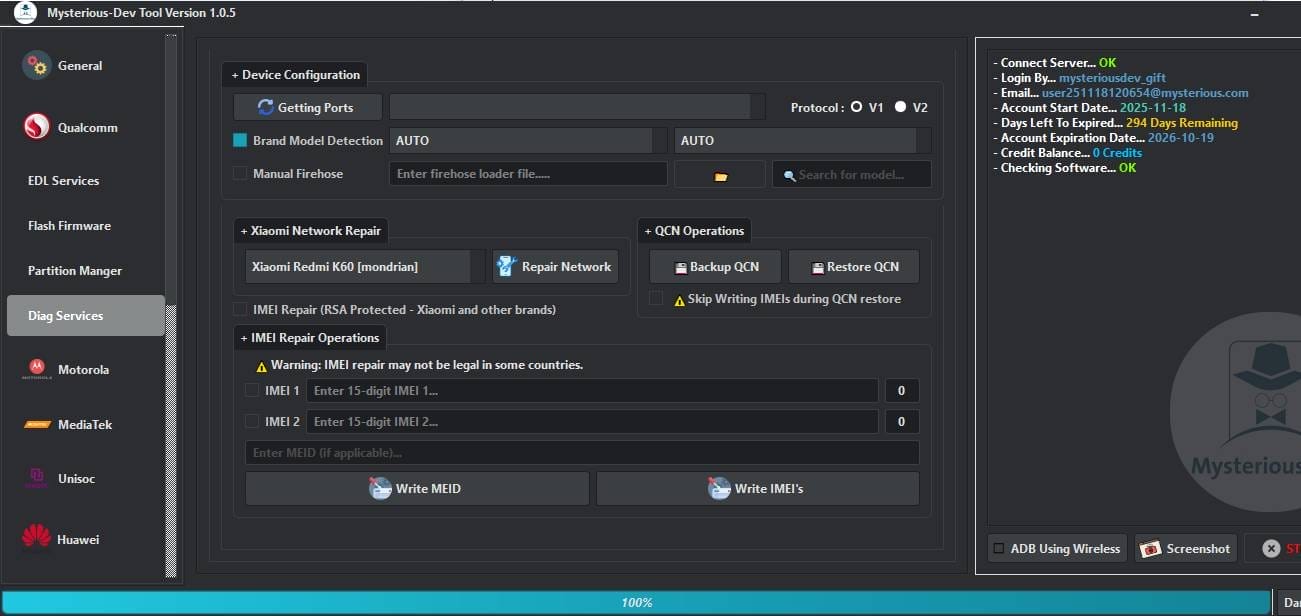
- Getting Ports
- Brand Model Detection
- Manual Firehose
- Xiaomi Network Repair
- Repair Network
- Backup QCN
- Restore QCN
- Skip Writing IMEIs during QCN restore
- IMEI Repair (RSA Protected – Xiaomi and other brands)
- IMEI Repair Operations
- IMEI 1
- IMEI 2
- Enter MEID
- Write MEID
- Write IMEI’s
Motorola
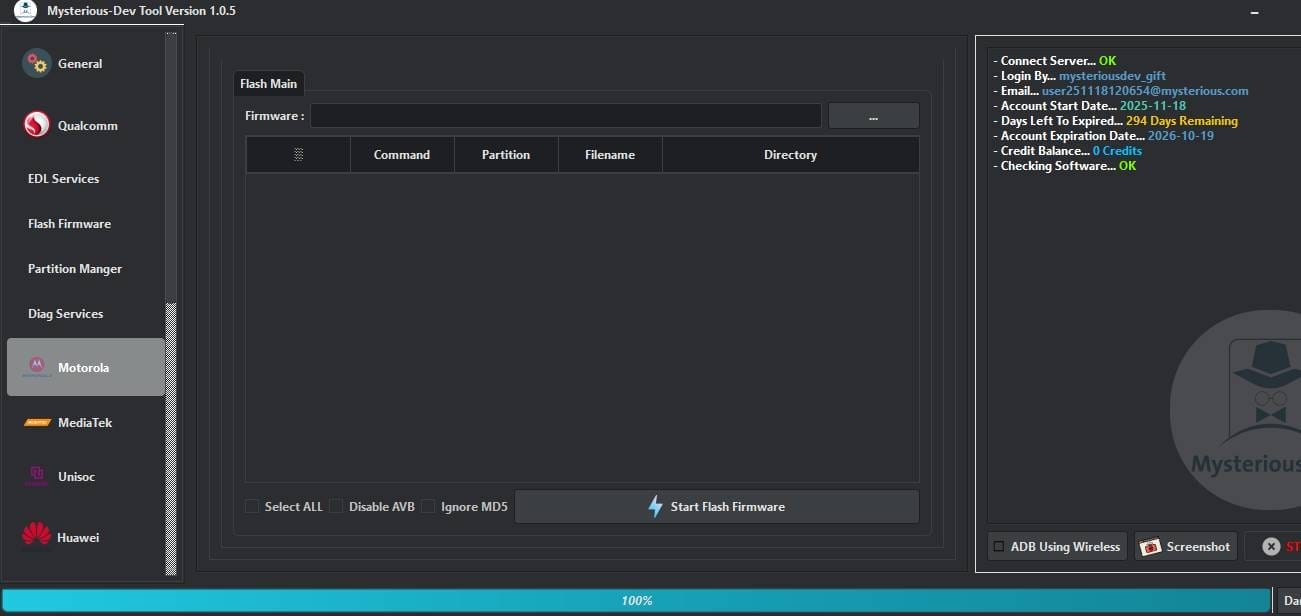
- Flash Main
- Firmware
- Select ALL
- Disable AVB
- Ignore MD5
- Start Flash Firmware
MediaTek
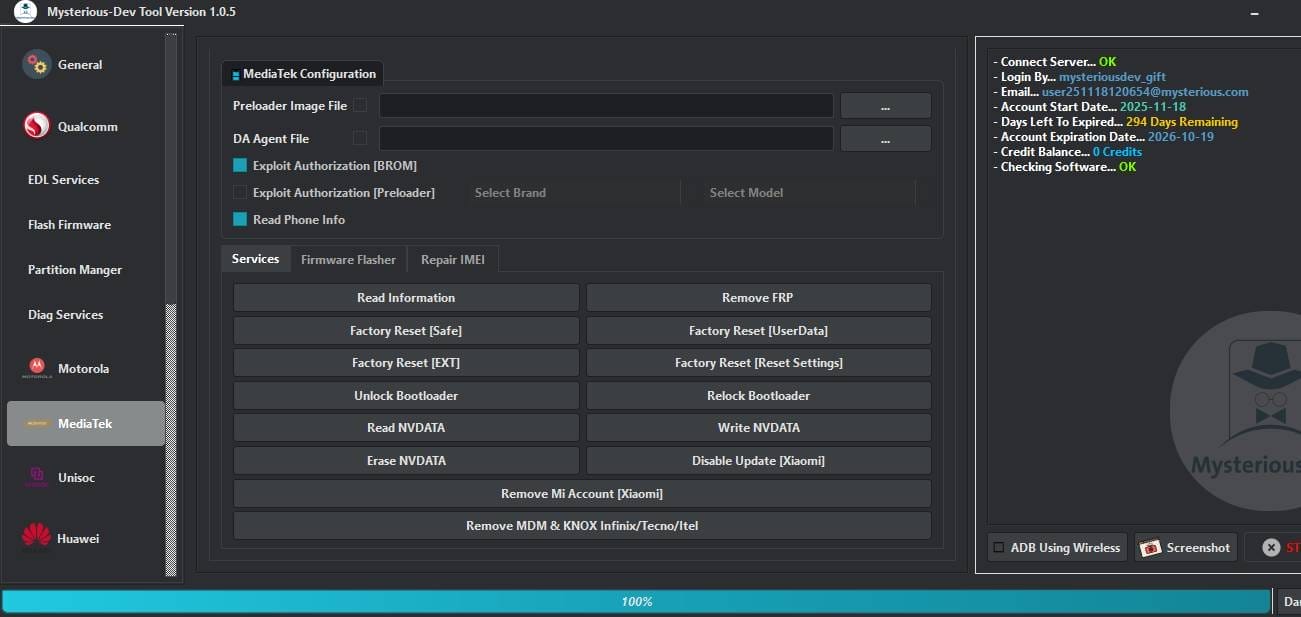
- Preloader Image File
- DA Agent File
- Exploit Authorization [BROM]
- Exploit Authorization [Preloader]
- Read Phone Info
Services
- Read Information
- Remove FRP
- Factory Reset [Safe]
- Factory Reset [UserData]
- Factory Reset [EXT]
- Factory Reset [Reset Settings]
- Unlock Bootloader
- Relock Bootloader
- Read NVDATA
- Write NVDATA
- Erase NVDATA
- Disable Update [Xiaomi]
- Remove Mi Account [Xiaomi]
- Remove MDM & KNOX Infinix/Tecno/Itel
Firmware Flasher
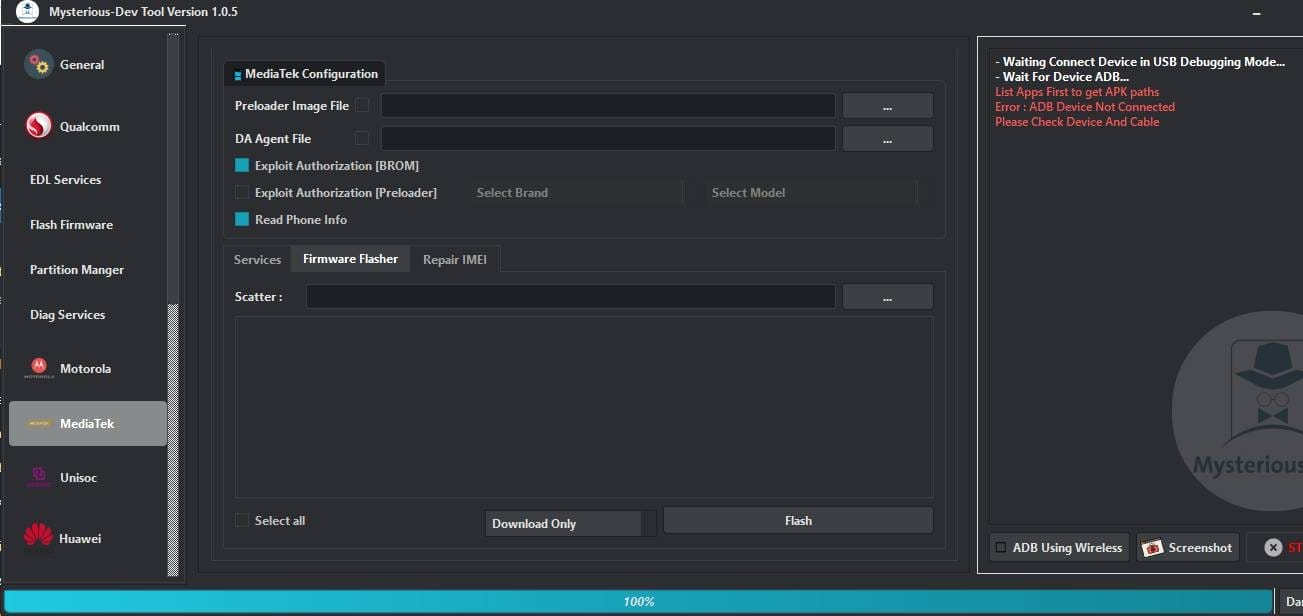
- Scatter
- Select All
- Download Only
- Flash
Repair IMEI
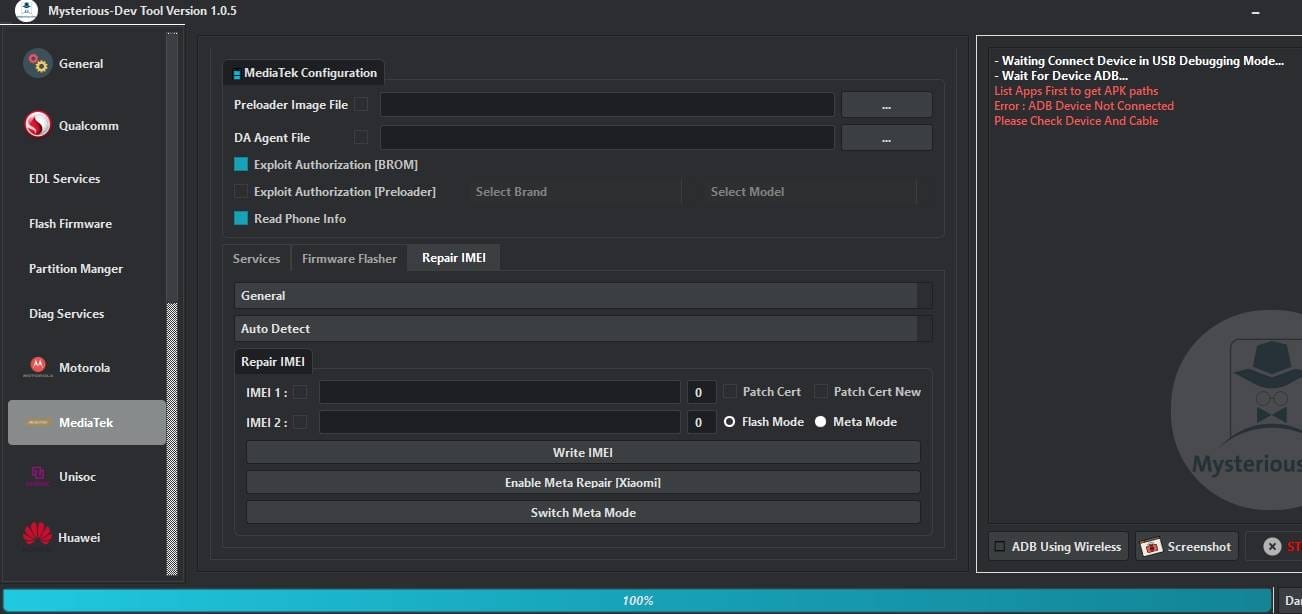
- General
- Auto Detect
- IMEI 1
- IMEI 2
- Patch Cert
- Patch Cert New
- Flash Mode
- Meta Mode
- Write IMEI
- Enable Meta Repair [Xiaomi]
- Switch Meta Mode
UNISOC
Flash
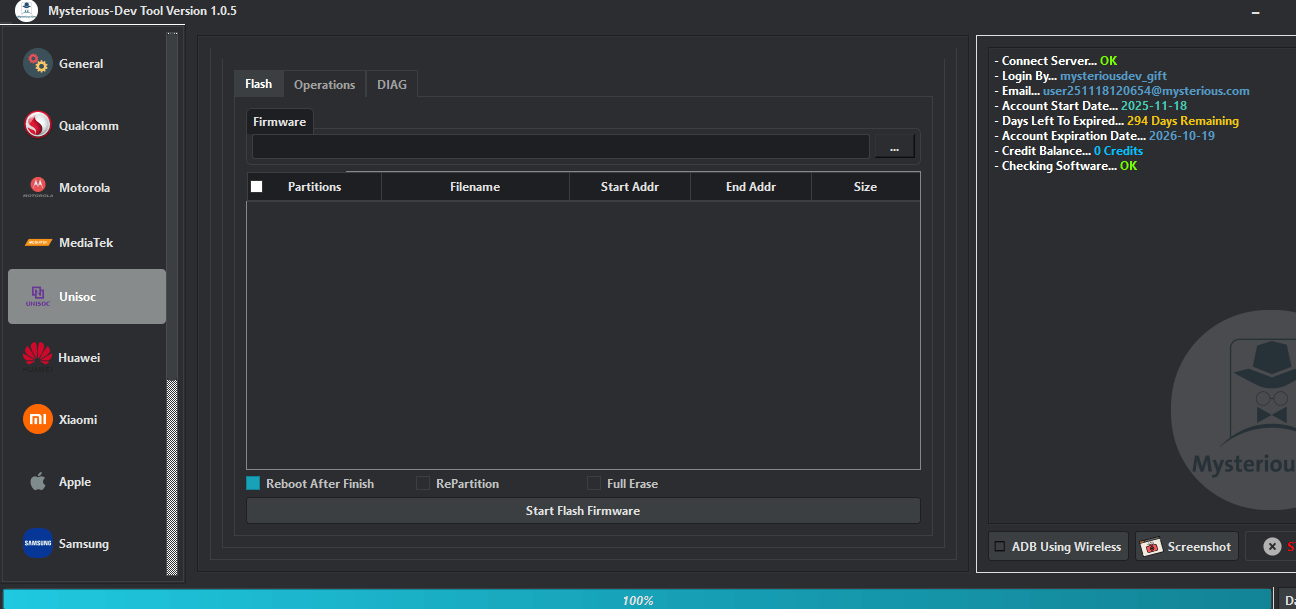
- Firmware
- Reboot After Finish
- RePartition
- Full Erase
- Start Flash Firmware
Operations
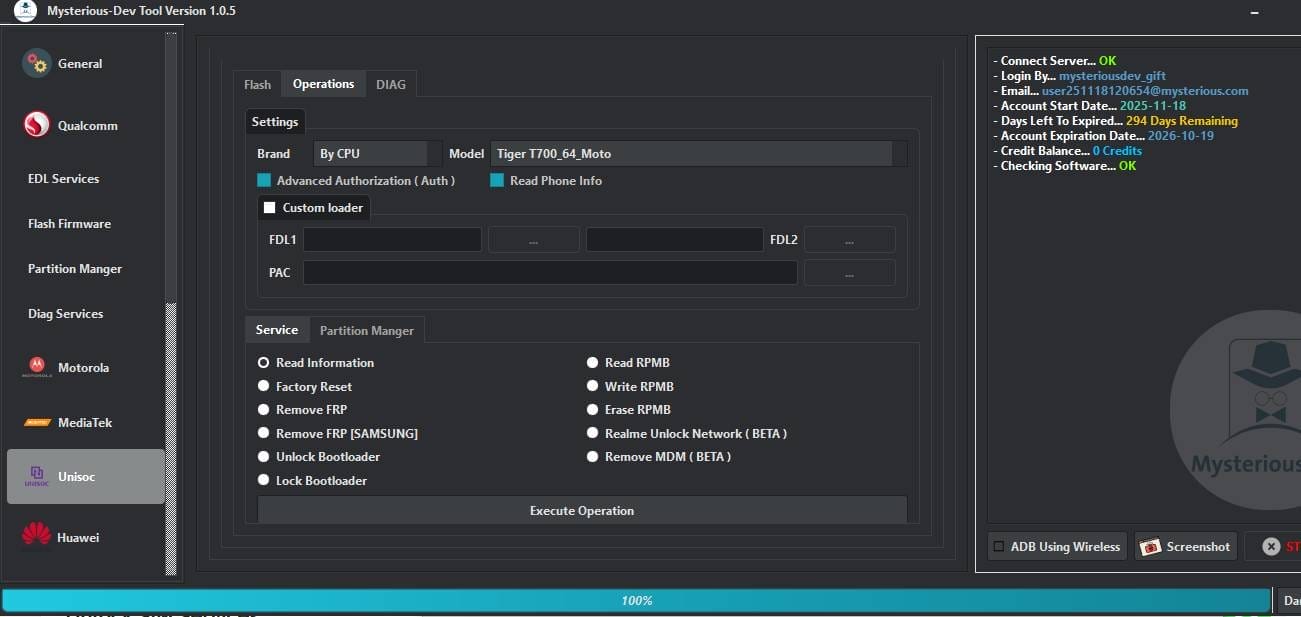
- Brand
- By CPU
- Model
- Advanced Authorization (Auth)
- Read Phone Info
- Custom loader
- FDL1
- FDL2
- PAC
- Read Information
- Factory Reset
- Remove FRP
- Remove FRP [SAMSUNG]
- Unlock Bootloader
- Lock Bootloader
- Read RPMB
- Write RPMB
- Erase RPMB
- Realme Unlock Network (BETA)
- Remove MDM (BETA)
- Execute Operation
DIAG
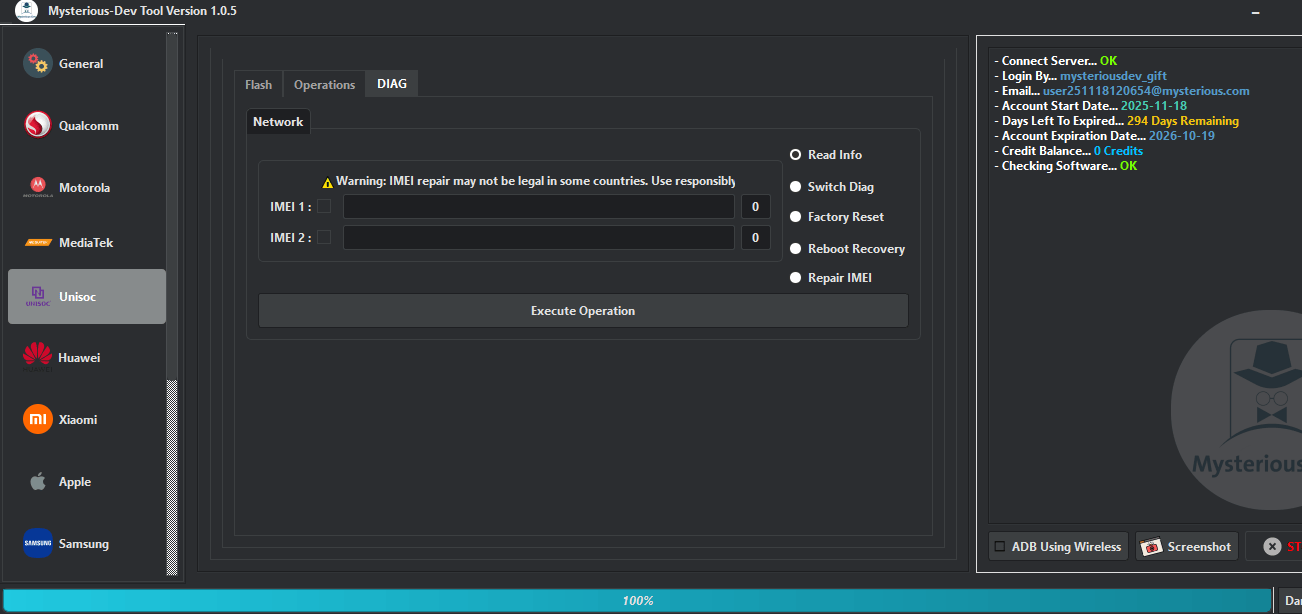
- IMEI 1
- IMEI 2
- Read Info
- Switch Diag
- Factory Reset
- Reboot Recovery
- Repair IMEI
- Execute Operation
Huawei
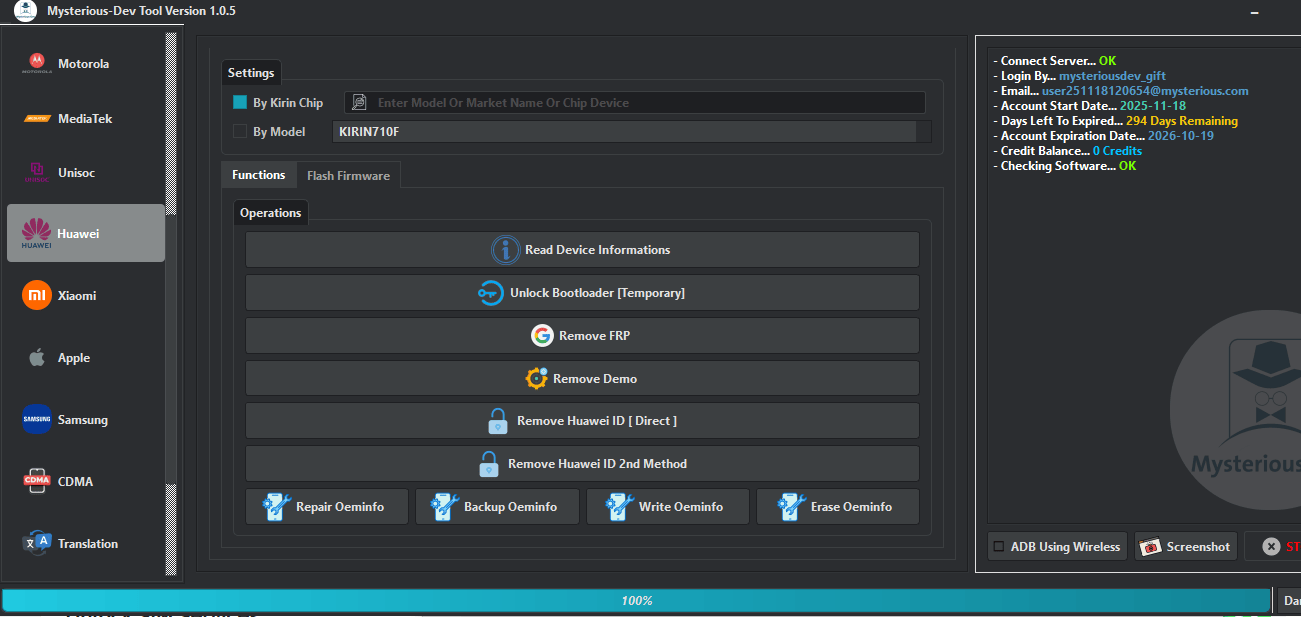
- By Kirin Chip
- By Model
- Read Device Informations
- Unlock Bootloader [Temporary]
- Remove FRP
- Remove Demo
- Remove Huawei ID [Direct]
- Remove Huawei ID 2nd Method
- Repair Oeminfo
- Backup Oeminfo
- Write Oeminfo
- Erase Oeminfo
Xiaomi
Sideload Advanced
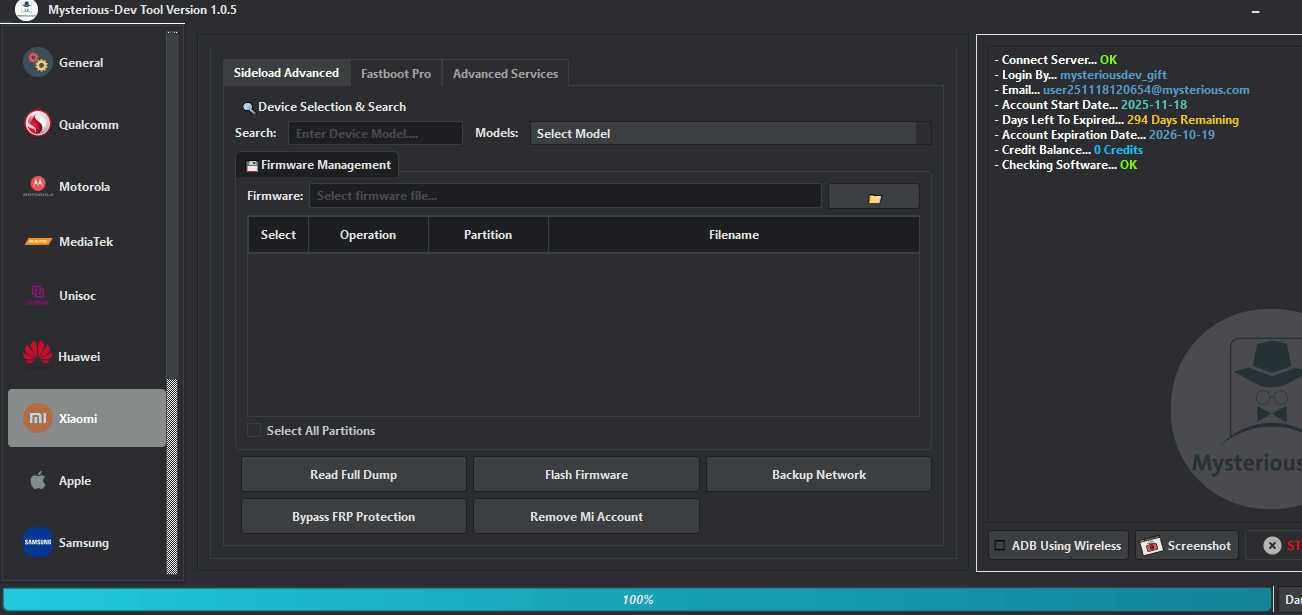
- Device Selection & Search
- Search
- Models
- Firmware Management
- Firmware
- Select All Partitions
- Read Full Dump
- Flash Firmware
- Backup Network
- Bypass FRP Protection
- Remove Mi Account
Fastboot Pro
Fastboot Flasher
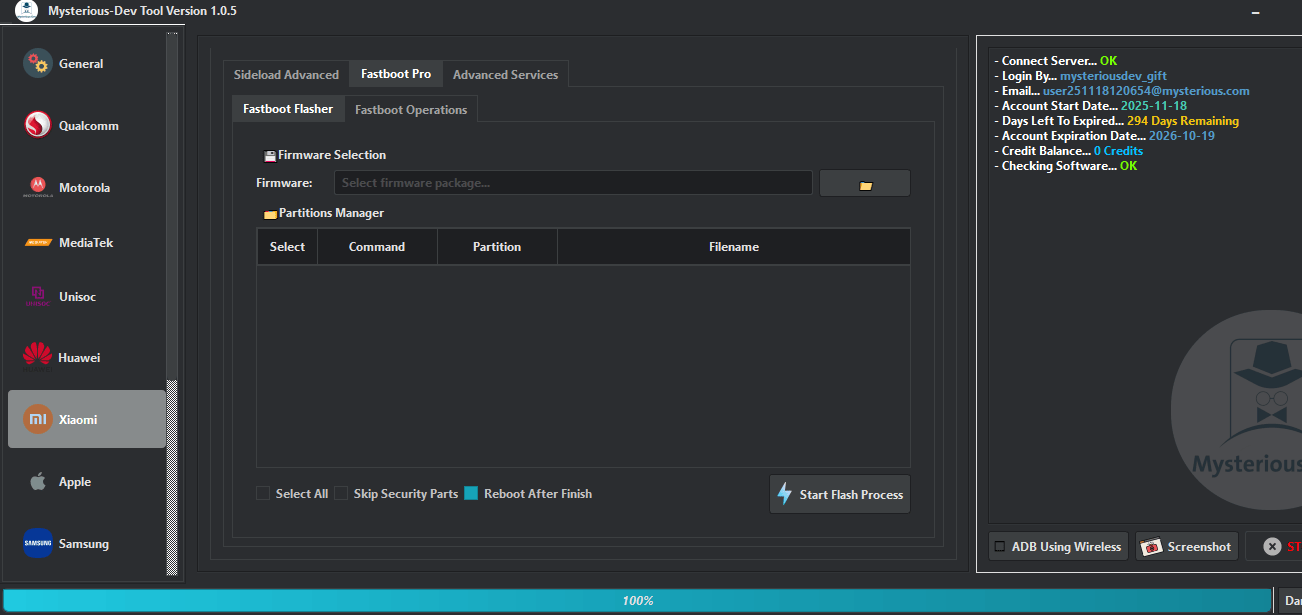
- Firmware Selection
- Firmware
- Partitions Manager
- Select All
- Skip Security Parts
- Reboot After Finish
- Start Flash Process
Fastboot Operations
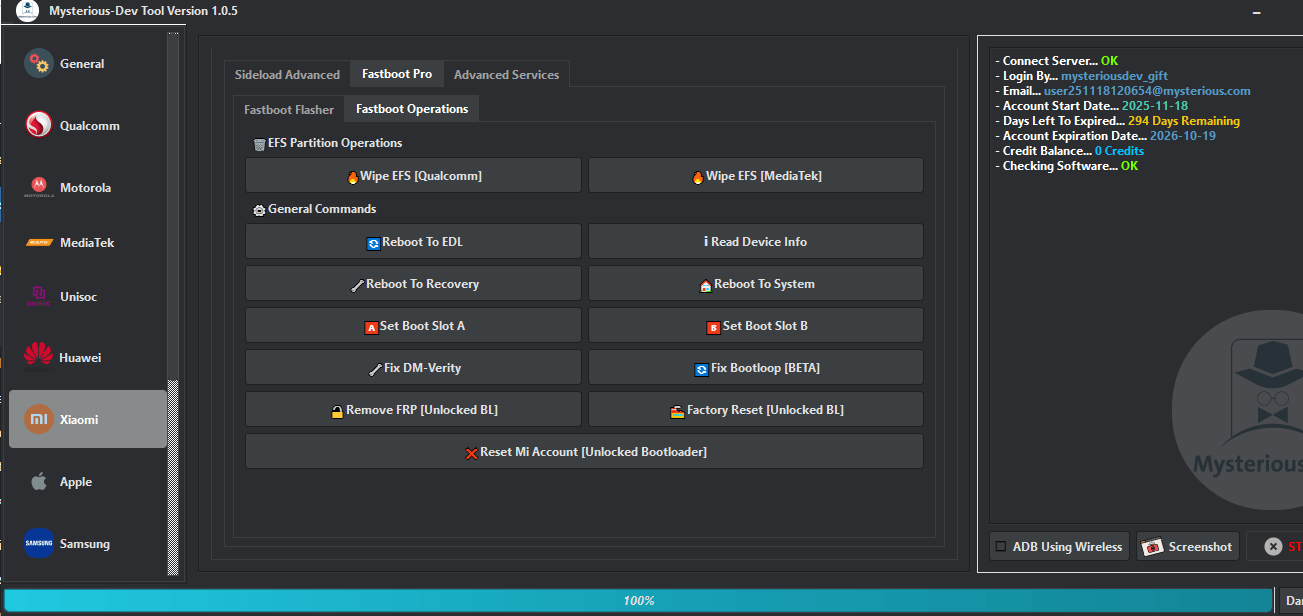
- Wipe EFS [Qualcomm]
- Wipe EFS [MediaTek]
- Reboot To EDL
- Read Device Info
- Reboot To Recovery
- Reboot To System
- Set Boot Slot A
- Set Boot Slot B
- Fix DM-Verity
- Fix Bootloop [BETA]
- Remove FRP [Unlocked BL]
- Factory Reset [Unlocked BL]
- Reset Mi Account [Unlocked Bootloader]
Advanced Services
ADB Mode
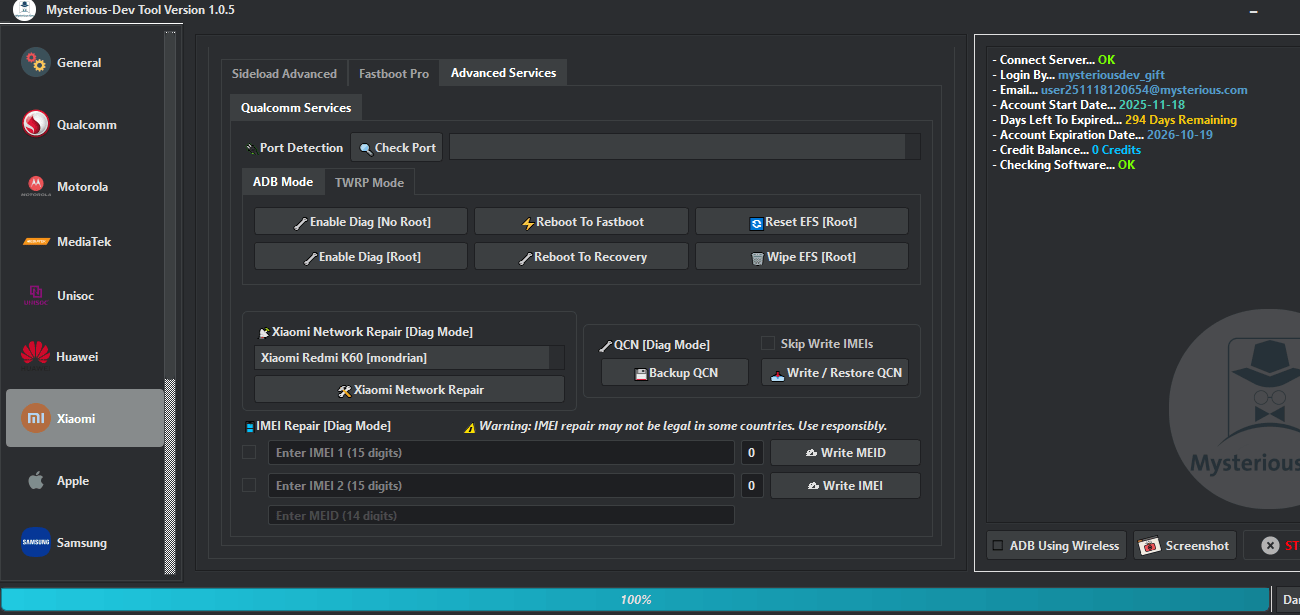
- Port Detection
- Check Port
- Enable Diag [No Root]
- Reboot To Fastboot
- Reset EFS [Root]
- Enable Diag [Root]
- Reboot To Recovery
- Wipe EFS [Root]
- Xiaomi Network Repair [Diag Mode]
- Backup QCN
- Write / Restore QCN
- Skip Write IMEIs
- Enter IMEI 1
- Enter IMEI 2
- Enter MEID
- Write MEID
- Write IMEI
TWRP Mode
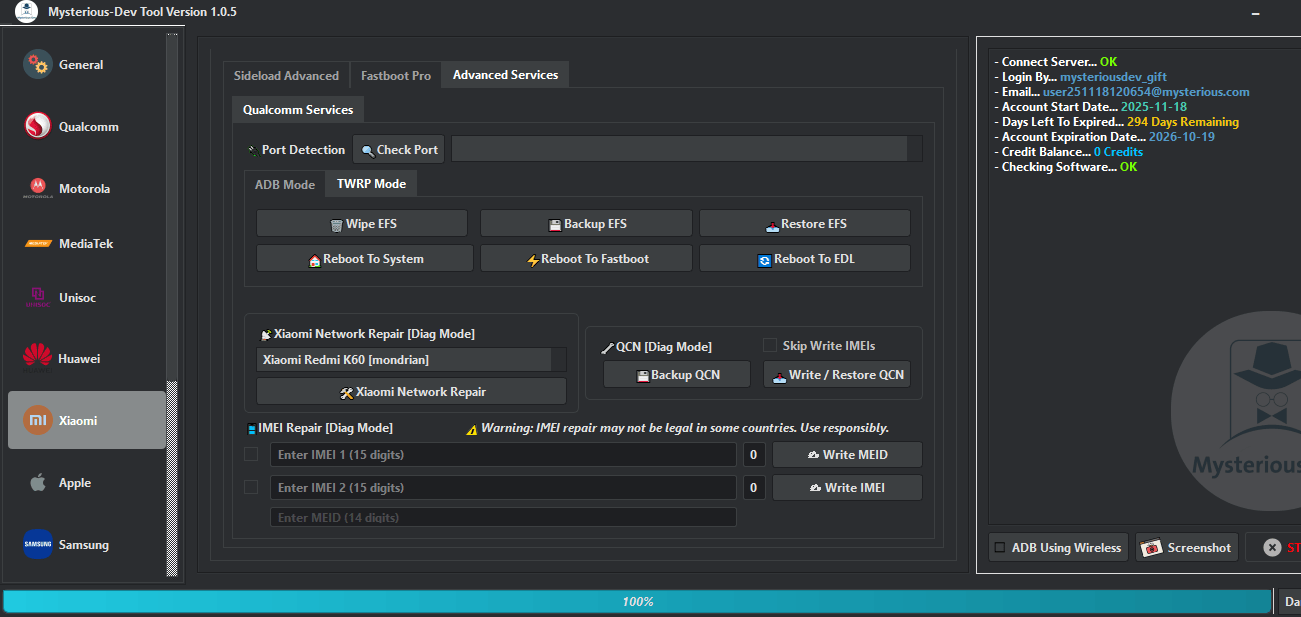
- Port Detection
- Check Port
- Wipe EFS
- Backup EFS
- Restore EFS
- Reboot To System
- Reboot To Fastboot
- Reboot To EDL
- Xiaomi Network Repair [Diag Mode]
- Backup QCN
- Write / Restore QCN
- Skip Write IMEIs
- Enter IMEI 1
- Enter IMEI 2
- Enter MEID
- Write MEID
- Write IMEI
Apple
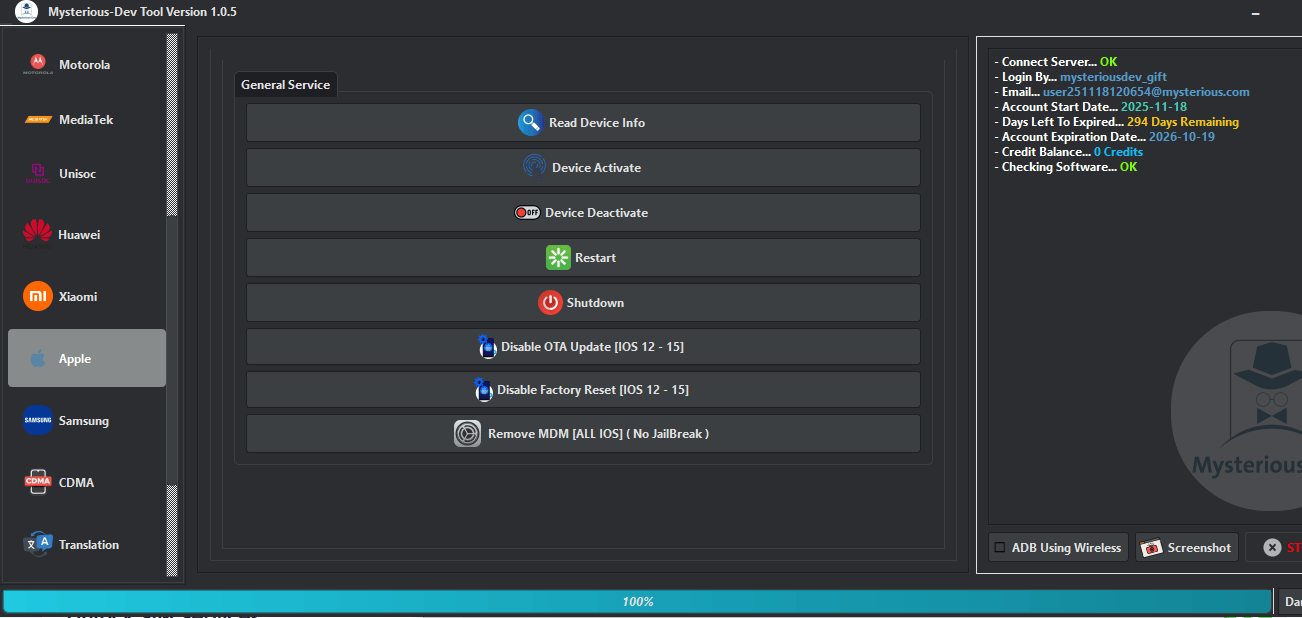
- Read Device Info
- Device Activate
- Device Deactivate
- Restart
- Shutdown
- Disable OTA Update [iOS 12 – 15]
- Disable Factory Reset [iOS 12 – 15]
- Remove MDM [ALL iOS] (No JailBreak)
Samsung
Samsung Flasher
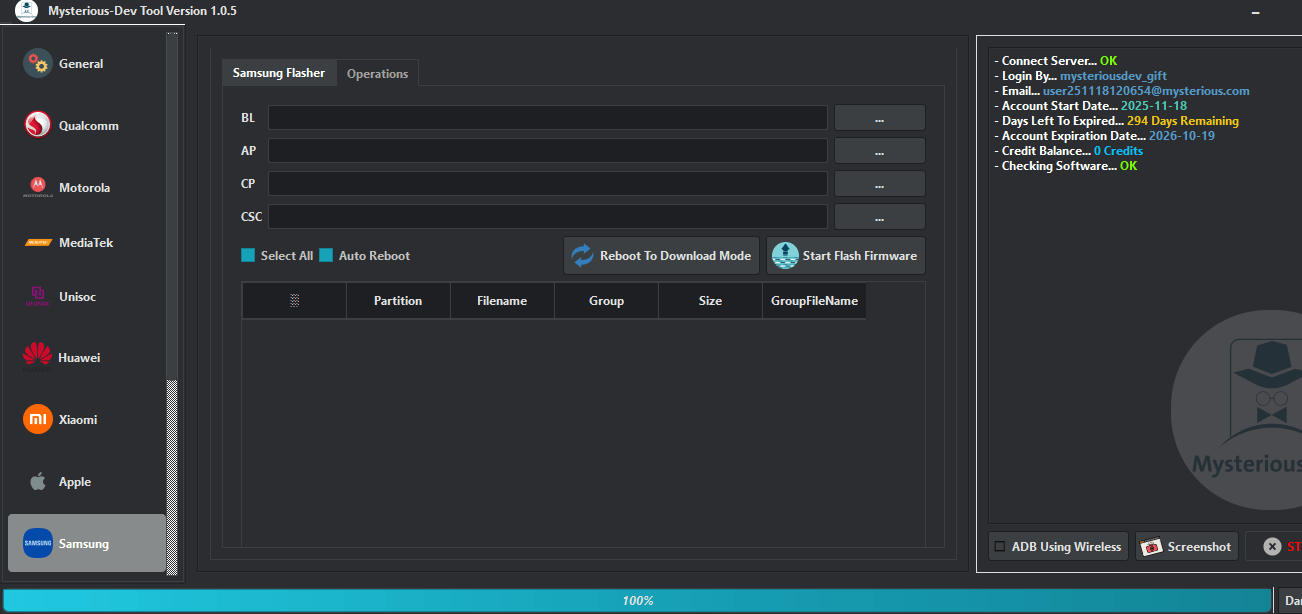
- BL
- AP
- CP
- CSC
- Select All
- Auto Reboot
- Reboot To Download Mode
- Start Flash Firmware
Operations
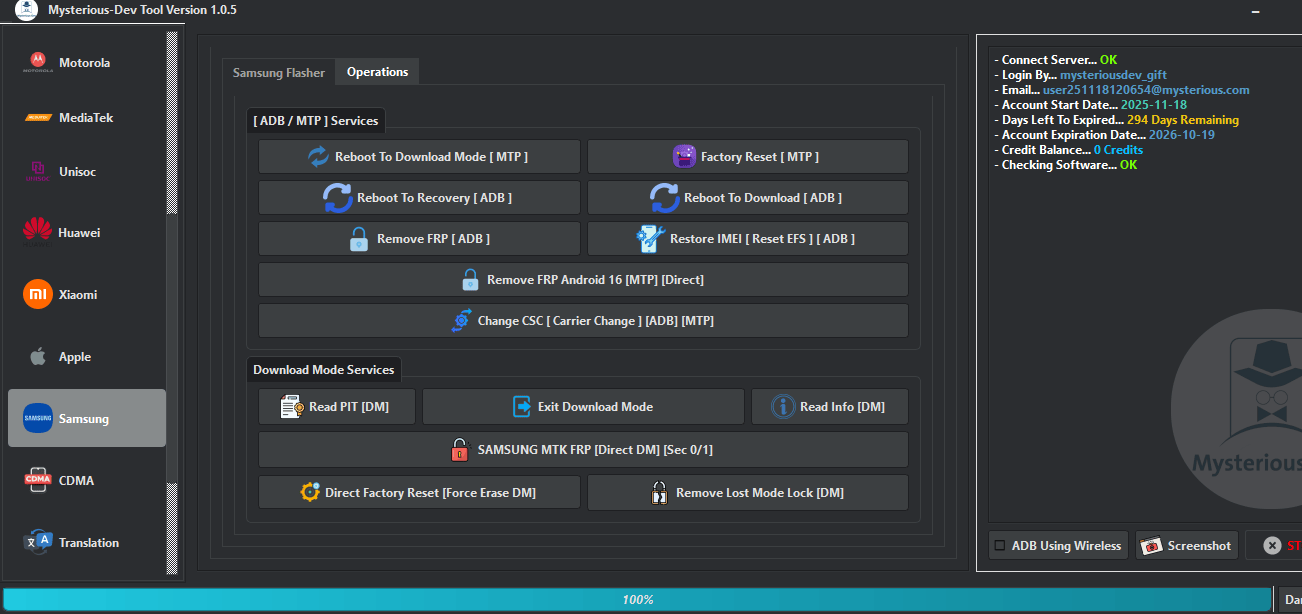
- Reboot To Download Mode [MTP]
- Factory Reset [MTP]
- Reboot To Recovery [ADB]
- Reboot To Download [ADB]
- Remove FRP [ADB]
- Restore IMEI | Reset EFS [ADB]
- Remove FRP Android 16 [MTP] [Direct]
- Change CSC [Carrier Change] [ADB] [MTP]
- Read PIT [DM]
- Exit Download Mode
- Read Info [DM]
- SAMSUNG MTK FRP [Direct DM] [Sec 0/1]
- Direct Factory Reset [Force Erase DM]
- Remove Lost Mode Lock [DM]
Translation
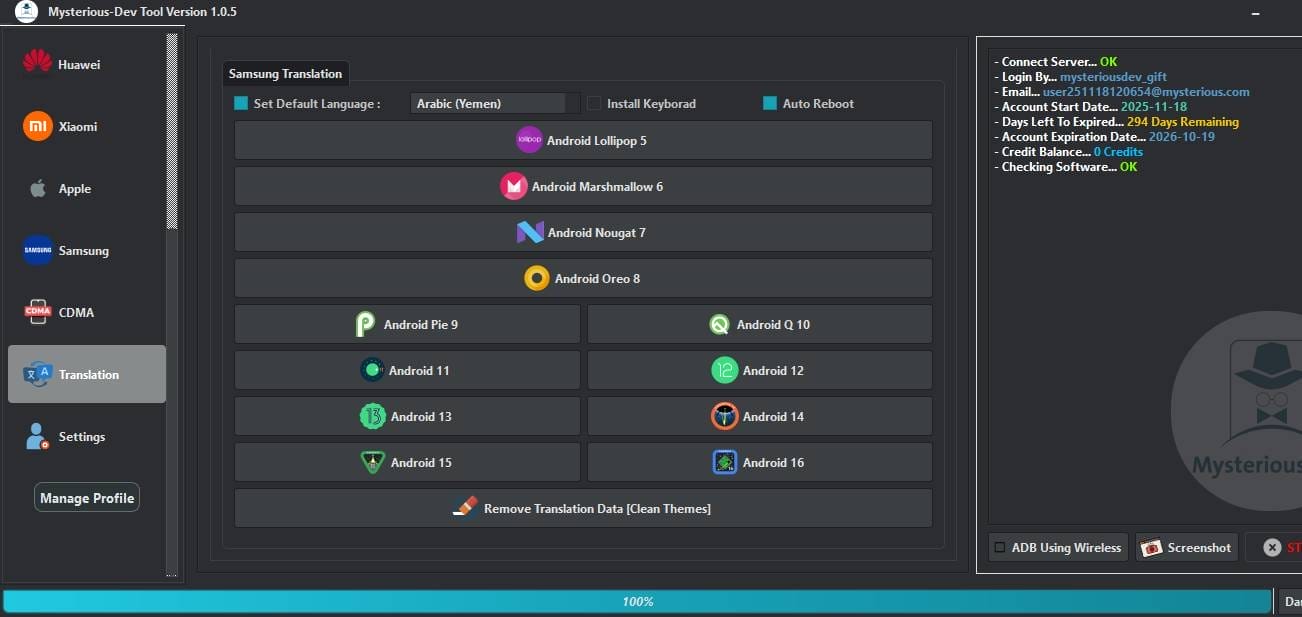
- Set Default Language
- Install Keyboard
- Auto Reboot
- Android Lollipop 5
- Android Marshmallow 6
- Android Nougat 7
- Android Oreo 8
- Android Pie 9
- Android Q 10
- Android 11
- Android 12
- Android 13
- Android 14
- Android 15
- Android 16
- Remove Translation Data [Clean Themes]
Whats’s New?
Mysterious-Dev Tool V1.0.9
- Fixed: Direct Unlock Sim Operations Failure
- Fixed: The “konx Is Not Support” Error Bug
- Fixed: Samsung Read Cert & Write Cert Operations
Fixed Models
- Pixel 3
- Pixel 3 Xl
- Pixel 3a
- Pixel 3a Xl
- Pixel 4
- Pixel 4 Xl
- Pixel 4a
- Pixel 4a Xl
- Pixel 5
- Pixel 5a
- Pixel 6
- Pixel 6 Pro
- Pixel 6a
- Pixel 7
- Pixel 7a
- Pixel 7 Pro
- Pixel 8
- Pixel 8 Pro
- Pixel 9
- Pixel 9a
- Pixel 9 Pro
- Pixel 9 Pro Xl
- Pixel 9 Pro Fold
- Pixel Fold
- Pixel Tablet
Samsung Jdm (unlock Sim)
- Sm‑s215dl
- Sm‑s134dl
- Sm‑s124dl
- Sm‑s115dl
- Sm‑s111dl
- Sm‑m115f
- Sm‑m115m
- Sm‑m025f
- Sm‑m022f/m/g
- Sm‑m017f
- Sm‑m015f/g
- Sm‑m013f
- Sm‑a226b/br
- Sm‑a215u/u1
- Sm‑a207f/m
- Sm‑a115a/az/f/m/u/u1
- Sm‑a107f/m
- Sm‑a047f/m
- Sm‑a045f/m
- Sm‑a037f/m/u/u1
- Sm‑a035f/g/m
- Sm‑a032f/g/m
- Sm‑a025a/f/g/m/u/u1/v
- Sm‑a015f/g/m/u/u1
- Sm‑a013f/g/m
- Samsung Cert Method (unlock)
- Sm‑g935t1
- Sm‑g935r4
- Sm‑g935r6
- Sm‑g935p
- Sm‑g935t
- Sm‑g935a
- Sm‑g935v
- Sm‑g935w
- Sm‑g935w8
- Sm‑g935u
- Sm‑g930v
- Sm‑g930p
- Sm‑g930u
- Sm‑g930a
- Sm‑g930az
- Sm‑g930t
- Sm‑g930t1
- Sm‑g930r6
- Sm‑g930r4
- Sm‑g930vl
- Sm‑j727p
- Sm‑j727v
- Sm‑j727vpp
- Sm‑j250f
- Sm‑j250g
- Sm‑j250m
- Sm‑j250y
- Sm‑j250n
- Sm‑j510f
- Sm‑j510fn
- Sm‑j510gn
- Sm‑j510fq
- Sm‑j500f
- Sm‑j500fn
- Sm‑j500g
- Sm‑j500h
- Sm‑j500m
- Sm‑j410f
- Sm‑j410fn
- Sm‑j410g
- Sm‑j415f
- Sm‑j415fn
- Sm‑j415g
- Sm‑j415gn
- Sm‑j610f
- Sm‑j610fn
- Sm‑j610g
- Sm‑j610gn
- Sm‑j810f
- Sm‑j810fn
- Sm‑j810g
- Sm‑j810gn
- Sm‑j327v
- Sm‑j327vpp
- Sm‑j320v
- Sm‑j320vpp
- Sm‑g891a
- Sm‑g891v
- Sm‑g891u
- Sm‑g892a
- Sm‑g892v
- Sm‑g892u
- Sm‑a605f
- Sm‑a605fd
- Sm‑a605fn
- Sm‑a605g
- Sm‑a605gn
- Sm‑a606y
- Sm‑n930a
- Sm‑n930t
- Sm‑n930p
- Sm‑n930v
- Sm‑n930r4
- Sm‑n930r6
- Sm‑n930w8
- Sm‑n930t1
- Sm‑g950w
- Sm‑g950d
- Sm‑g950u
- Sm‑g950u1
- Sm‑g955u
- Sm‑g955u1
- Sm‑g955w
- Sm‑n950u
- Sm‑n950u1
- Sm‑n950w
- Sm‑g900t
- Sm‑g900t1
- Sm‑g900t3
- Sm‑g900a
- Sm‑g900az
- Sm‑g900f
- Sm‑g900fd
- Sm‑g900fq
- Sm‑g900i
- Sm‑g900k
- Sm‑g900l
- Sm‑g900m
- Sm‑g900v
- Sm‑g900w8
- Sm‑g9006v
- Sm‑g9006w
- Sm‑g9008v
- Sm‑g9008w
- Scv33
- Scv34
- Scv35
- Scv36
- Scv37
- Scv38
- Scv39
- Sc‑01k
- Sc‑02k
- Sc‑03k
- Sc‑03j
- Sc‑02h
- Sc‑02j
- Sc‑02g
- Sc‑04f
- Scl23
- Sm‑s120vl
- Sm‑s320vl
Lg Unlock Services
- Lm‑k420ym
- Lm‑k420ymw
- Lm‑k420bmw
- Lm‑k500qm
- Lm‑k500qm5
- Lm‑k500qm6
- Lm‑k500mm
- Lm‑k500tm
- Lm‑k500qn
- Lm‑k300qm
- Lm‑k300qm5
- Lm‑k300qm6
- Lm‑k300cmr
- Lm‑k300mm
- Lm‑k300am
- Lm‑k400am
- Lm‑k400akr
- Lm‑k510bmw
- Lm‑k510zmw
- Lm‑k510emw
- Lm‑k510hm
- Lm‑k510hmw
- Lm‑k520bmw
- Lm‑k520emw
- Lm‑k520hmw
- Lm‑k525bmw
- Lm‑k410hm
- Lm‑k410emw
- Lm‑k410bzmw
- Lm‑k410fmw
- Lm‑q730mm
- Lm‑q730tm
- Lm‑q730qm
- Lm‑q730qm
- Lm‑q730qm6
- Lm‑q730am
- Lm‑q730am4
- Lm‑q730qn
- Lm‑q730ha
- Lm‑q730baw
- Lm‑q630um
- Lm‑q630baw
- Lm‑q630ea
- Lm‑q630eaw
- Lm‑q630h
- Lm‑q630n
- Lm‑q630ha
- Lm‑q710fa
- Lm‑q710hs
- Lm‑q710ybw
- Lm‑q710ymw
- Lm‑q710za
- Lm‑q710zm
- Lm‑q710ra
- Lm‑q710fm
- Lm‑q710gx
- Lm‑q710hsw
- Lm‑q710naw
- Lm‑q710yaw
- Lm‑q710em
- Lm‑q310n
- Lm‑q510n
- Lm‑q520n
- Lm‑x420hm
- Lm‑x420as
- Lm‑x420as8
- Lm‑x420em
- Lm‑x420emw
- Lm‑x525eaw
- Lm‑x525ha
- Lm‑x520emw
- Lm‑x520hm
- Lm‑x520zmw
- Lm‑x510ew
- Lm‑x540bmw
- Lm‑x540emw
- Lm‑x540hm
- Lm‑x540zmw
- Lm‑x410fc
- Lm‑x410fo
- Lm‑x410eo
- Lm‑x410eow
- Lm‑x410fcw
- Lm‑x410btw
- Lm‑x410bcw
- Lm‑x430zmw
- Lm‑x430emw
- Lm‑x430hm
- Lg‑x420as8
- Lg‑x420as
- Lm‑x120hn
- Ec211002
- Ec211001
- Ea211002
- Ea211001
- Ec1002
How To Use It?
- First, Open The Tool From The Download Option.
- Extract The Rar File And Open The Tool Folder.
- In File Content, You Can Find The Setup File By Simply Double-clicking.

- A Setup Will Open In Front Of You. Click Next To Continue.
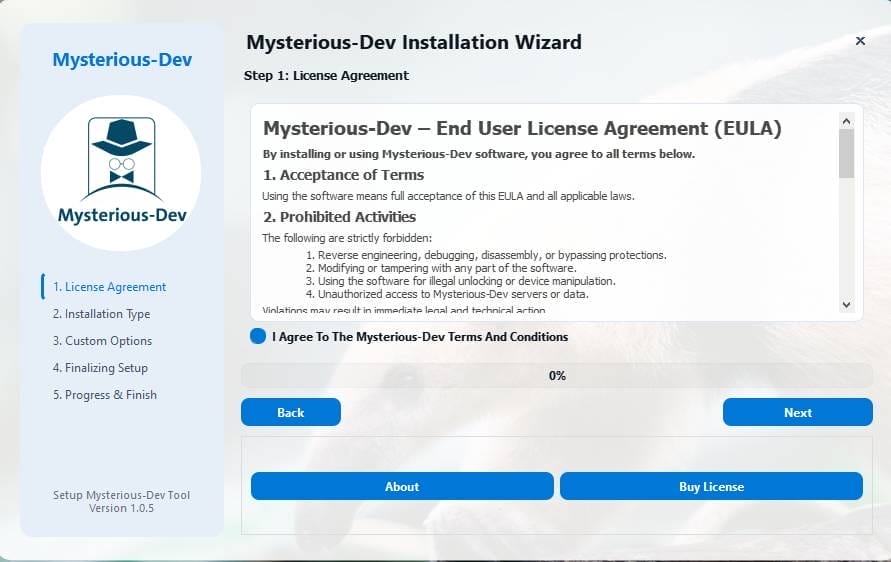
- Click Next To Create A Shortcut.

- Now, A Setup Will Open In Front Of You. Click Install To Continue The Installation.
- After Some Time, The Tool Will Be Installed On Your Pc.
- After The Installation Is Complete, Click On Finish To Close The Setup.
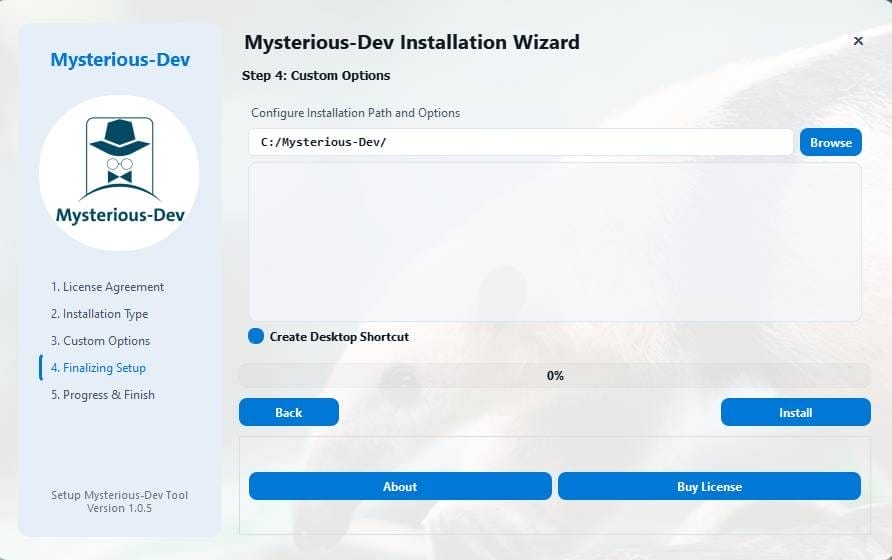
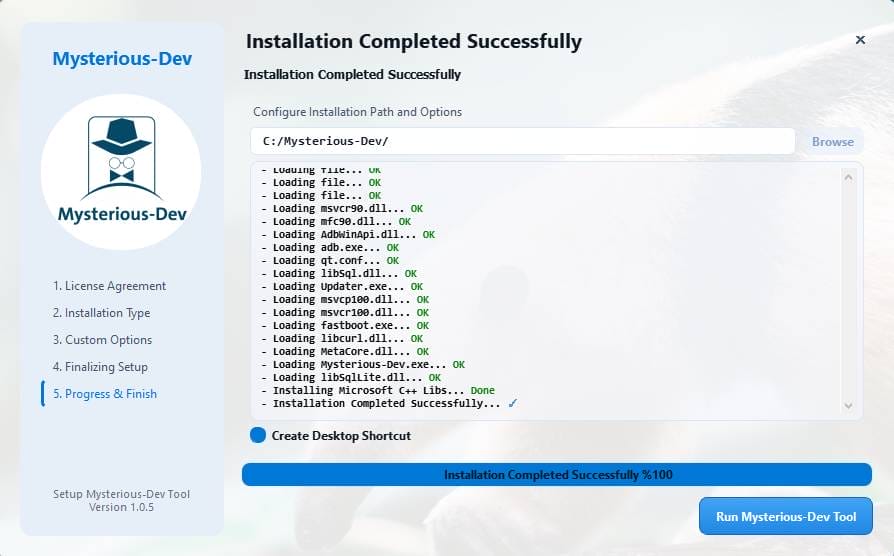
- Go To The Desktop Of Your Pc And Open The Tool.
- Run The Tool As Admin “Mysterious-dev Tool”.
- The Tool Will Open In Front Of You.
- Use The Features You Need For Free And Enjoy!
How To Download?
- Visit The Gsmatoz Tools Website Of The Tool.
- Find The Download Page. Don’t Click The Button And Click Only The (Download Link)
- Below Buttons Are Advertisements. Please Use The DownloadL Above.
- Once The Download Is Complete, Locate The Downloaded File On Your Device.
- Tap On The File To Begin The Installation Process.
- Follow The On-screen Instructions To Complete The Installation.
Final Thoughts
If You Regularly Deal With Locked, Damaged, Or Software-bricked Phones, Having The Right Tool Matters More Than Anything Else. From Removing Mi Accounts And Mdm Locks To Handling Android Versions From Lollipop To Android 16 This Solution Covers A Wide Repair Spectrum.
In The End, The Real Value Of Mysterious-dev Tool Lies In Confidence. You Spend Less Time Guessing And More Time Fixing Devices Properly Which Is Exactly What Every Technician Wants.
Mysterious-dev Tool v1.1.3






