
Pegasus tool v3. 2 latest version free download
If You Repair Android Phones, You’ve Probably Run Into Annoying Problems Like Frp Locks, Mi Accounts, Or Strict Security Restrictions That Prevent A Device From Working Properly. Situations Like These Can Waste A Lot Of Time, Especially When You Have To Try Different Methods Or Tools For Each Brand. That’s Why Many Technicians Look For One Reliable Solution That Can Handle Multiple Devices And Chipsets In A Single Place.
In This Article, We’ll Take A Closer Look At Pegasus Tool, How It Works, And The Useful Features It Provides For Unlocking And Repairing Android Devices. From Removing Frp Locks And Bypassing Security To Flashing Firmware And Adjusting Network Settings, This Guide Will Walk You Through Everything You Need To Know. By The End, You’ll Understand Why Many Mobile Technicians Are Starting To Rely On This Tool.
Also Read:
- Lu-wifi A12+ Tool
- Advanced ADB Master Pro Tool
- Android App Optimizer Pro Tool
- Moto Bootloader Unlock Pro Tool
Whatsaap Groups Link:
- GSM ATOZ TOOLS SOFTWAR:: Group Link Join
- GSM ATOZ TOOLS Tech::Group Link Join
- GSM ATOZ TOOLS EXPERTS::Group Link Join
- WORLD OF GSM ATOZ TOOLS::Group Link Join
- GSM ATOZ TOOLS MOBILE SOFTWARE::Group Link Join
Join Us On Telegram
- Telegram Channel: GSM ATOZ TOOLS::Link Join
- Telegram Group Link: GSM ATOZ TOOLS:: Link Join
What Is Pegasus Tool?
Pegasus Too Is An Advanced Android Servicing Software Designed To Help Technicians Manage Security Locks, Repair System Issues, And Unlock Devices. It Includes Powerful Simlock & Security Options Such As Read Info, Direct Unlock, Relock Carrier, Get Codelock, And Read Or Write Certificate. These Functions Allow Users To Restore Device Security, Repair Boot Problems, And Even Convert Csc Settings For Supported Brands Like Samsung And Lg.
The Tool Also Supports Writing Emtoken Through Adb And Repairing Security Configurations That May Stop A Phone From Functioning Correctly. In Many Cases, Technicians Can Restore Devices That Appear Completely Unusable. Instead Of Manually Performing Complicated Procedures, The Software Provides Automated Features That Save Time And Reduce The Risk Of Mistakes.
Supported Modes In Pegasus Tool
One Of The Most Useful Aspects Of Pegasus Tool Is Its Support For Multiple Working Modes. The Software Includes Mtp And Adb Mode, Which Allow Users To Remove Frp Locks, Bypass Knox Or Kg Locks, Remove Samsung Accounts, And Perform Factory Resets Directly From The Computer. It Even Provides An Option To Remove Frp Through An Open Browser Method By Launching Youtube On The Device.
Other Powerful Modes Include Download Mode, Brom Mode, Edl Mode, Sideload Mode, And Fastboot Mode. These Modes Allow Technicians To Remove Mi Accounts, Huawei Or Realme Ids, Oppo And Vivo Demo Locks, And Perform Safe Factory Resets. Support For Devices Like Xiaomi, Redmi, And Zte Also Makes The Tool Flexible For Technicians Working With Different Brands.
Services And Utility Options In Pegasus Tool
Beyond Unlocking Features, Pegasus Tool Offers Several Utility Options Designed To Improve Device Functionality. For Example, It Includes Tools To Repair Installed Apps, Fix Sprint Bootloop Problems, Resolve Call-not-sent Errors, And Remove Security Notifications. Users Can Also Enable Call Recording, Disable Samsung Updates, And Install Network Mode Apks When Needed.
The Software Also Provides Advanced Service Options Such As Opening Hidden Samsung Services, Accessing Usb Settings, Launching Spc Menus, And Editing Network Settings. Technicians Can Quickly Adjust Apn Configurations, Repair Connectivity Problems, Or Access Network Menus On Older Lg Devices. These Built-in Utilities Help Simplify Tasks That Normally Require Several Different Tools.
Supported Chipsets In Pegasus Tool
Pegasus Tool Supports Several Major Android Chipsets, Which Makes It Useful For A Wide Range Of Devices. For Example, The Mediatek Chipset Manager Includes A Partition Manager That Allows Users To Read, Write, And Format Device Partitions. It Also Supports Security Backup, Bootloader Unlocking, And Services Such As Removing Frp Or Mi Accounts.
The Tool Also Works With Qualcomm And Unisoc Chipsets. Qualcomm Features Include Partition Management, Frp Removal, Security Backup, And Factory Reset Operations. Meanwhile, Unisoc Support Allows Technicians To Remove Frp Locks, Perform Factory Resets, And Manage Partitions For Compatible Devices.
Benefits Of Using Pegasus Tool
One Major Advantage Of Pegasus Tool Is That It Combines Multiple Repair Features In A Single Interface. Instead Of Switching Between Different Programs For Frp Bypass, Firmware Flashing, And Network Configuration, Technicians Can Perform Most Tasks From One Place. This Not Only Saves Time But Also Reduces The Complexity Of Mobile Repair Work.
Another Benefit Is Its Compatibility With Many Brands And Chipsets. Whether You Are Working With Samsung, Xiaomi, Huawei, Or Motorola Devices, The Tool Offers Practical Solutions For Unlocking, Repairing, And Configuring Phones. For Technicians Who Repair Phones Daily, Having A Reliable Tool Like This Can Significantly Improve Efficiency.
Features Of Pegasus Tool
Simlock & Security
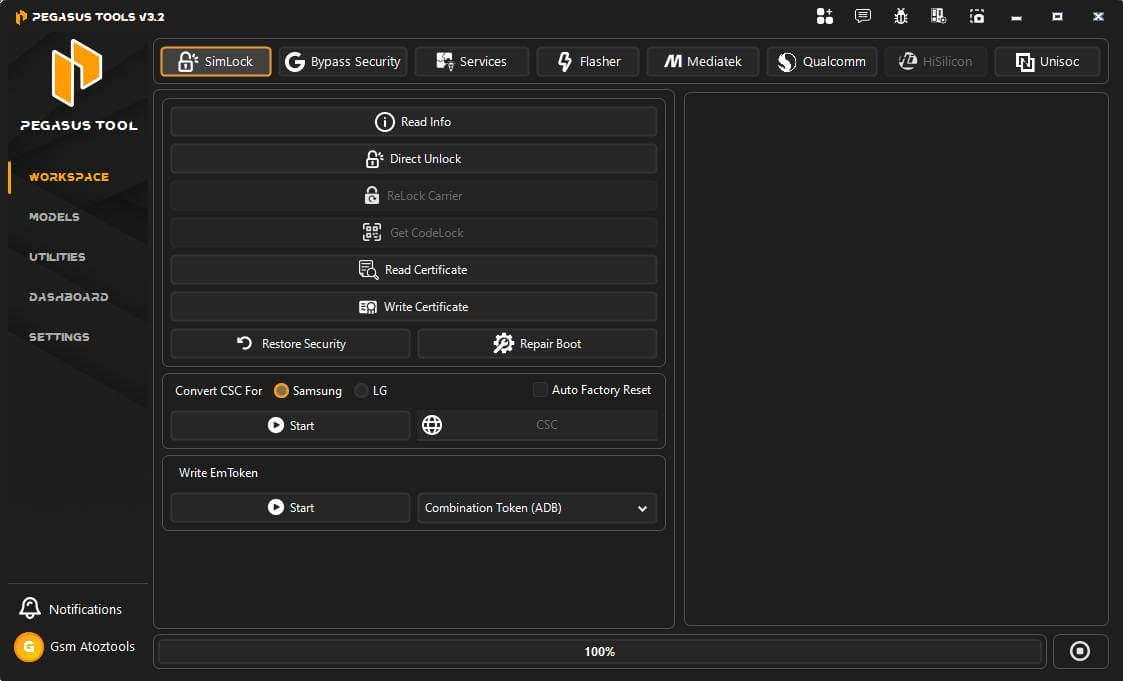
- Read Info
- Direct Unlock
- Relock Carrier
- Get Codelock
- Read Certificate
- Write Certificate
- Restore Security
- Repair Boot
- Convert Csc
- Samsung
- Lg
- Write Emtoken
- Combination Token Adb
Bypass Security
Mtp/adb Mode
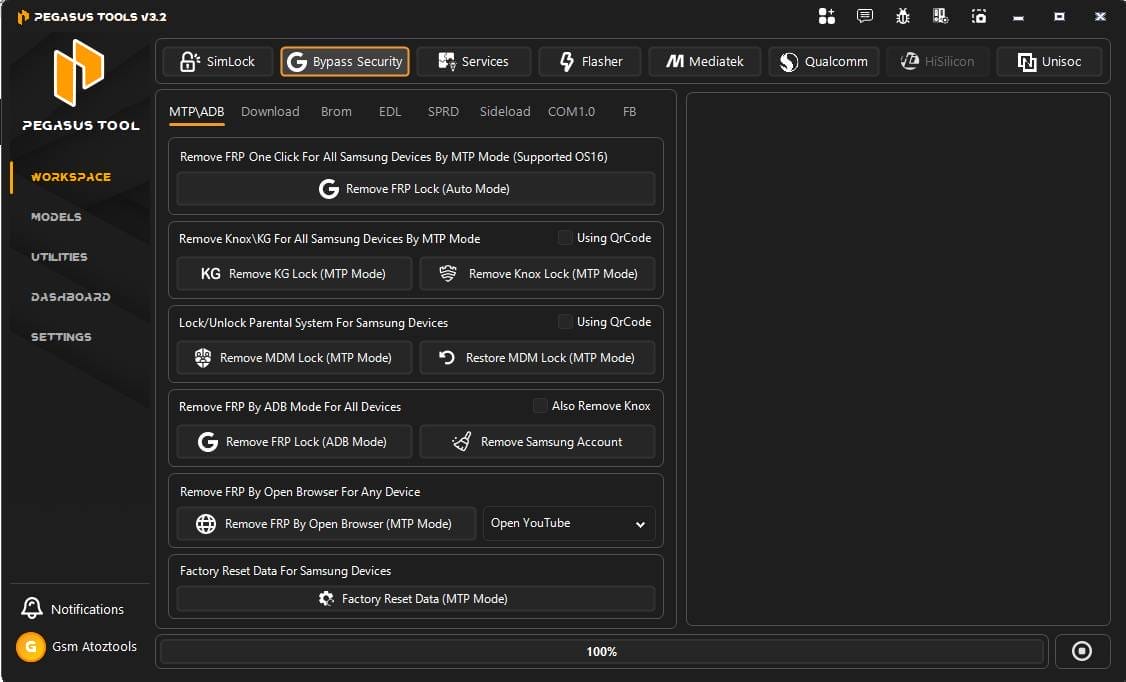
- Remove Frp One Click For All Samsung Devices By Mtp Mode (supported Os16)
- Remove Frp Lock (auto Mode)
- Remove Knox / Kg For All Samsung Devices By Mtp Mode
- Remove Kg Lock (mtp Mode)
- Remove Knox Lock (mtp Mode)
- Lock / Unlock Parental System For Samsung Devices
- Remove Mdm Lock (mtp Mode)
- Restore Mdm Lock (mtp Mode)
- Remove Frp By Adb Mode For All Devices
- Remove Frp Lock (adb Mode)
- Remove Samsung Account
- Remove Frp By Open Browser For Any Device
- Remove Frp By Open Browser (mtp Mode)
- Open Youtube
- Factory Reset Data For Samsung Devices
- Factory Reset Data (mtp Mode)
Download Mode
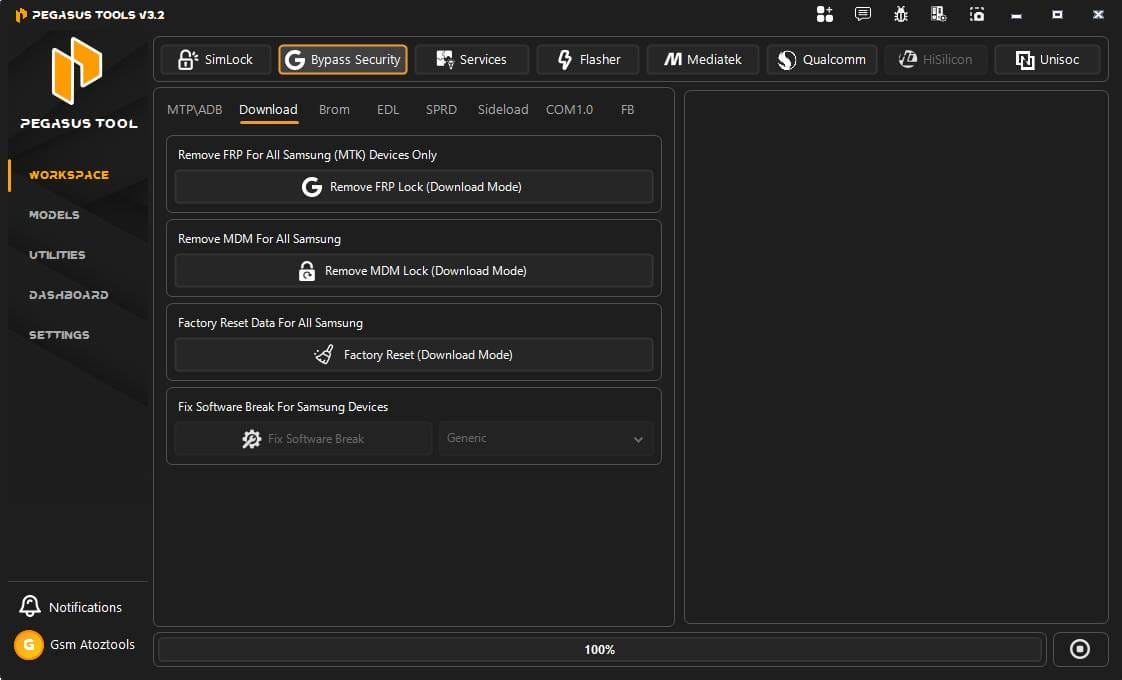
- Remove Frp For All Samsung (mtk) Devices Only
- Remove Frp Lock (download Mode)
- Remove Mdm For All Samsung
- Remove Mdm Lock (download Mode)
- Factory Reset Data For All Samsung
- Factory Reset (download Mode)
- Fix Software Break For Samsung Devices
- Fix Software Break
- Generic
Brom Mode
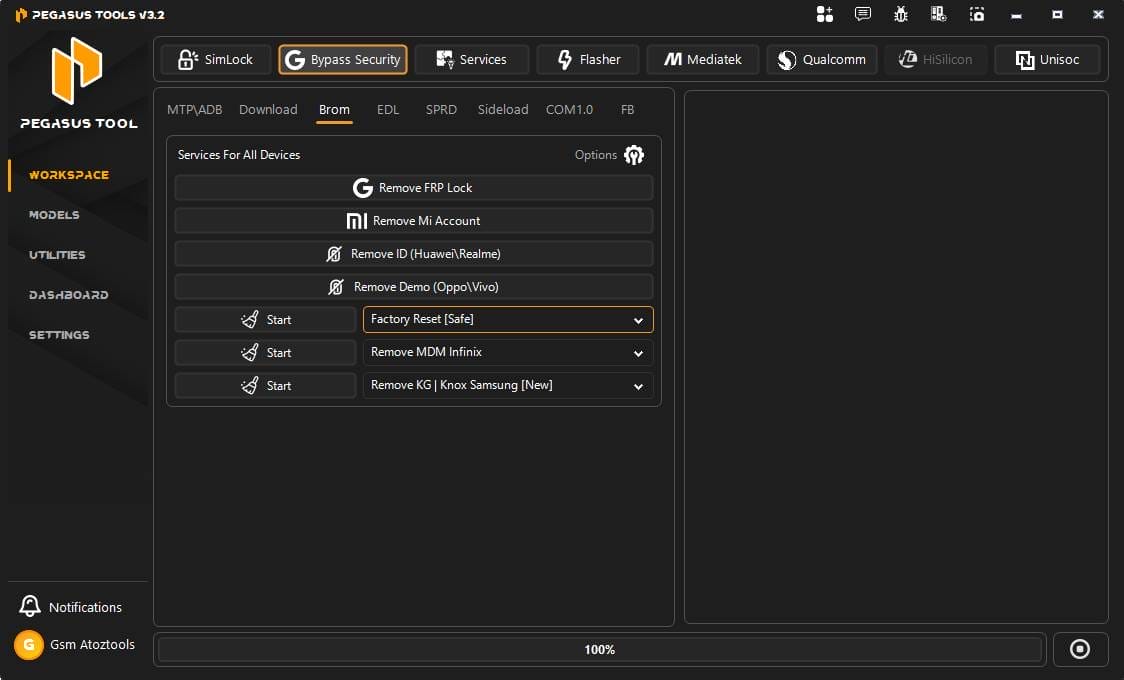
- Services For All Devices
- Remove Frp Lock
- Remove Mi Account
- Remove Id (huawei / Realme)
- Remove Demo (oppo / Vivo)
- Factory Reset [safe]
- Remove Mdm Infinix
- Remove Kg / Knox Samsung [new]
Edl Mode
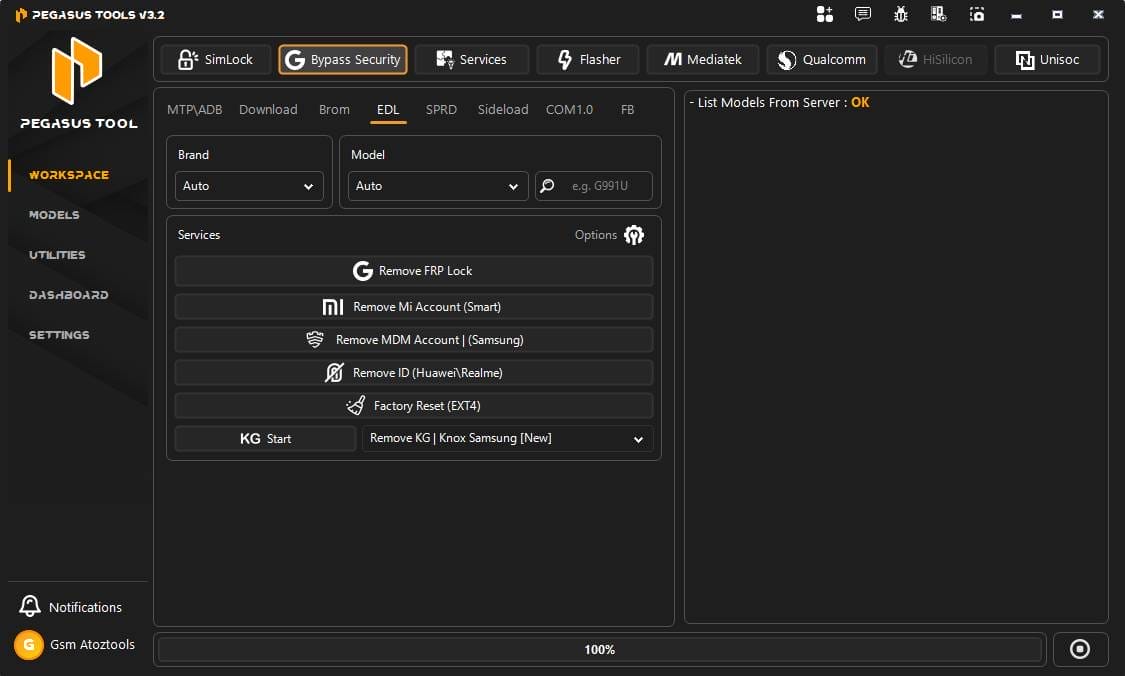
- Services
- Remove Frp Lock
- Remove Mi Account (smart)
- Remove Mdm Account (samsung)
- Remove Id (huawei / Realme)
- Factory Reset (ext4)
- Remove Kg / Knox Samsung [new]
Sprd Mode
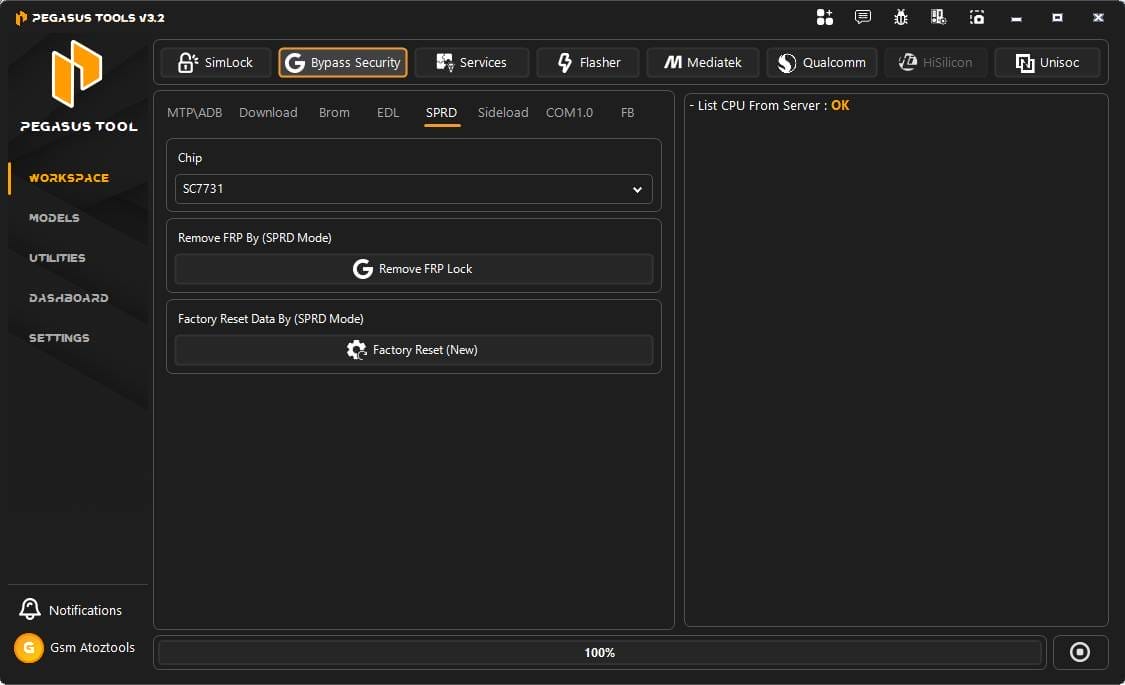
- Remove Frp Lock
- Factory Reset (new)
Sideload Mode
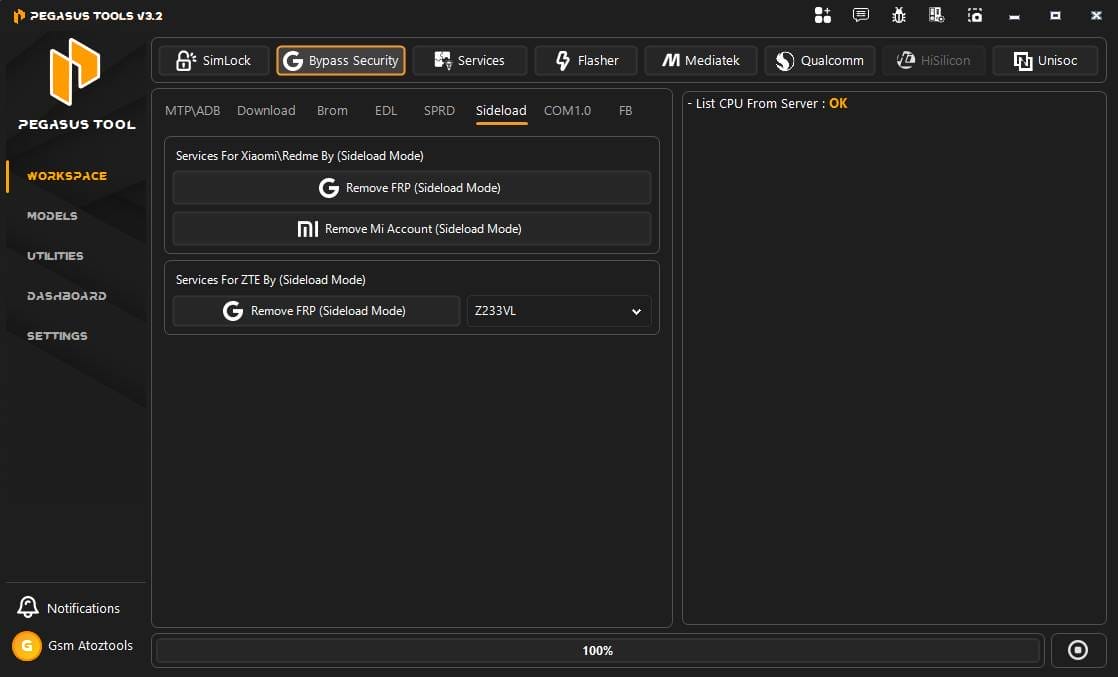
- Services For Xiaomi / Redmi By (sideload Mode)
- Remove Frp (sideload Mode)
- Remove Mi Account (sideload Mode)
- Services For Zte By (sideload Mode)
- Remove Frp (sideload Mode) – Z233vl
Com 1.0
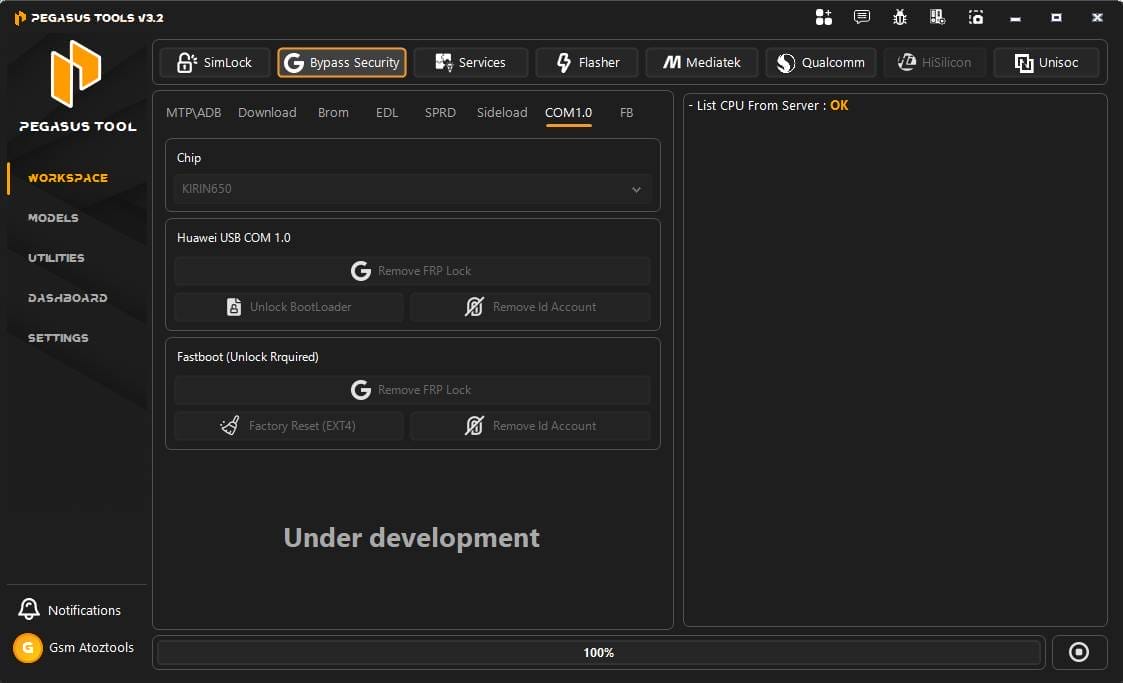
- Huawei Usb Com 1.0
- Remove Frp Lock
- Unlock Bootloader
- Remove Id Account
- Fastboot (unlock Required)
- Remove Frp Lock
- Factory Reset (ext4)
- Remove Id Account
Fastboot
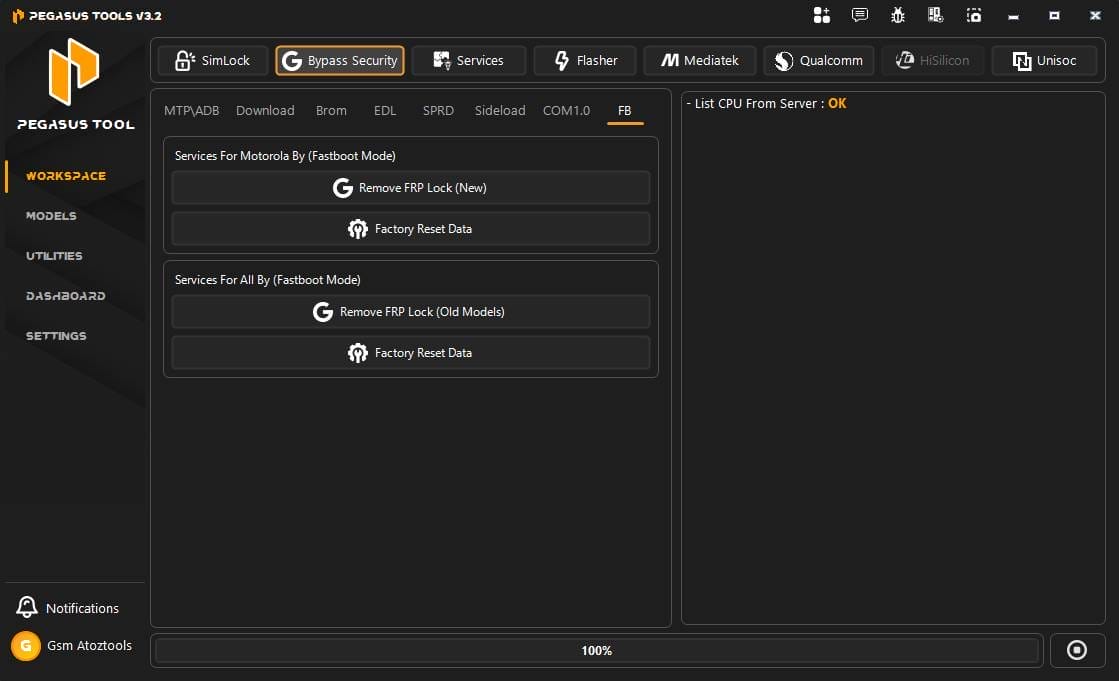
- Services For Motorola By (fastboot Mode)
- Remove Frp Lock (new)
- Factory Reset Data
- Services For All By (fastboot Mode)
- Remove Frp Lock (old Models)
- Factory Reset Data
Services
Main Options

- Direct Translate All Devices
- Direct Translate All Devices
- Translate Keyboard
- Repair Translate
- Auto Arabic Keyboard
- Arabic Eg | Ar-eg Language Support
General Options
- Repair Install Apps
- Fix Bootloop Sprint
- Fix Call Not Sent
- Remove Dialing Assisting
- Remove Security Notice
- Enable Call Recorder
- Disable Hand Free Active
- Disable Samsung Updates
- Disable Sim Not From Verizon
- Install Network Mode Apk
Super Options
- Factory Reset (format Data)
- Open Hidden Services (samsung)
- Open Usb Settings (samsung)
- Open Spc Menu (samsung)
- Open Noa Test Settings (lg)
- Open Mcfg Edit Menu (lg)
- Open Network Menu (lg Old)
- Open Network Settings (all)
- Open Apn Settings (all)
- Open Apn Menu Editor (all)
- Connectivity & Imei
Convert & Ime
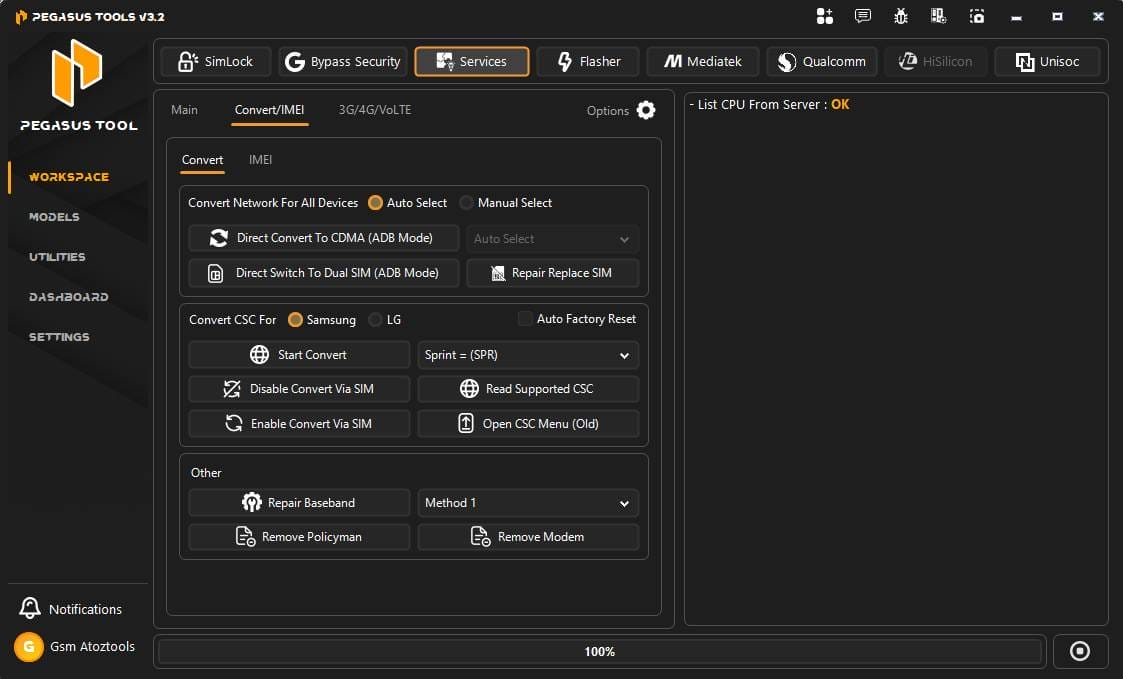
- Direct Convert To Cdma (adb Mode)
- Direct Switch To Dual Sim (adb Mode)
- Repair Replace Sim
- Convert Csc (sprint, Etc.)
- Disable/enable Convert Via Sim
- Open Csc Menu (old)
- Repair Baseband
- Remove Policyman / Remove Modem
- Write Imei / Meid
- Write Qcn
3g/4G/Volte
3g
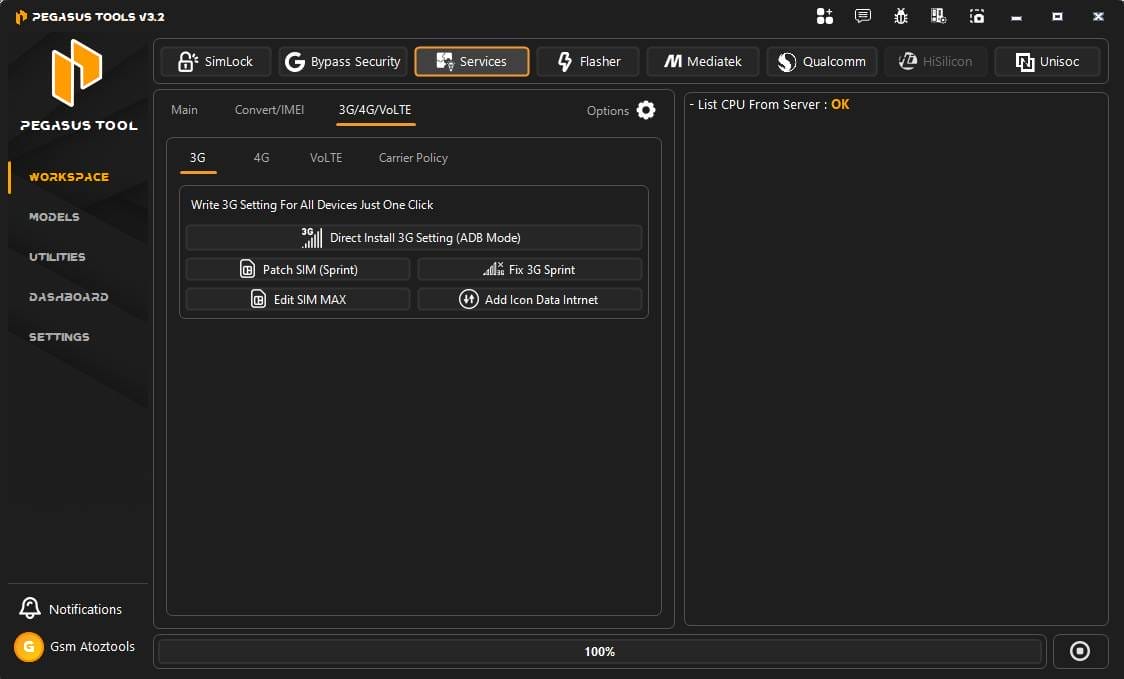
- Direct Install 3g Setting (adb Mode)
- Patch Sim (sprint)
- Fix 3g Sprint
- Edit Sim Max
- Add Icon Data Internet
4g
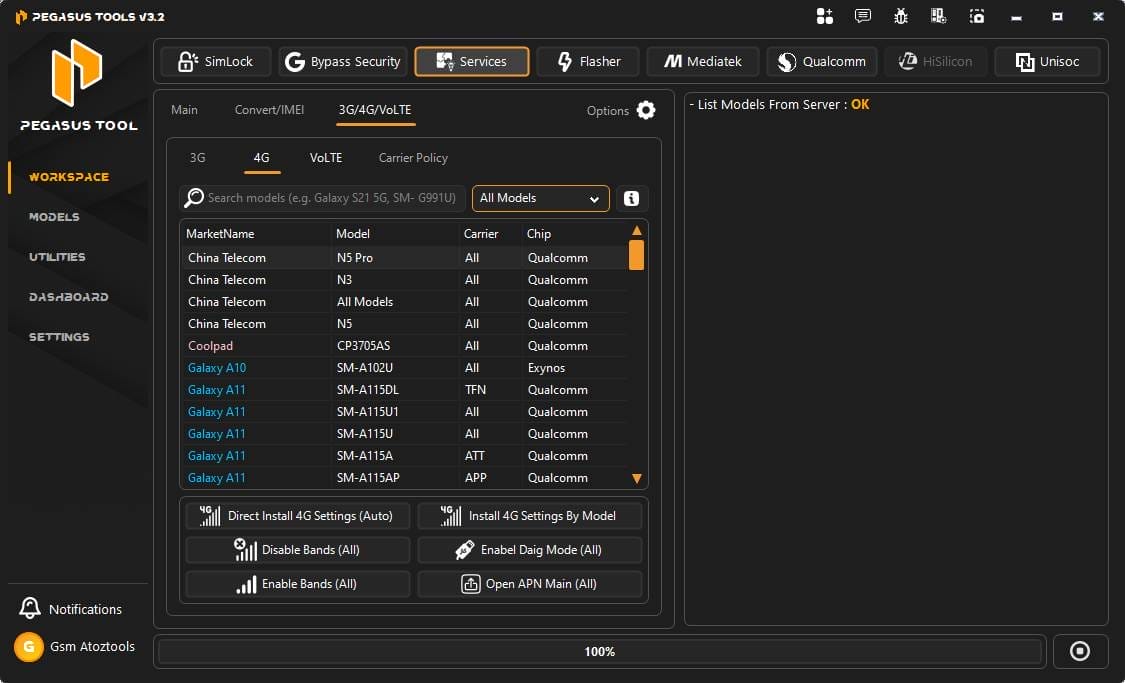
- 4g Settings Features
- Direct Install 4g Settings (auto)
- Install 4g Settings By Model
- Disable Bands (all)
- Enable Diag Mode (all)
- Enable Bands (all)
- Open Apn Main (all)
Volte

- Volte Custom
- Open Selection Operator Mtk
- Open Misc.config Menu Mtk
- Open Spd Enginner Menu
- Open Spd Enginner Menu Mth2
- Open Spd Enginner Menu Mth3
- Open Spd Enginner Menu Mth4
- Open Spd Operator Settings
- Open Spd Gcf Settings Menu
- Open Ims Menu Mtk
- Open Ims Menu Lg
- Enable Volte Samsung Devices
- Enable Volte All Mtk (root)
- Enable Volte Sprd (unisoc) Devices
- Enable Volte Android-11
- Open Mbn Test Menu (qcom)
- Open Mbn Config Edit Xiaomi
Flasher
Samsung
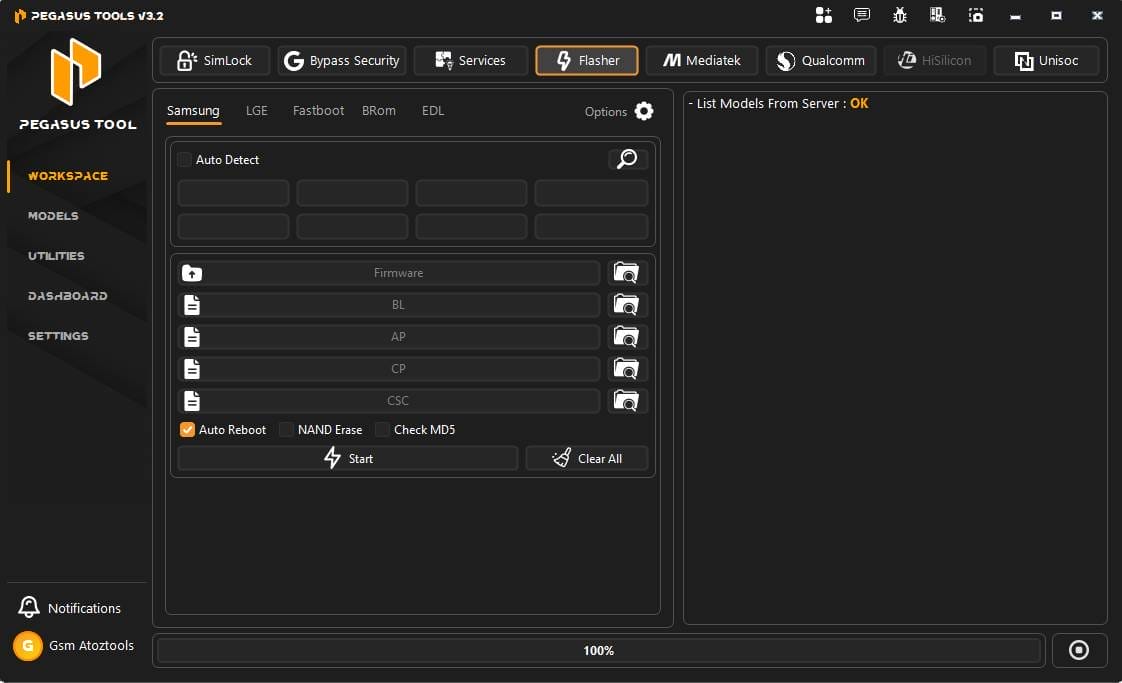
- Auto Detect Device
- Firmware Selection
- Bl (bootloader) File Load
- Ap (system / Pda) File Load
- Cp (modem) File Load
- Csc File Load
- Auto Reboot Option
- Nand Erase Option
- Check Md5 Verification
- Start Flash Process
- Clear All Files
Lge
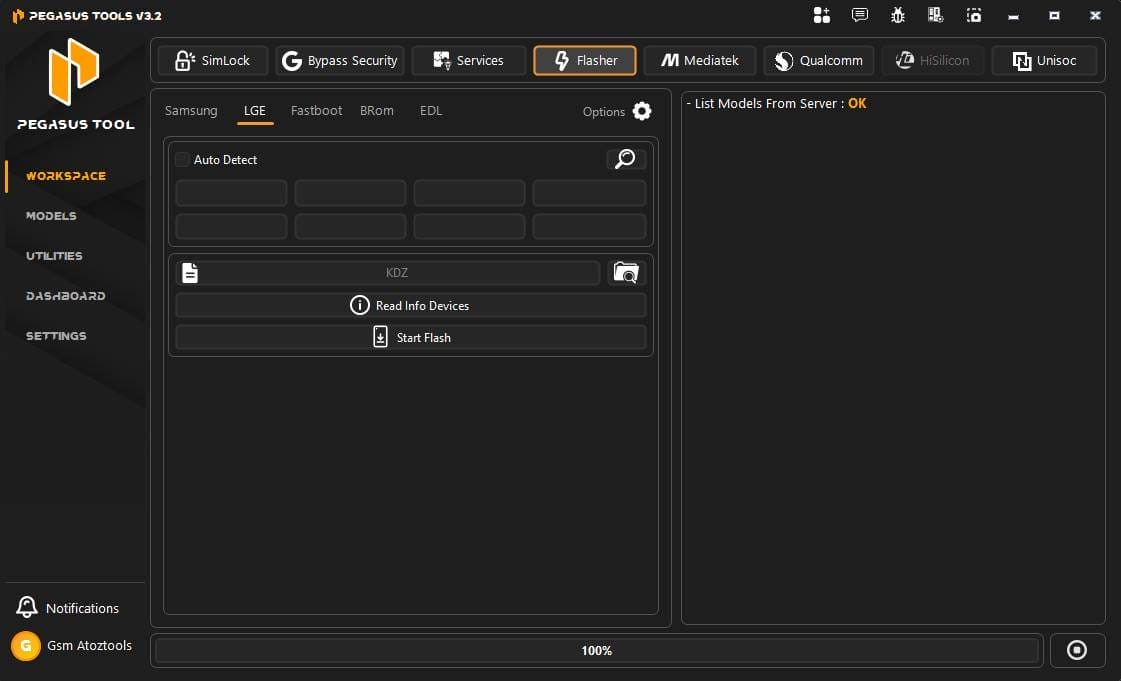
- Flash Kdz
- Read Info Devices
Fastboot

- Flash Xml
- Flashfile.xml
Brom
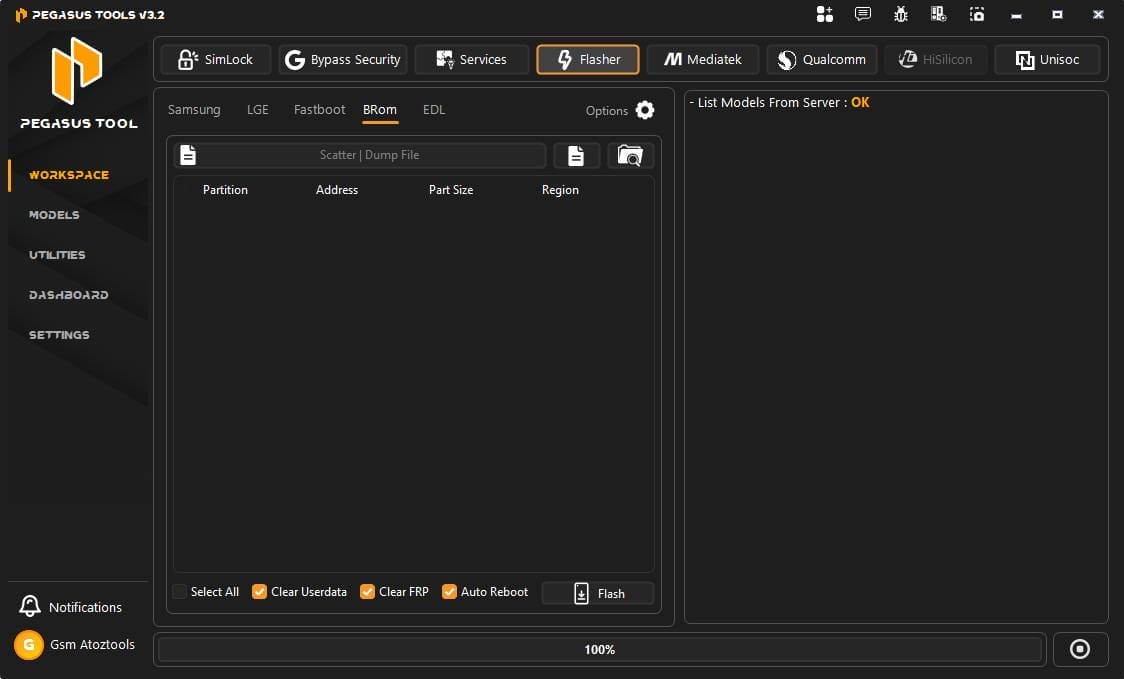
- Flash Scatter
- Dump File
- Clear Userdata
- Clear Frp
Edl
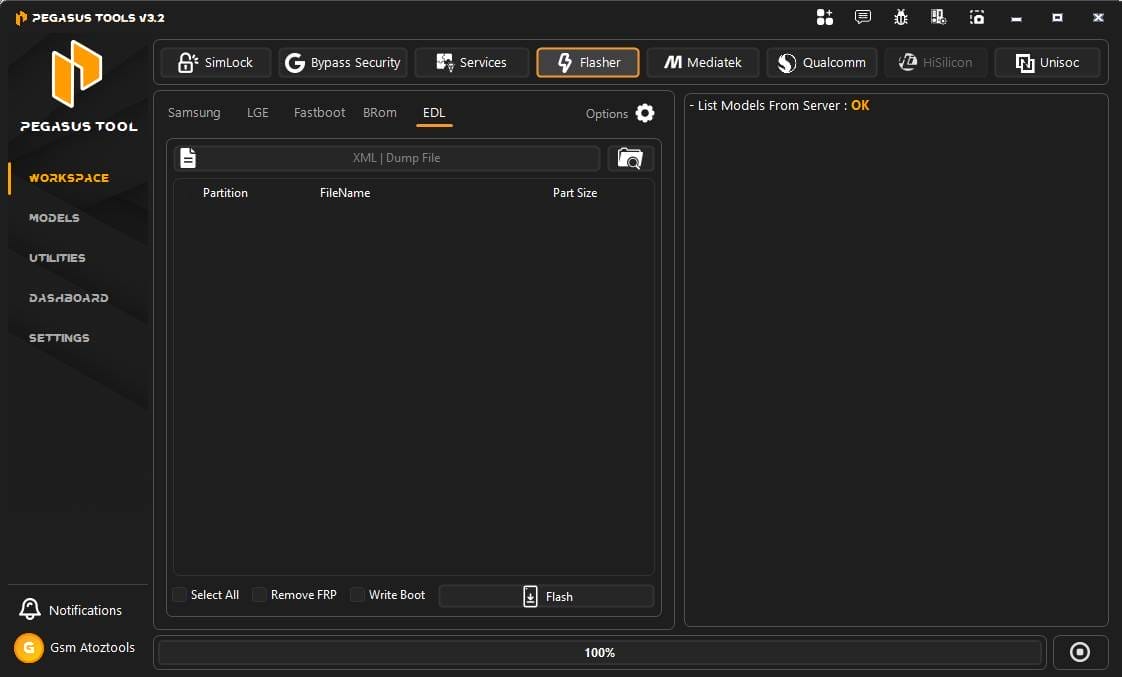
- Flash Xml
- Dump File
- Remove Frp
- Write Boot
Mediatek
Partition Manager:
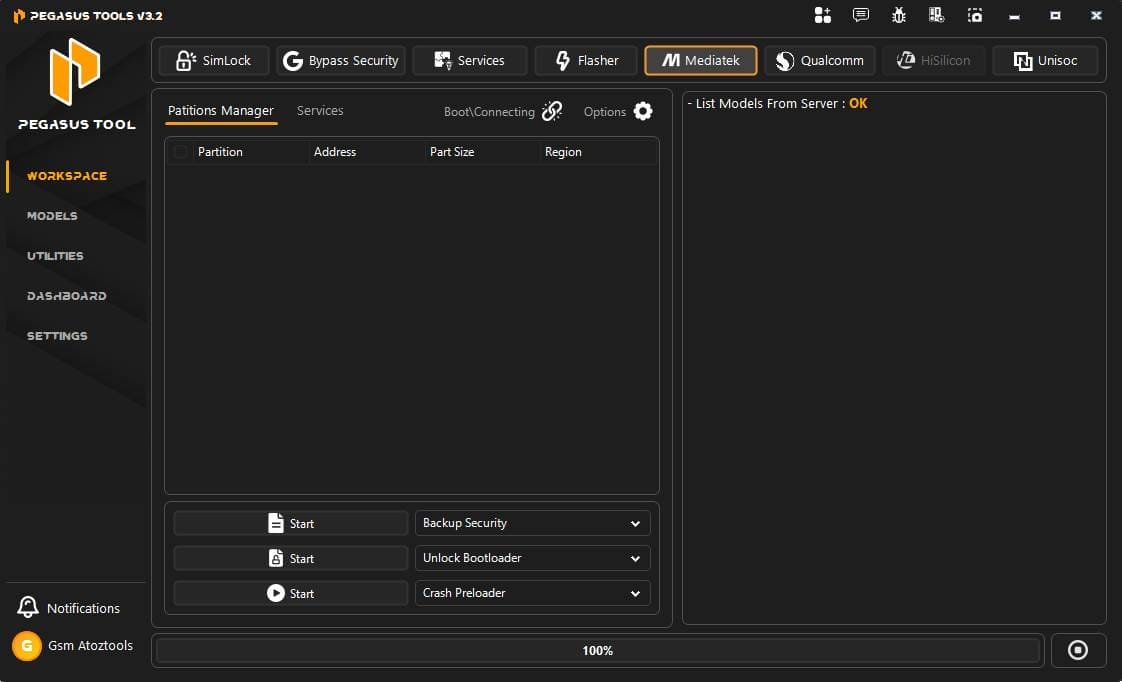
- Read
- Write
- Format
- Backup Security
- Unlock Bootloader
- Crash Preloader
Services
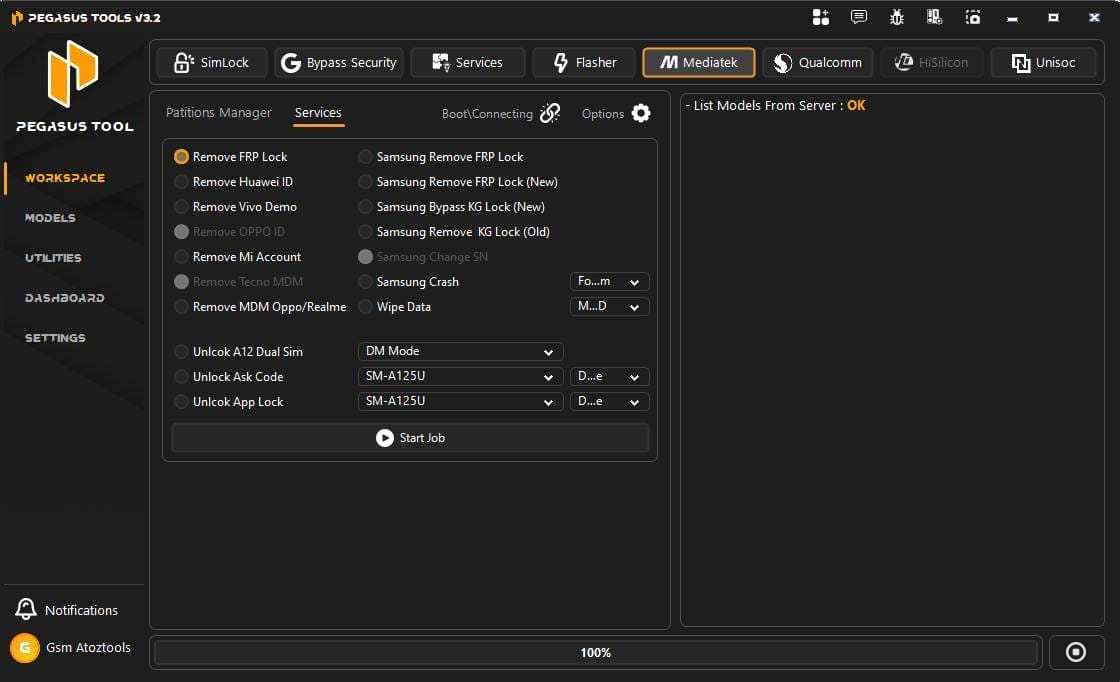
- Remove Frp
- Standard/samsung
- Remove Huawei Id
- Remove Vivo Demo
- Remove Oppo Id
- Remove Mi Account
- Remove Tecno/oppo/realme Mdm
- Bypass Kg Lock
Qualcomm
Partition Manager
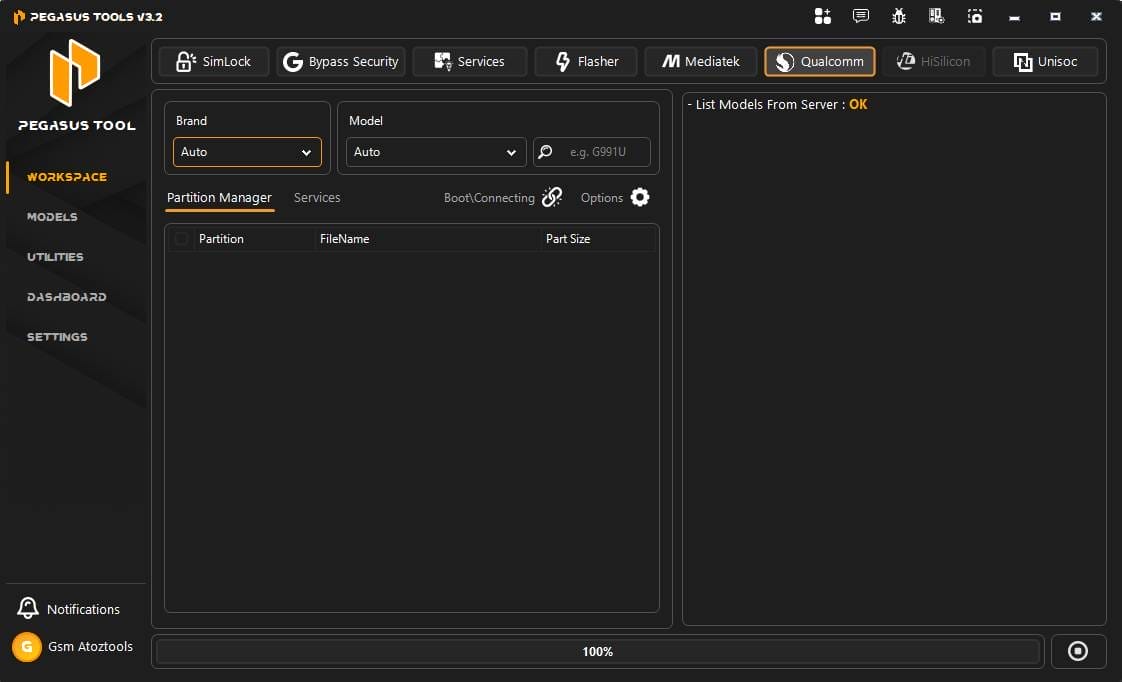
Services:
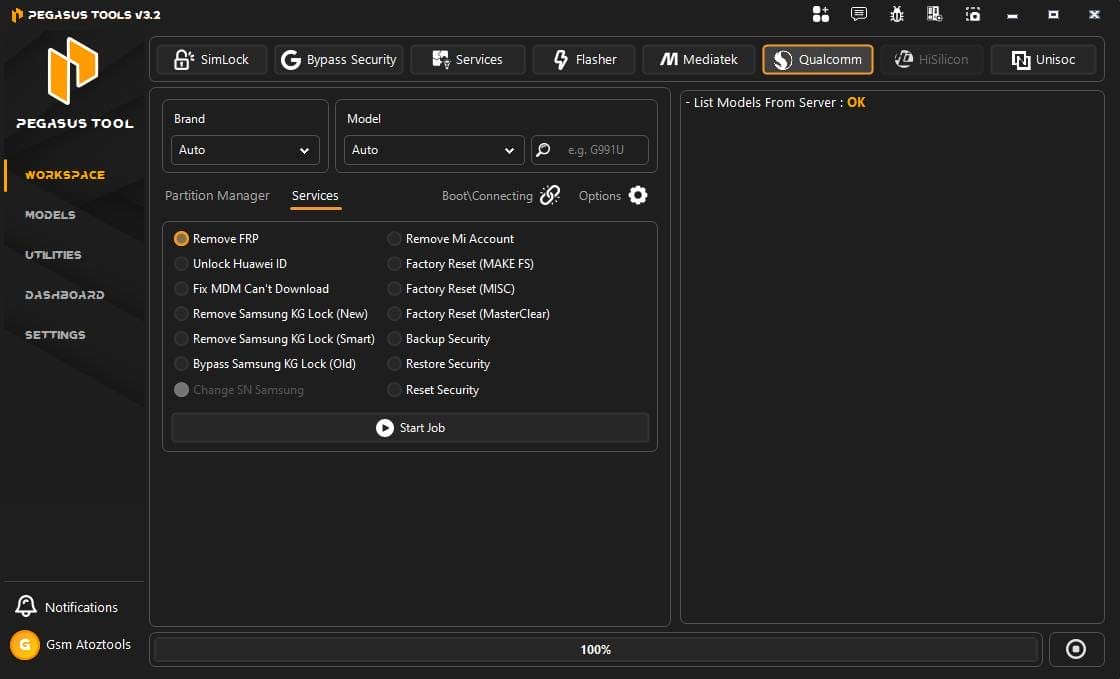
- Remove Frp
- Unlock Huawei Id
- Fix Mdm Can’t Download
- Remove Samsung Kg Lock (new/smart/old)
- Remove Mi Account
- Factory Reset (make Fs/misc/masterclear)
- Backup/restore/reset Security
Unisoc
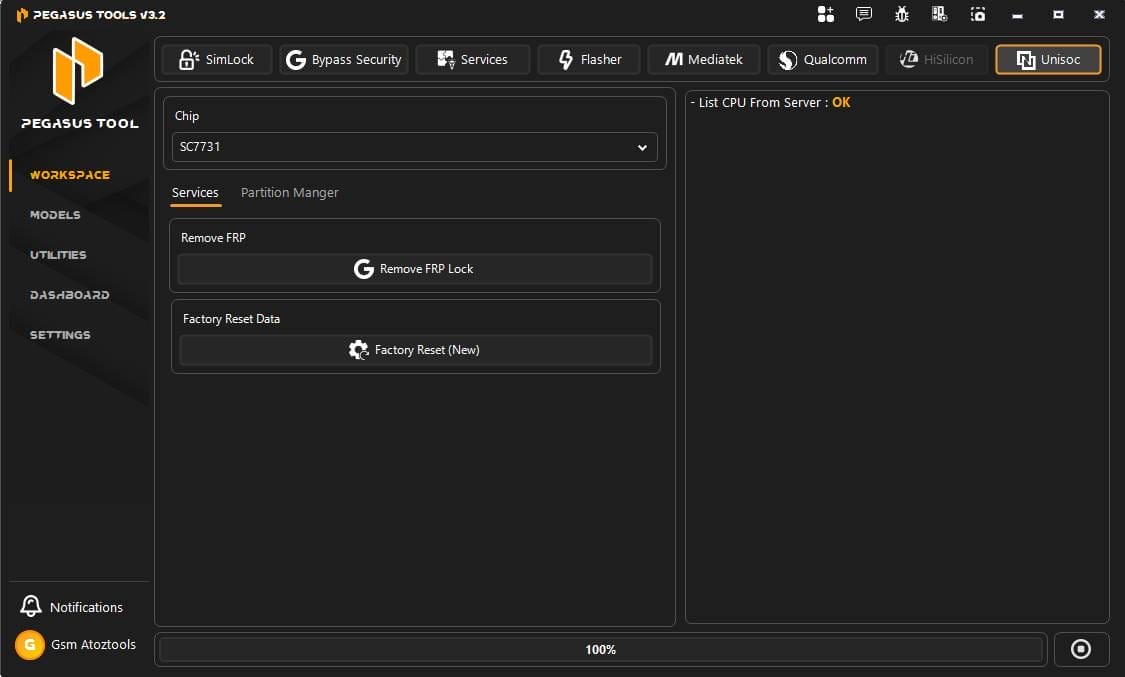
- Remove Frp Lock
- Factory Reset (new)
- Partition Manager
How To Use It?
- First, Download The Tool.
- Go To The Official Website At https://www.pegasus-tools.com/.
- Click On The “start Free Trial” Button.
- A Pop-up Window Will Appear With A “sign Up With Google” Option. For Your Safety, It Is Recommended To Avoid This And Fill In Your Details Manually.
- Now A Page Will Open.
- Fill In The Following Information:
- Full Name: Your Complete Name Including Your Last Name.
- Email Id: Enter Your Email (email Verification Is Currently Not Required).
- Mobile Number: Your Active Contact Number.
- Password: Create A Password With At Least 8 Digits.
- Re-enter Your Password In The “verify Password” Field, Tick The Terms And Conditions Box, And Click On Create Account.
- Installation: Once Your Login Is Ready, Click On The Setup Link Provided On Our Site To Complete The Installation.
- Launch: Use Your New Login Credentials To Open And Start Using The Tool.
- A Login Page Will Open Enter Email And Password And Click On Sing In
- The Tool Will Open On Your Pc Screen.
- Enjoy Using The Tool.
FAQ’s:
What Does The Pegasus Device Do?
Pegasus Is A Powerful And Sophisticated Surveillance Tool. It Gives Its Users The Ability To Hack Into The Mobile Devices Of Others, To Listen To Conversations, Access Messages And Digital Files, Activate Camera And Voice Recording Applications, And Modify The Content On A Particular Device.
Can You Remove Pegasus Spyware?
You Can Remove Pegasus From Your Smartphone By Attempting The Following Actions: Restarting Your Smartphone, To Put A Temporary Stop To Pegasus. Resetting Your Smartphone To Its Factory Settings, Which May Remove Pegasus. Updating Your Smartphone’s System Software And Apps To Current Versions.
Will Removing A Sim Card Stop Tracking?
Bottom Line: Removing The Sim Improves Privacy By Cutting Off Carrier-level Tracking, But If You Want A Clean Slate, Get A New Phone And Avoid Signing Into Personal Accounts Unless Necessary.
Final Thoughts
Android Servicing Can Be Complicated, Especially When Dealing With Security Locks, Network Issues, And Software Failures. Tools That Simplify These Tasks Are Extremely Valuable For Technicians And Repair Shops. Pegasus Tool Offers A Wide Set Of Features Designed To Handle Unlocking, Security Bypass, And System Repairs Across Many Android Devices.
If You Regularly Repair Smartphones, Learning How To Use Pegasus Tool Can Make Your Workflow Much Easier. With Support For Different Modes, Chipsets, And Service Functions, It Provides A Practical Solution For Many Common Android Repair Problems.
How To Download?
- Visit The Gsmatoz Tools Website Of The Tool.
- Find The Download Page. Don’t Click The Button, And Click Only The (Download Link)
- Below Buttons Are Advertisements.Please Use The Download Links Above.
- Once The Download Is Complete, Locate The Downloaded File On Your Device.
- Tap On The File To Begin The Installation Process.
- Follow The On-screen Instructions To Complete The Installation.
Pegasus Tool V3.2






