
Qualcomm splash tool pro latest version free download
Qualcomm Splash Tool Pro Is A Simple Yet Very Useful Utility Designed For Users Who Work With Qualcomm Android Devices. If You Want To Change A Boot Logo, Extract Splash Screen Images, Or Rebuild Edited Images Into A Splash.img File, This Tool Makes The Entire Process Easy And Stress-free. In The Past These Tasks Required Complicated Command-line Methods, But Qualcomm Splash Tool Pro Allows Everything To Be Done With Just A Few Clicks.
The Tool Comes With A Clean And Beginner-friendly Interface, Making It Suitable For Both Professionals And New Users. Gsm Technicians, Android Developers, And Customization Enthusiasts Can Use It To Save Time And Complete Splash Image Tasks More Efficiently.
Benefits Of Using Qualcomm Splash Tool Pro
Qualcomm Splash Tool Pro Provides A Quick And Reliable Way To Manage Splash Images Without Dealing With Complicated Manual Commands. The Tool Saves Time By Allowing Users To Extract And Rebuild Splash.img Files In Only A Few Steps.
Its User-friendly Interface Reduces Mistakes, Making Splash Customization Safer Even For Beginners. Because The Software Is Lightweight, It Runs Smoothly On Most Windows Systems Without Affecting Performance. Overall, It Simplifies Boot Logo Editing And Helps Users Complete Their Work Faster And More Professionally.
Also Read:
Whatsaap Groups Link:
- GSM ATOZ TOOLS SOFTWAR:: Group Link Join
- GSM ATOZ TOOLS Tech::Group Link Join
- GSM ATOZ TOOLS EXPERTS::Group Link Join
- WORLD OF GSM ATOZ TOOLS::Group Link Join
- GSM ATOZ TOOLS MOBILE SOFTWARE::Group Link Join
Join Us On Telegram
- Telegram Channel: GSM ATOZ TOOLS::Link Join
- Telegram Group Link: GSM ATOZ TOOLS:: Link Join
Who Should Use This Tool?
Qualcomm Splash Tool Pro Is Ideal For Gsm Technicians, Android Developers, And Anyone Who Works With Qualcomm-powered Devices. Mobile Repair Professionals Can Use It During Software Repair Or Flashing Processes To Modify Splash Images Easily.
Custom Rom Developers Can Create Personalized Boot Logos For Their Projects, While Android Enthusiasts Can Customize Their Device Appearance. Anyone Looking For A Simple And Effective Way To Extract Or Rebuild Splash.img Files Will Find This Tool Extremely Helpful.
Key Features Of Qualcomm Splash Tool Pro
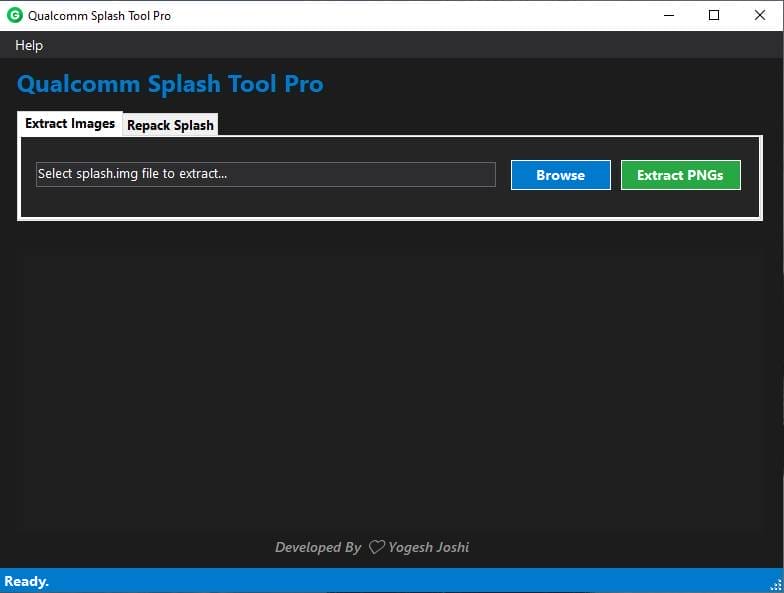
Easy Splash Image Extraction
- Browse Button
- Extract Pngs Button

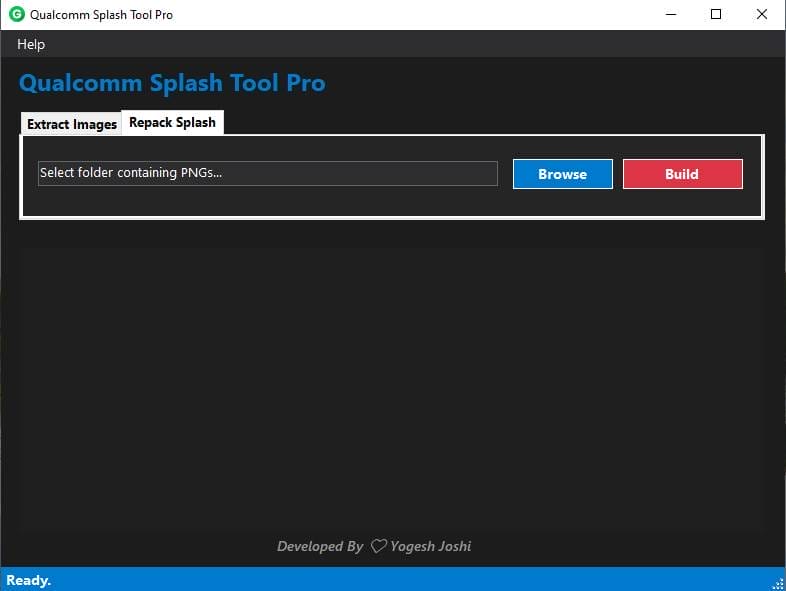
Repack Splash Tab
- Browse Button
- Build Button
How To Use It?
- First, Open The Tool From The Download Option.
- Extract The Rar File And Open The Tool Folder.
- In File Content, You Can Find The Setup File By Simply Double-clicking.

- A Setup Will Open In Front Of You. Click Next To Continue.
- Click Next To Create A Shortcut.
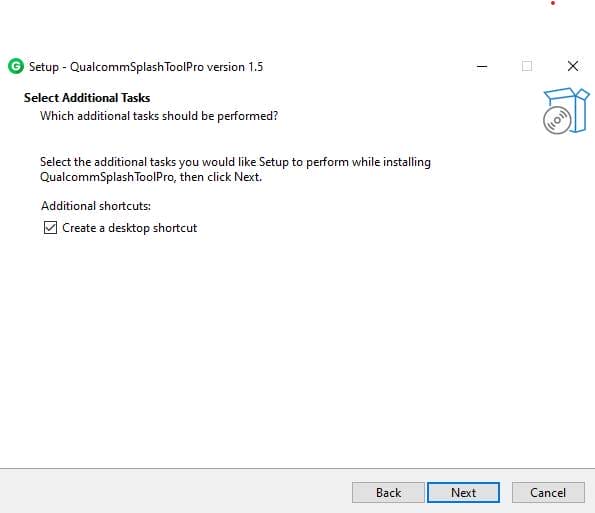
- Now, A Setup Will Open In Front Of You. Click Install To Continue The Installation.
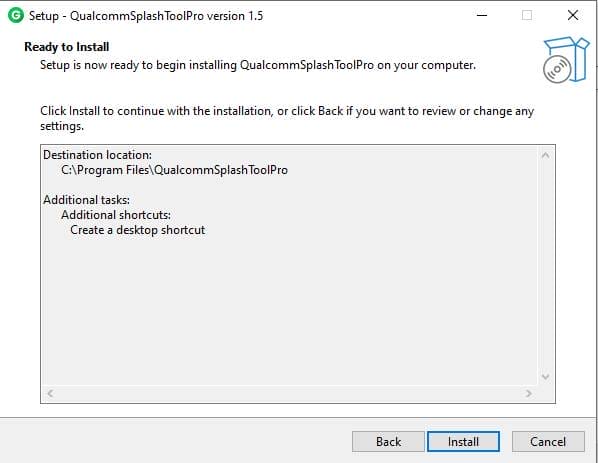
- After Some Time, The Tool Will Be Installed On Your Pc.
- After The Installation Is Complete, Click On Finish To Close The Setup.
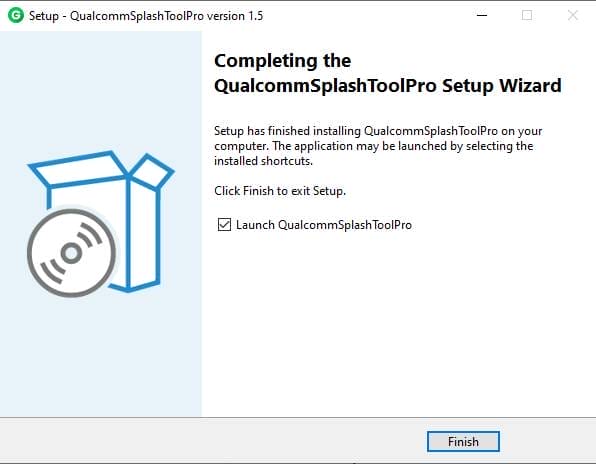
- Go To The Desktop Of Your Pc And Open The Tool.
- Run The Tool As Admin “Qualcomm Splash Tool Pro”.
- The Tool Will Open In Front Of You.
- Use The Features You Need For Free And Enjoy!
Final Thoughts
Qualcomm Splash Tool Pro Is A Practical And User-friendly Solution For Anyone Who Needs To Work With Splash.img Files On Qualcomm Android Devices. It Removes The Complexity Of Manual Methods And Provides A Smooth, Click-based Process For Extracting And Rebuilding Splash Images. Whether You Are A Professional Gsm Technician Or An Android Enthusiast, The Tool Helps You Customize Boot Logos Quickly And Safely Without Requiring Advanced Technical Skills.
Overall, Its Lightweight Design, Simple Interface, And Reliable Performance Make Qualcomm Splash Tool Pro A Valuable Utility For Android Customization And Repair Work. If You Are Looking For An Easy Way To Manage Splash Images Efficiently, This Tool Is Definitely Worth Using.
Faqs:
What Is Qualcomm Splash Tool Pro Used For?
It Is Used To Extract And Rebuild Splash.img Files On Qualcomm Android Devices.
Is This Tool Beginner-friendly?
Yes, Its Simple Interface Makes It Easy For Beginners To Use.
Does It Support All Android Devices?
It Mainly Supports Devices Powered By Qualcomm Chipsets.
Do I Need Coding Knowledge To Use It?
No, All Functions Work Through Simple Buttons.
Is Qualcomm Splash Tool Pro Free?
Most Versions Are Shared As Free Utilities Within The Gsm Community.
How To Download?
- Visit The Gsmatoz Tools Website Of The Tool.
- Find The Download Page. Don’t Click The Button, And Click Only The (Download Link)
- Below Buttons Are Advertisements.Please Use The Download Links Above.
- Once The Download Is Complete, Locate The Downloaded File On Your Device.
- Tap On The File To Begin The Installation Process.
- Follow The On-screen Instructions To Complete The Installation.
Qualcomm Splash Tool Pro






