

Safina pro tool v1. 5 work with fastboot and mi assistant
If You’ve Ever Been Stuck With A Xiaomi Phone That Won’t Reset Is Locked With Frp Or Feels Confusing Because Of Too Many Technical Options You’re Not Alone. Many Users Search For Safina Pro Tool When They’re Tired Of Trial Anderror Methods And Just Want Something That Actually Works. That Frustration And Curiosity Usually Come From Wanting A Simple Safe Way To Handle Device Issues Without Damaging The Phone.
In This Blog Post We’ll Walk You Through Safina Pro Tool And Explain How It Helps With Tasks Like Reading Device Information Mi Assistant Factory Reset Frp Reset Fastboot Options Edl Mode And Checking Xiaomi Activation Lock. Everything Is Explained In Easy Steps So Even Beginners Can Understand. By The End You’ll Know Exactly How This Tool Can Save Your Time And Make Xiaomi Servicing Much Easier.
What Is Safina Pro Tool?
Safina Pro Tool Is A Xiaomi Servicing Utility That Helps You Perform Essential Phone Management Tasks Safely. It Allows You To Read Device Information Use Mi Assistant Factory Reset Options And Work With Fastboot Features In A Structured Way. You Don’t Need Deep Technical Knowledge To Get Started Which Makes It Beginner-friendly.
What Makes It Stand Out Is Its Balance Between Free Features And Authorized Options. For Example You Can Access Reading Device Information (free) And Check Xiaomi Activation Lock (free) While Advanced Actions Like Fastboot To Edl (auth) And Unlock Bootloader (auth) Are Available For Professional Use.
Also Read:
- UMT Ultimate Samsung Tool V0.8
- AFT Ultimate Tool V1.7
- Sm Tool Qualcomm Edition
- MTK GSM Sulteng Tool V1.4.1
- ACT Unlock Tool
Benefits Of Useing Safina Pro Tool?
One Major Benefit Is How Much Time It Saves. Instead Of Switching Between Multiple Tools, You Can Manage Resets, Fastboot Tasks And Utilities From One Place. This Reduces Errors And Gives You Confidence While Working On Your Device.
Another Advantage Is Flexibility. You Can Use Mi Assistant Factory Reset (free) For Basic Problems Or Go Further With Mi Assistant Factory Reset + Frp Reset (auth) When Needed. Safina Pro Tool Adapts To Both Casual Users And Mobile Technicians Without Feeling Overwhelming.
What Is The Feature Of Safina Pro Tool?
The Tool Comes With Practical Features That Solve Real Problems. You Can Read Detailed Device Information, Check Activation Lock Status, And Perform Fastboot Operations Smoothly. These Features Help You Understand Your Phone Before Making Any Risky Changes.
It Also Includes Helpful Utilities And Manual Options, So You’re Never Forced Into Automatic Actions. Features Like Fastboot To Edl (auth) And Unlock Bootloader (auth) Are Especially Useful For Advanced Repair Tasks, While Free Options Cover Everyday Needs.
Features
Mi Asisstant

- Reading Device Information (Free)
- Mi Asisstant Factory Reset (Free)
- Mi Asisstant Factory Reset + Frp Reset (Auth)
Fastboot
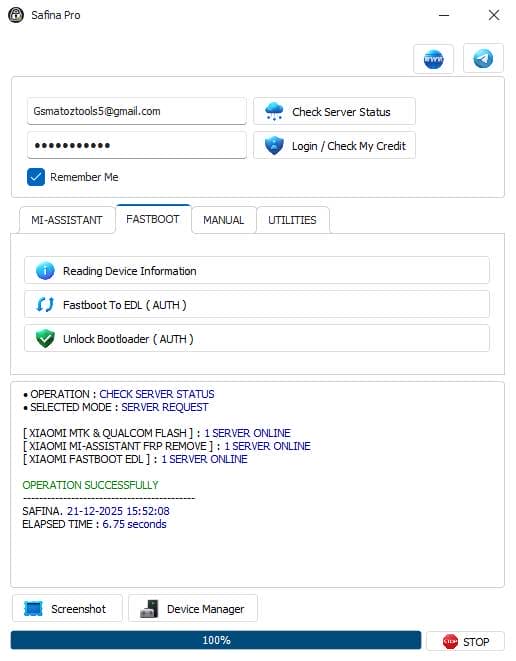
- Reading Device Information
- Fastboot To Edl (Auth)
- Unlock Bootloader (Auth)
Manual
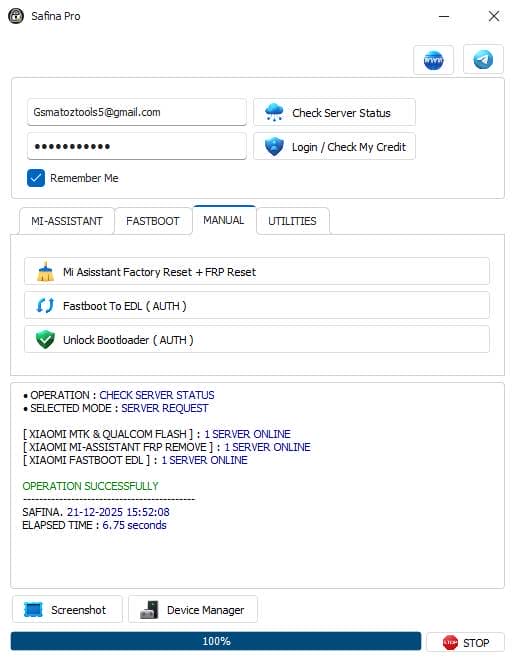
- Mi Asisstant Factory Reset + Frp Reset
- Fastboot To Edl (Auth)
- Unlock Bootloader (Auth)
Utilities
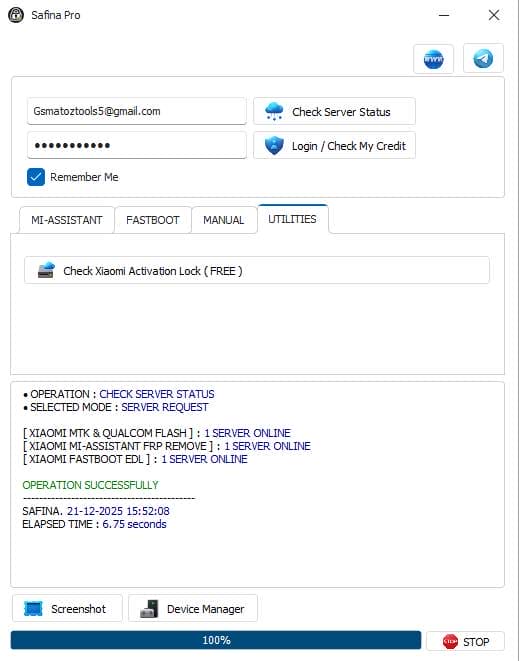
- Check Xiaomi Activation Lock (Free)
How To Use It?
- First, Open The Tool From The Download Option.
- Extract The Rar File And Open The Tool Folder.
- In File Content, You Can Find The Setup File By Simply Double-clicking.

- A Setup Will Open In Front Of You. Click Next To Continue.

- Click Next To Create A Shortcut.
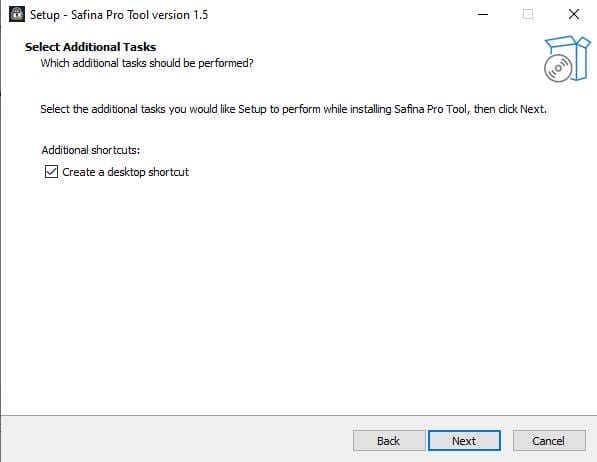
- Now, A Setup Will Open In Front Of You. Click Install To Continue The Installation.
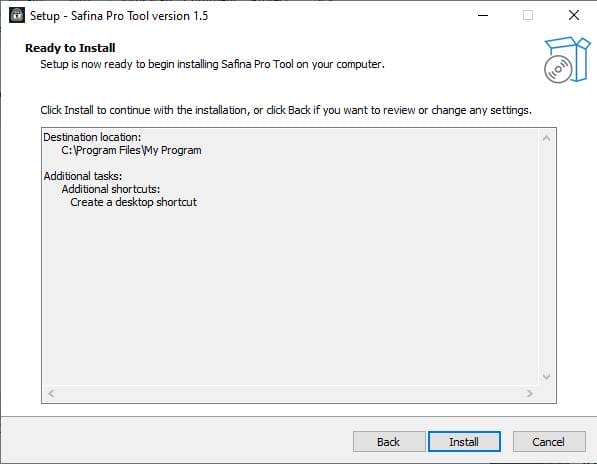
- After Some Time, The Tool Will Be Installed On Your Pc.
- After The Installation Is Complete, Click On Finish To Close The Setup.
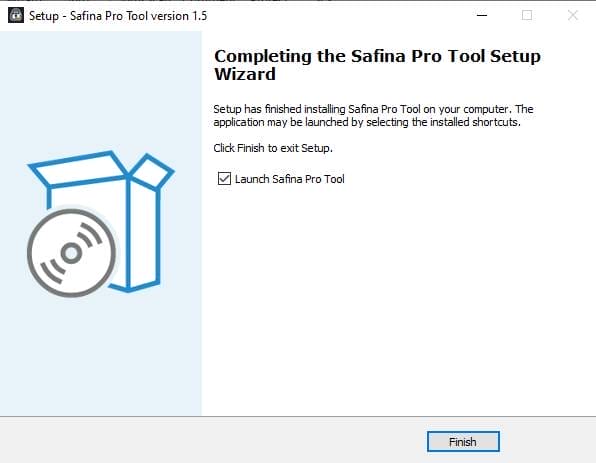
- Go To The Desktop Of Your Pc And Open The Tool.
- Run The Tool As Admin “Safina Pro Tool”.
- The Tool Will Open In Front Of You.
- Use The Features You Need For Free And Enjoy!
How To Download?
- Visit The Gsmatoz Tools Website Of The Tool.
- Find The Download Page. Don’t Click The Button, And Click Only The (Download Link)
- You Should Not Download From The Download Button Because It Is An Ad File Link.
- Once The Download Is Complete, Locate The Downloaded File On Your Device.
- Tap On The File To Begin The Installation Process.
- Follow The On-screen Instructions To Complete The Installation.
Conclusion
Safina Pro Tool Is A Smart Choice If You Want A Clean, Simple Way To Manage Xiaomi Devices. It Combines Essential Utilities Fastboot Support And Mi Assistant Functions In One Easy Package. That Balance Makes It Useful For Daily Users And Professionals Alike.
If You’re Tired Of Complicated Tools And Unclear Steps This Tool Is Worth Your Attention. With The Right Features And A User-friendly Approach It Helps You Fix Problems With Confidence Instead Of Frustration.
Safina Pro Tool






