
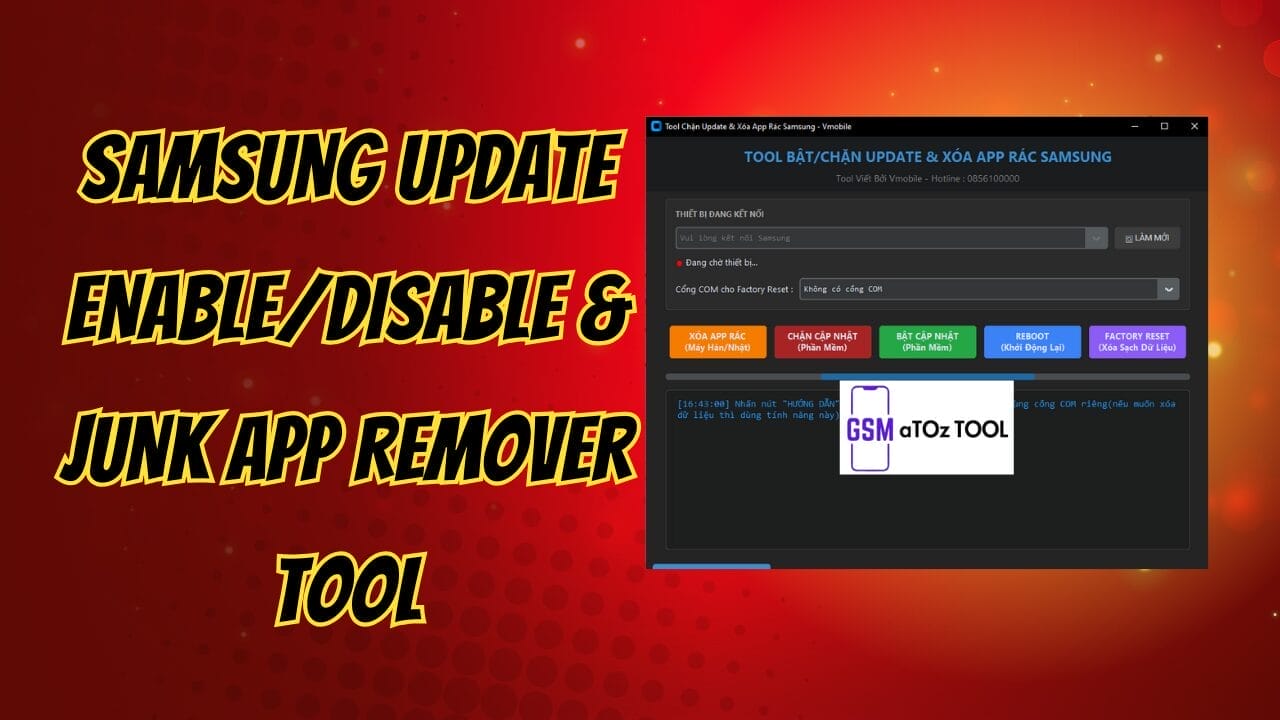
Samsung update enable/disable & junk app remover tool
If You’ve Ever Felt Annoyed By Forced Software Updates, Unwanted Junk Apps, Or Confusing Samsung Service Tools You’re Not Alone. Many Users Search For A Simple Way To Take Control Of Their Device Without Risking Data Or Wasting Hours. That’s Usually When The Samsung Update Enable/disable & Junk App Remover Tool Pops Up As A Possible Fix And Curiosity Kicks In.
In This Post We’ll Break Down What The Samsung Update Enable/disable & Junk App Remover Tool Actually Does And How It Helps Manage Updates Remove Junk Apps, Reboot Devices, Or Even Perform A Factory Reset. You’ll Learn How Its Main Features Work What Problems It Can Solve And Whether It’s The Right Tool For Your Situation.by The End You’ll Feel Confident And Clear About Your Next Step Instead Of Confused Or Stuck.
What Is Samsung Update Enable/disable & Junk App Remover Tool?
The Samsung Update Enable/disable & Junk App Remover Tool Is A Small Utility Designed To Give You More Control Over Samsung Devices. It Focuses On Managing Software Updates And Removing Unwanted Preinstalled Apps Especially On Korean And Japanese Models. The Tool Works Through A Connected Device Interface And Uses Simple Buttons Instead Of Complex Commands.
You Can Use It To Block Updates When You Don’t Want System Changes Or Re Enable Them When You’re Ready. It Also Includes Options Like Rebooting The Phone Or Performing A Factory Reset When Needed.for Users Tired Of Forced Updates And Unnecessary Apps This Tool Feels Like A Breath Of Fresh Air.
Also Read:
Whatsaap Groups Link:
- GSM ATOZ TOOLS SOFTWAR:: Group Link Join
- GSM ATOZ TOOLS Tech::Group Link Join
- GSM ATOZ TOOLS EXPERTS::Group Link Join
- WORLD OF GSM ATOZ TOOLS::Group Link Join
- GSM ATOZ TOOLS MOBILE SOFTWARE::Group Link Join
Join Us On Telegram
- Telegram Channel: GSM ATOZ TOOLS::Link Join
- Telegram Group Link: GSM ATOZ TOOLS:: Link Join
Main Buttons And Features Explained
One Of The Best Things About This Tool Is Its Clear Layout. Once Your Phone Shows As A Connected Device You Can Access All Options Without Digging Through Menus.if You See Com Port For Factory Reset No Com Port It Usually Means The Phone Isn’t Ready For That Action Yet.
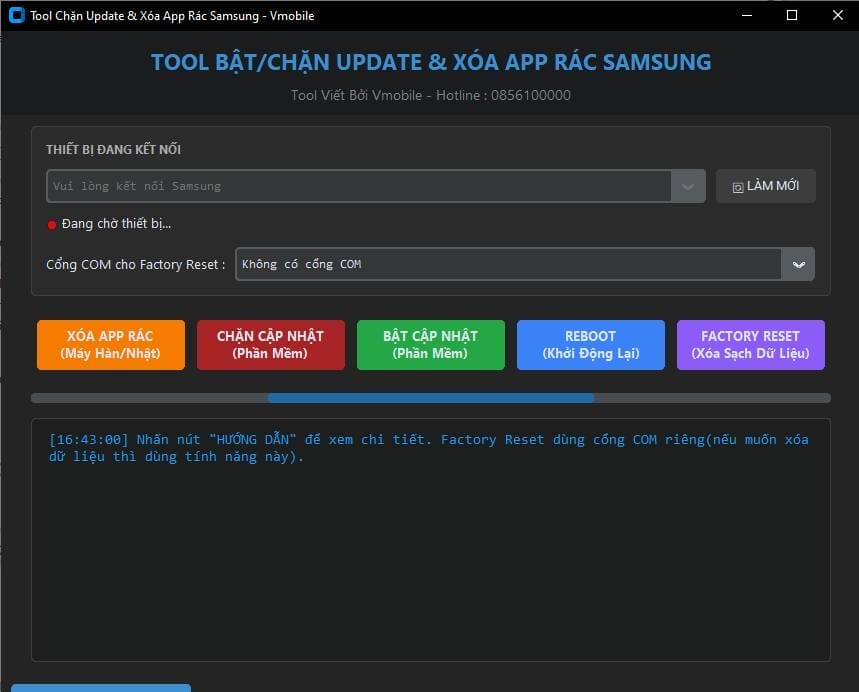
Here Are The Main Buttons And What They Do
Remove Junk Apps Korean/japanese Models Deletes Preinstalled Apps You Don’t Use Block Updates Software Stops Automatic System Updates Enable Update sn software Turns Updates Back On When Needed
Reboot Restart Safely Restarts Your Device Factory Reset Erase All Data Wipes Everything And Restores Default Settings Refresh Re-checks Device Connection And Status These Features Cover Most Basic Maintenance Tasks Without Risking Advanced System Damage.
How This Tool Helps In Real Life Use
Imagine You Finally Set Up Your Phone The Way You Like It Then An Update Changes Everything Overnight. Blocking Updates Gives You Control Over When Changes Happen Not Samsung. That Alone Makes This Samsung Update Enable/Disable & Junk App Remover Tool Valuable For Many Users.
Removing Junk Apps Also Improves Storage And Performance.fewer Background Apps Mean Better Battery Life And Smoother Usage. Instead Of Disabling Apps One By One You Can Clean Them Up In A Few Clicks And Move On.
Features:
- Connected Device
- Com Port For Factory Reset: No Com Port
- Refresh
Buttons / Features:
- Remove Junk Apps (korean/japanese Models)
- Block Updates (software)
- Enable Updates (software)
- Reboot (restart)
- Factory Reset (erase All Data)
Samsung update enable/disable & junk app remover tool
What Each Button Does
Remove Junk Apps:
- Removes Unnecessary Pre-installed Apps (bloatware) From Samsung Phones
- Mostly For Korean / Japanese Models
- Usually Does Not Delete Personal Data (photos, Videos)
Block Updates:
- Disables Software Updates On The Phone
- Stops Automatic Android / One Ui Updates
- Useful If You Don’t Want Forced Updates
Enable Updates:
- Turns Software Updates Back On:
- Phone Can Receive Official Updates Again
Reboot:
- Restarts The Phone
- Use After Applying Changes So They Take Effect
Factory Reset:
- Completely Wipes The Phone
- Deletes All Data: Apps, Photos, Accounts
Note: Please Use Very Carefully
How To Use It?
- First, Download The Tool.
- Extract The Rar File And Open The Folder.
- In File Content, You Can Find The Setup File By Simply Double-clicking.
- Run The Tool As Admin “Samsung Update Enable/disable & Junk App Remover Tool “.
- The Tool Will Open On Your Pc Screen.
- Enjoy Using The Tool.
Frequently Asked Questions (faqs)
Is This Tool Safe To Use On Samsung Devices?
Yes, When Used Properly. Just Avoid Using The Factory Reset Option Unless You’ve Backed Up Your Data.
Can I Re-enable Updates After Blocking Them?
Absolutely. The Enable Updates Option Lets You Turn Updates Back On Anytime.
Does It Remove All System Apps?
No, It Mainly Targets Junk Apps, Especially On Korean And Japanese Models. Core System Apps Remain Untouched.
What Does “no Com Port” Mean?
It Usually Means Your Device Isn’t Fully Detected Or Ready For Factory Reset Actions Yet.
Do I Need Advanced Technical Knowledge?
Not At All. The Interface Is Button-based And Beginner-friendly.
Final Thoughts
If You Want More Control Over Your Samsung Phone Without Complicated Steps This Samsung Update Enable/disable & Junk App Remover Tool Is Worth Considering. It Keeps Things Simple While Offering Useful Options Like Update Control Junk App Removal And Reboot Functions. For Everyday Users That Balance Matters A Lot.
Just Remember To Use Features Like Factory Reset Carefully Since They Erase All Data. Used Correctly This Tool Can Save Time Reduce Frustration And Help Your Phone Run The Way You Want It To.
How To Download?
- Visit The Gsmatoz Tools Website Of The Tool.
- Find The Download Page. Don’t Click The Button, And Click Only The (Download Link)
- Below Buttons Are Advertisements.Please Use The Download Links Above.
- Once The Download Is Complete, Locate The Downloaded File On Your Device.
- Tap On The File To Begin The Installation Process.
- Follow The On-screen Instructions To Complete The Installation.
Samsung Update Enable/disable & Junk App Remover Tool






