
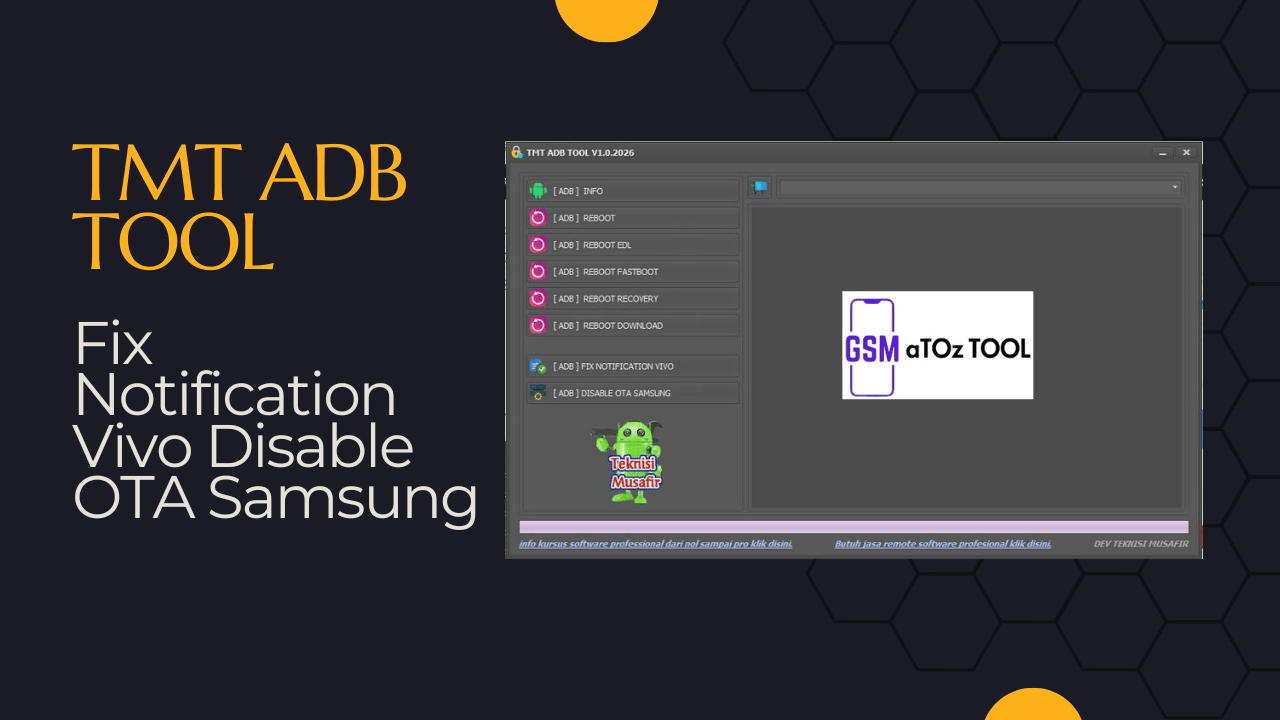
Tmt adb tool v1. 0 free download
Sometimes It Feels Really Frustrating When Your Phone Won’t Cooperate It Won’t Reboot Into The Right Mode Keeps Showing Annoying Notifications Or Blocks You From Doing Simple Things Through Normal Settings. Many People Search For Tmt Adb Tool V1.0 Because They’re Tired Of Guessing Pressing Button Combinations And Hoping Something Finally Works. That Curiosity Often Comes From One Simple Wish To Control The Device Easily Without All The Stress.
In This Blog Post We’ll Explore How Tmt Adb Tool V1.0 Can Help You Get Clear Adb Info Reboot Into System Edl Fastboot Recovery Or Download Mode Fix Vivo Notification Issues And Disable Ota Updates On Samsung Devices. You’ll Learn What The Tool Offers How It Works And Why It Can Be Useful For Both Beginners And Advanced Users. If You’re Looking For A Simple Practical Way To Manage Your Phone Through Adb You’re In The Right Place.
What Is Tmt Adb Tool?
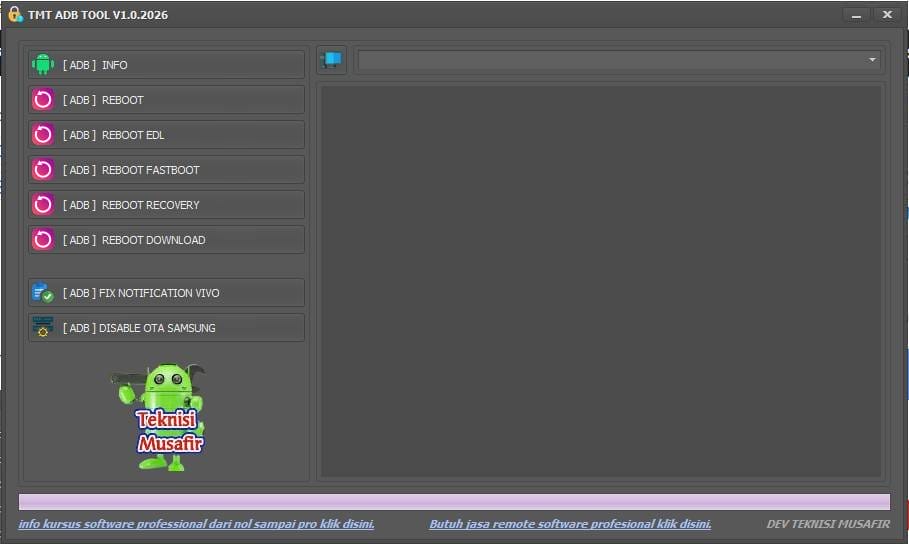
Tmt Adb Tool Is A Lightweight Utility Designed For Users Who Want Quick Control Over Their Android Devices Through Adb. Instead Of Typing Long Commands You Get Simple Buttons For Tasks Like [adb] Info [adb] Reboot And Switching Between Fastboot Recovery Edl Or Download Mode. It’s Especially Useful When Hardware Keys Don’t Respond Or When You’re Working On Multiple Phones.
At Its Core This Tool Focuses On Saving Time And Reducing Frustration. Whether You’re A Beginner Learning Adb Or Someone Who Fixes Phones Regularly It Puts The Most Common Functions In One Clean Place. With Tmt Adb Tool Basic Diagnostics And Reboot Actions Become Something You Can Do In Seconds Not Minutes.
Also Read:
- Turbo Service Mobile Tool
- Tmt Xiaomi Download Firmware Manager Tool
- Tmt Qualcomm Tool
- Tmt Xiaomi Fix Dm-verity Tool
Whatsaap Groups Link:
- GSM ATOZ TOOLS SOFTWAR:: Group Link Join
- GSM ATOZ TOOLS Tech::Group Link Join
- GSM ATOZ TOOLS EXPERTS::Group Link Join
- WORLD OF GSM ATOZ TOOLS::Group Link Join
- GSM ATOZ TOOLS MOBILE SOFTWARE::Group Link Join
Join Us On Telegram
- Telegram Channel: GSM ATOZ TOOLS::Link Join
- Telegram Group Link: GSM ATOZ TOOLS:: Link Join
How Tmt Adb Tool Works?
The Tool Connects To Your Phone Through The Android Debug Bridge Once Usb Debugging Is Enabled. From There It Can Pull Adb Info Like Device Status And Instantly Send Commands For Adb Reboot Adb Reboot Fastboot Or Adb Reboot Recovery.you Don’t Need To Remember Syntax Or Worry About Typing Errors Because Everything Is Handled Through One-click Options.
Behind The Scenes It Simply Translates Your Clicks Into Safe Adb Commands. For ExampleYou Select [adb] Reboot Download The Phone Restarts Directly Into Samsung Download Mode Without Button Combinations. This Approach Makes Advanced Features Feel Accessible Even If You’re Not Comfortable Using Command Prompt Tools.
Fixing Vivo Notification Issues With Tmt Adb Tool
If You’ve Ever Used A Vivo Phone That Constantly Shows Phone Exception Or Similar System Alerts You Know How Annoying It Can Get. Those Pop-ups Don’t Just Distract You They Can Make The Device Feel Broken Even When It’s Not. That’s Where [adb] Fix Notification Vivo Becomes One Of The Most Appreciated Features.
Using This Option The Tool Sends Targeted Adb Instructions To Disable Or Bypass The Source Of The Notification. Instead Of Factory Resetting Or Flashing Firmware You Can Attempt A Quicker Fix First. Many Users Turn To Tmt Adb Tool Specifically Because It Offers A Simple Way To Deal With This Issue Without Complicated Steps.
How To Disable Ota Updates On Samsung Devices?
Automatic System Updates Are Great For Security But They Can Be A Headache When You’re Testing Repairing Or Trying To Keep A Device On A Specific Version. Samsung Phones Are Especially Known For Pushing Frequent Ota Prompts That Interrupt Your Work. With The [adb] Disable Ota Samsung Option You Can Block Those Updates Through Adb.
This Function Helps Stop Forced Downloads And Surprise Reboots That Can Disrupt A Setup. For Technicians It Means A More Controlled Environment. For Regular Users It Means Peace Of Mind If You’re Happy With Your Current System And Don’t Want Sudden Changes.
Features Of Tmt Adb Tool
- [Adb] Info
- [Adb] Reboot
- [Adb] Reboot Edl
- [Adb] Reboot Fastboot
- [Adb] Reboot Recovery
- [Adb] Reboot Download
- [Adb] Fix Notification Vivo
- [Adb] Disable Ota Samsung
How To Use It?
- First, Download The Tool.
- Extract The Rar File And Open The Folder.
- In File Content, You Can Find The Setup File By Simply Double-clicking.
- Run The Tool As Admin “Tmt Adb Tool“.
- The Tool Will Open On Your Pc Screen.
- Enjoy Using The Tool.
FAQ’s:
What Is Tmt Adb Tool Used For?
Tmt Adb Tool Is Used To Control Android Devices Through Adb Without Typing Commands. It Helps Users Get Adb Info, Reboot Into Different Modes Like Fastboot, Recovery, Edl, And Download Mode, Fix Vivo Notification Issues, And Disable Ota Updates On Samsung Devices.
Do I Need Root Access To Use Tmt Adb Tool?
No, Root Access Is Not Required For Most Features. As Long As Usb Debugging Is Enabled And The Device Is Authorized, You Can Use Common Options Like Adb Info, Reboot Modes, Vivo Notification Fix, And Samsung Ota Disable.
Which Devices Are Supported By Tmt Adb Tool?
The Tool Works With Most Android Devices That Support Adb, Including Brands Like Samsung, Vivo, Oppo, Xiaomi, And Others. Some Functions, Such As Fixing Vivo Notifications Or Disabling Samsung Ota, Are Brand-specific.
What Should I Do If My Device Is Not Detected?
First, Make Sure Usb Debugging Is Turned On And You’ve Allowed The Adb Authorization Prompt On Your Phone. Then Install Proper Usb Drivers, Change The Cable Or Port, And Restart Both The Tool And Your Device.
Is Tmt Adb Tool Safe To Use?
When Used Correctly, Tmt Adb Tool Is Generally Safe Because It Relies On Standard Adb Commands. However, You Should Always Back Up Important Data And Avoid Using Advanced Options Unless You Understand What They Do.
Final Thoughts
Android Tools Should Make Your Life Easier Not More Complicated. A Good Utility Gives You Control, Clarity And Confidence When Handling Your Device. With Features Covering [adb] Reboot Edl Fastboot Recovery Download Mode And Notification Fixes This Tool Clearly Aims To Do Just That.
If You’re Looking For A Simple Way To Manage Common Adb Tasks Without Digging Into Commands This Is Worth Exploring.the Balanced Mix Of Reboot Options Device Info And System Tweaks Makes It Useful For Both Learning And Everyday Repair Work.in The End It’s About Putting Control Back In Your Hands And Doing It In A Way That Feels Straightforward And Stress-free.
How To Download?
- Visit The Gsmatoz Tools Website Of The Tool.
- Find The Download Page. Don’t Click The Button, And Click Only The (Download Link)
- Below Buttons Are Advertisements.Please Use The Download Links Above.
- Once The Download Is Complete Locate The Downloaded File On Your Device.
- Tap On The File To Begin The Installation Process.
- Follow The On-screen Instructions To Complete The Installation.






