

If Your Xiaomi Phone Feels Slow Or Cluttered With Unwanted Apps You’re Not Alone. Many Users Get Frustrated When They Can’t Remove System Apps Easily. That’s Why Tools Like Xiaomi Debloat Tool Are Getting So Much Attention. People Just Want A Simple Way To Clean Up Their Device Without Complicated Steps.
In This Post We Will Explore How Xiaomi Debloat Tool Works And How Its Fetch Apps Option Uninstall Feature And Restore Option Make Debloating Easier. You Will Learn How To Safely Remove Unwanted Apps And Bring Them Back If Needed. By The End You Will Know Whether This Tool Is The Right Solution For Your Xiaomi Device.
What Is Xiaomi Debloat Tool?
If Your Xiaomi Phone Feels Bloated With Apps You Never Use You Are Not Alone. Many Users Struggle With Pre Installed System Apps That Take Up Space And Slow Things Down. That’s Where Xiaomi Debloat Tool Comes In. It Gives You More Control Over What Stays On Your Device And What Goes.
In Simple Terms Xiaomi Debloat Tool Is Designed To Help You Manage Installed Apps Safely. It Includes A Powerful Uninstall Feature That Lets You Remove Unwanted Applications Without Complicated Steps. At The Same Time The Restore Option Gives You Peace Of Mind. If You Remove Something By Mistake You Can Bring It Back Easily.
Also Read:
Whatsaap Groups Link:
- GSM ATOZ TOOLS SOFTWAR:: Group Link Join
- GSM ATOZ TOOLS Tech::Group Link Join
- GSM ATOZ TOOLS EXPERTS::Group Link Join
- WORLD OF GSM ATOZ TOOLS::Group Link Join
- GSM ATOZ TOOLS MOBILE SOFTWARE::Group Link Join
Join Us On Telegram
- Telegram Channel: GSM ATOZ TOOLS::Link Join
- Telegram Group Link: GSM ATOZ TOOLS:: Link Join
How The Fetch Apps Option Works?
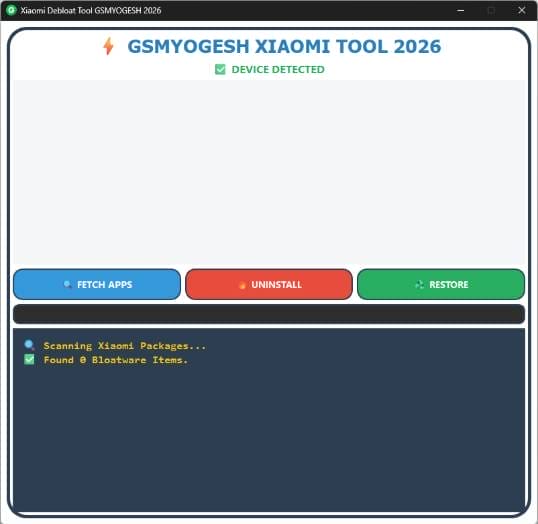
The Fetch Apps Option Is One Of The Most Useful Parts Of This Tool. Once You Connect Your Xiaomi Phone To Your Computer The Tool Scans The Device And Displays A List Of Installed Apps. This Makes It Easier To See What’s Actually Running On Your System. You Don’t Have To Guess Or Search Through Endless Menus.
After Fetching The Apps You Can Choose Which Ones To Remove Using The Uninstall Feature. The Process Feels Straightforward And Controlled. If You Ever Change Your Mind The Restore Option Lets You Reinstall Previously Removed Apps. It’s Like Cleaning Your Room But Knowing You Can Always Put Something Back If Needed.
Benefits Of Using Xiaomi Debloat Tool?
One Major Benefit Of Xiaomi Debloat Tool Is How Simple It Makes App Management. You Don’t Need Advanced Technical Knowledge. The Interface Keeps Things Clear So You Can Focus On What Matters. Even First Time Users Can Navigate It Without Confusion.
Another Advantage Is Flexibility. With The Fetch Apps Option You Get A Clear Overview Before Making Changes. The Uninstall Feature Helps Free Up Storage And Improve Performance. Meanwhile The Restore Option Ensures You Are Never Stuck With A Permanent Mistake. That Balance Between Control And Safety Makes The Tool Practical For Everyday Users.
Features
- Fetch Apps Option
- Uninstall Feature
- Restore Option
How To Use It?
- First, Open The Tool From The Download Option.
- Extract The Rar File And Open The Tool Folder.
- In File Content, You Can Find The Setup File By Simply Double-clicking.

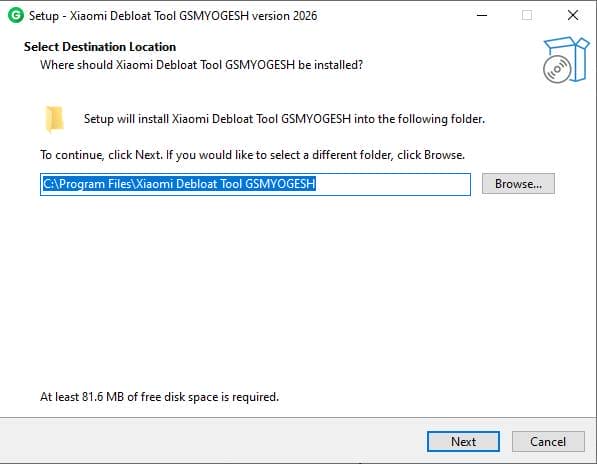
- A Setup Will Open In Front Of You. Click Next To Continue.
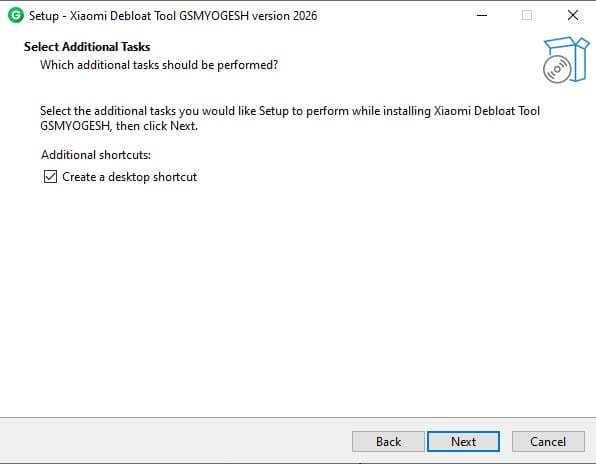
- Click Next To Create A Shortcut.
- Now, A Setup Will Open In Front Of You. Click Install To Continue The Installation.
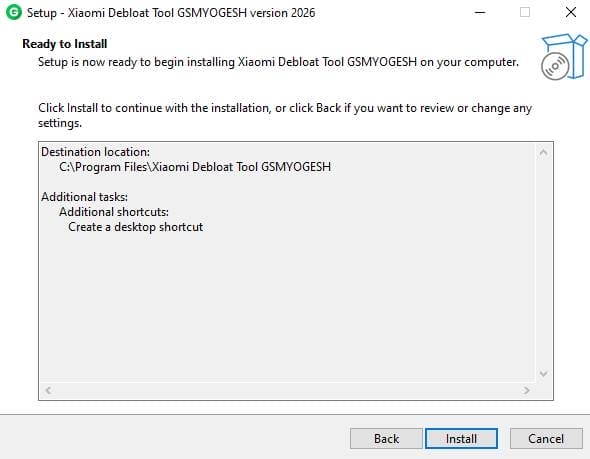
- After Some Time The Tool Will Be Installed On Your Pc.
- After The Installation Is Complete Click On Finish To Close The Setup.
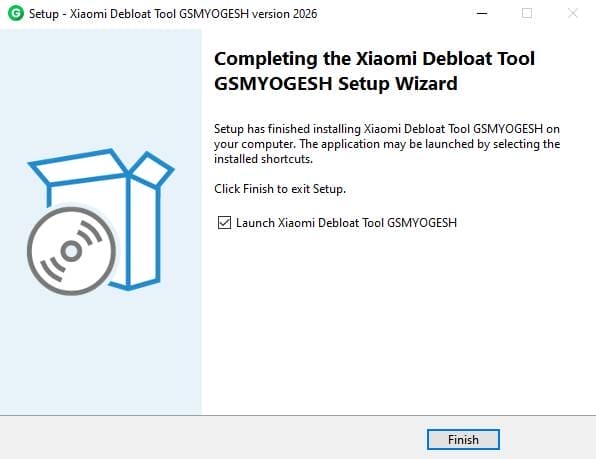
- Go To The Desktop Of Your Pc And Open The Tool.
- Run The Tool As Admin “ Xiaomi Debloat Tool”.
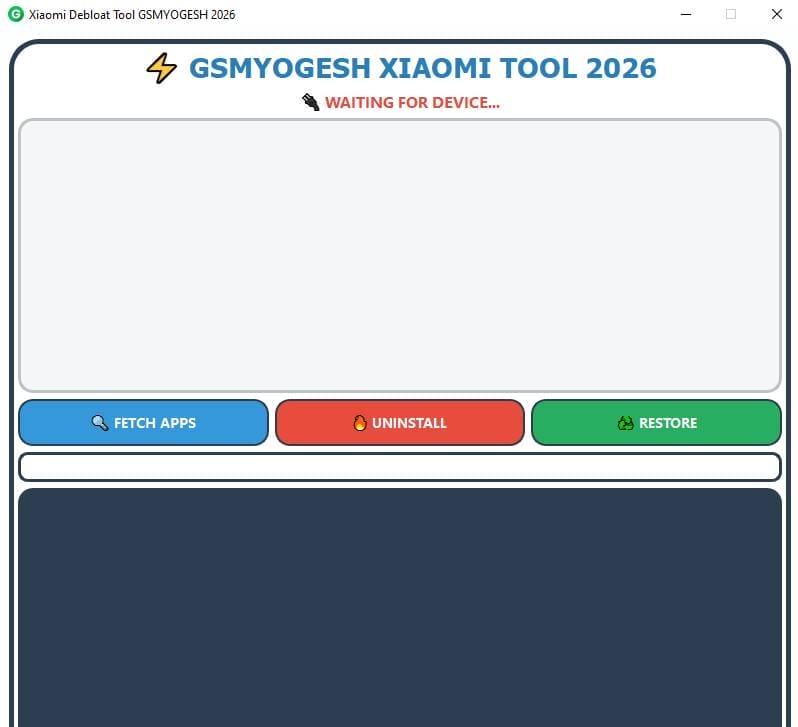
- The Tool Will Open In Front Of You.
- Use The Features You Need For Free And Enjoy!
Frequently Asked Questions (faqs)
What Is Xiaomi Debloat Tool Used For?
Xiaomi Debloat Tool Is Used To Remove Unwanted Or Pre Installed Apps From Xiaomi Devices. It Helps You Manage Apps Safely Using Features Like Fetch Apps Option Uninstall Feature, And Restore Option.
Is It Safe To Uninstall System Apps?
Yes But You Should Be Careful. The Tool Allows You To Remove Selected Apps And With The Restore Option You Can Reinstall Them If Needed.
How Does The Fetch Apps Option Work?
The Fetch Apps Option Scans Your Connected Xiaomi Device And Displays All Installed Applications. This Helps You Clearly See Which Apps You Want To Remove.
Can I Restore Apps After Uninstalling Them?
Yes The Restore Option Allows You To Bring Back Previously Removed Apps. This Ensures You Don’t Permanently Lose Important System Applications.
Do I Need Technical Knowledge To Use Xiaomi Debloat Tool?
No The Tool Is Designed With A Simple Interface. Even Beginners Can Use It Easily Without Advanced Technical Skills.
Final Thoughts
Removing Unwanted Apps Shouldn Not Feel Risky Or Complicated. With Xiaomi Debloat Tool You Get A Structured Way To Manage Your Device Without Stress. It Helps You Clean Up Space While Keeping A Safety Net In Place.
If You’re Tired Of Unnecessary Apps Slowing Down Your Xiaomi Phone This Tool Offers A Smart Solution. You Can Fetch Uninstall And Restore With Confidence. In The End It’s All About Giving You Control Over Your Own Device.
How To Download?
- Visit The Gsmatoz Tools Website Of The Tool.
- Find The Download Page. Don’t Click The Button, And Click Only The (Download Link)
- Below Buttons Are Advertisements.Please Use The Download Links Above.
- Once The Download Is Complete, Locate The Downloaded File On Your Device.
- Tap On The File To Begin The Installation Process.
- Follow The On-screen Instructions To Complete The Installation.
Xiaomi Debloat Tool






