
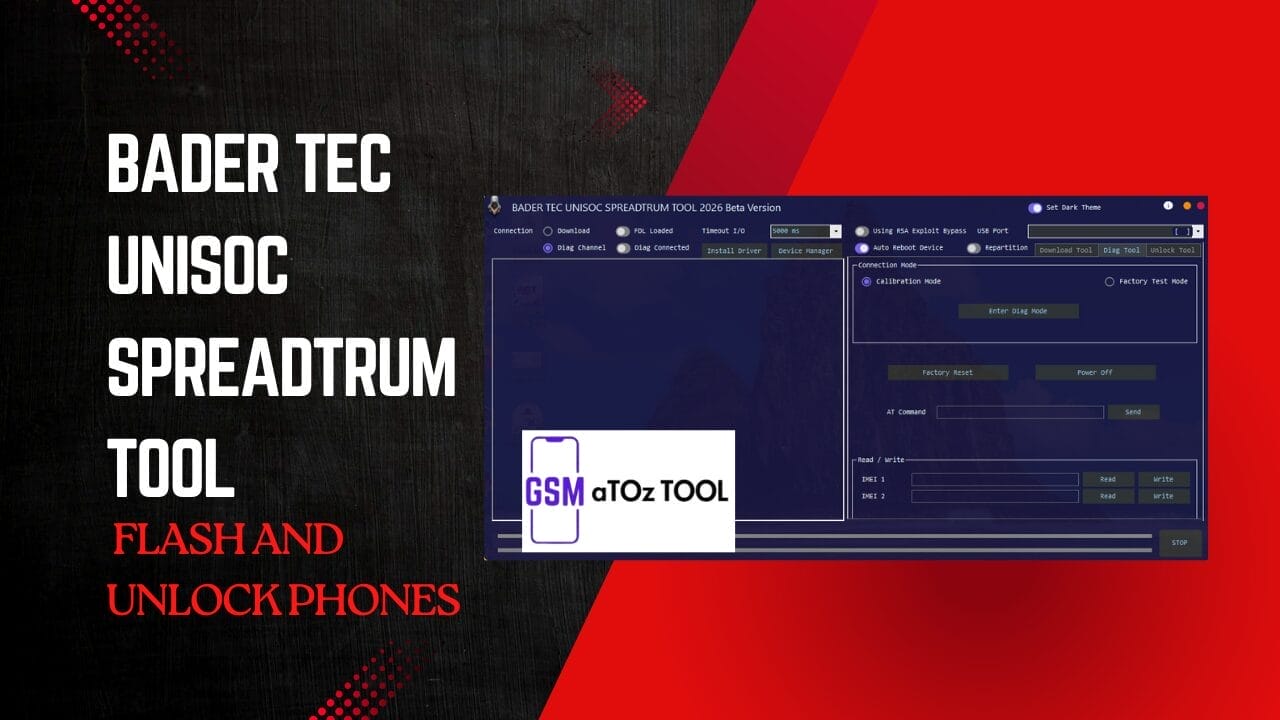
Bader tec unisoc spreadtrum tool flash and unlock phones
Have You Ever Tried To Flash A Unisoc Phone And Ended Up Facing One Error After Another With The Device Refusing To Connect? In Those Moments All You Really Want Is A Simple Reliable Tool That Just Works Without Stress Or Confusion. That Frustration And Hope For An Easy Solution Is Exactly Why So Many People Search For The Bader Tec Unisoc Spreadtrum Tool.
The Bader Tec Unisoc Spreadtrum Tool Is A Powerful All In One Utility Designed For Flashing Frp Removal Device Identification Imei Read/write And Advanced Diagnostics. It Supports Firmware Loading, Download Mode Connections Exploit Based Bypass And Multiple Unisoc Service Functions That Make Repair Work Easier And Faster. If You Regularly Work With Unisoc Spreadtrum Devices This Tool Can Be A Strong And Reliable Starting Point.
What Is Bader Tec Unisoc Spreadtrum Tool?
The Bader Tec Unisoc Spreadtrum Tool Is A Windows-based Service And Flashing Utility Made Specifically For Unisoc (spreadtrum) Powered Smartphones. It Is Used By Technicians And Mobile Repair Users To Flash Firmware Read Device Information Erase Frp Manage Partitions And Perform Diagnostic Operations.
This Tool Supports Download Mode And Diagnostic Connections Allows Loading Pac Firmware And Fdl Files And Includes Features Like Imei Read/write Exploit-based Bypass Factory Reset And Device Identification. Overall It Helps Users Repair Software Issues Revive Dead Devices And Perform Advanced Servicing Tasks On Unisoc Phones In A Faster And More Controlled Way.
Also Read:
Whatsaap Groups Link:
- GSM ATOZ TOOLS SOFTWAR:: Group Link Join
- GSM ATOZ TOOLS Tech::Group Link Join
- GSM ATOZ TOOLS EXPERTS::Group Link Join
- WORLD OF GSM ATOZ TOOLS::Group Link Join
- GSM ATOZ TOOLS MOBILE SOFTWARE::Group Link Join
Join Us On Telegram
- Telegram Channel: GSM ATOZ TOOLS::Link Join
- Telegram Group Link: GSM ATOZ TOOLS:: Link Join
Flashing Firmware With Bader Tec Unisoc Spreadtrum Tool
Flashing Is Often The First Step When A Phone Is Stuck On A Logo, Bootlooping, Or Completely Dead. With The Bader Tec Unisoc Spreadtrum Tool You Can Load Pac Firmware Add Fdl1 And Fdl2 Files And Connect The Device In Download Mode For A Stable Flashing Process. The Interface Gives You Access To Flash And Partition Options File Locations And Firmware Loading Controls, Which Helps You Avoid Common Mistakes.
Once The Fdl Files Are Loaded And The Device Shows As Diag Connected Or Ready In Download Mode, You Can Start Flashing With More Confidence. The Tool Supports Auto Reboot Repartition Options And Real Time Progress Feedback So You Always Know What’s Happening. Instead Of Guessing, You Can Clearly See When Sectors File Sizes, And Partitions Are Being Written.
Frp Factory Reset & Security Options
Modern Unisoc Phones Come With Stronger Security Which Makes Frp Locks And Access Restrictions A Real Challenge. This Tool Includes Options To Erase Frp Accounts, Perform Factory Resets And Enter Diagnostic Or Calibration Modes When Supported. In Many Cases Users Rely On Exploit-based Methods And New Security Support Features To Communicate With Locked Devices.
One Of The Biggest Advantages Is Having Unlocking, Diag Channel, And Security Operations Under One Panel. You Can Identify The Device Read Basic Information And Use Supported Exploit Buttons Or Rsa Bypass Methods When Available.these Functions Are Designed To Save Time And Reduce The Need For Risky Manual Tricks That Can Easily Go Wrong.
Safety Tips Before Flashing
Before You Flash Or Unlock Any Phone Preparation Matters More Than Speed. Always Install The Correct Drivers First And Confirm The Device Appears Properly In Device Manager. Make Sure You’ve Selected The Right Usb Port The Correct Firmware And The Proper Connection Mode Before Pressing Any Start Button.
Also, Don’t Forget To Protect Both The Phone And Your Data. Charge The Battery, Avoid Loose Cables, And Use The Stop Process Option If Something Doesn’t Look Right. Whenever Possible Back Up Important Partitions And Double Check Settings Like Timeout I/o Auto Reboot And Repartition Options To Reduce The Risk Of Permanent Damage.
Key Features Of Bader Tec Unisoc Spreadtrum Tool
Download / Flash Tool:
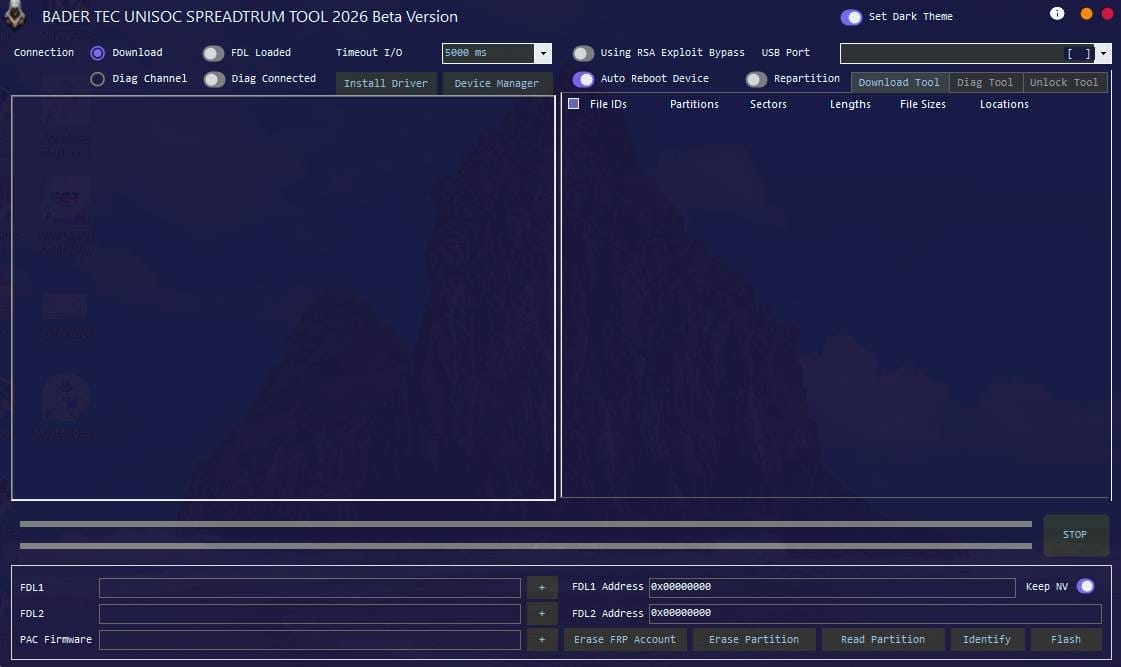
Connection & Drivers
- Download Mode
- Diag Channel
- Fdl Loaded
- Diag Connected
- Install Driver
- Device Manager Open Button
Settings
- Timeout I/o (5000 Ms)
- Using Rsa Exploit Bypass
- Usb Port Select
- Auto Reboot Device
- Repartition Option
- Dark Theme Switch
Flash / Partition Options
- File Ids
- Partitions
- Sectors
- Lengths
- File Sizes
- Locations
Firmware Loading
- Fdl1 File Load
- Fdl2 File Load
- Pac Firmware Load
Actions / Buttons
- Erase Frp Account
- Erase Partition
- Read Partition
- Identify Device
- Flash Firmware
- Stop Process
Diag Tool:

Connection Mode
- Calibration Mode
- Factory Test Mode
Main Functions
- Enter Diag Mode
- Factory Reset
- Power Off
At Command Section
- At Command Input Box
- Send At Command Button
Imei Read / Write
- Imei 1 Read
- Imei 1 Write
- Imei 2 Read
- Imei 2 Write
Unlock Tool:
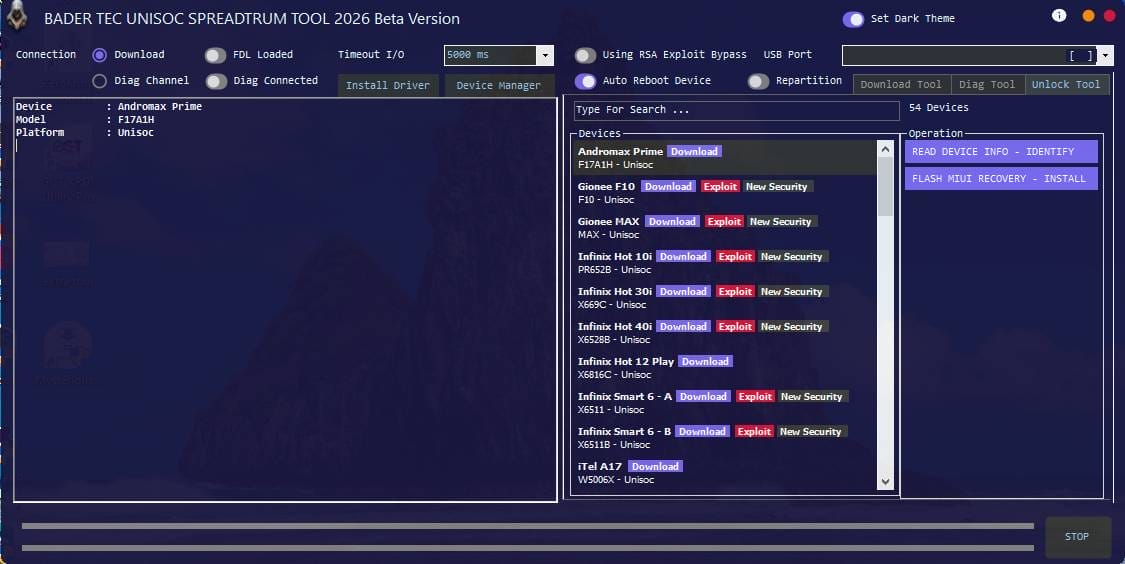
Device Info Panel
- Device Name Show
- Model Number
- Platform (unisoc)
Device Search & List
- Search Bar
- Total Devices Count (54 Devices)
- Brand + Model List
- Chipset Info (unisoc)
Exploit & Security
- Download Mode Support
- Exploit Button
- New Security Support
Operations Panel
- Read Device Info (identify)
- Flash Miui Recovery Install
How To Use It?
- First, Download The Tool.
- Extract The Rar File And Open The Folder.
- In File Content, You Can Find The Setup File By Simply Double-clicking.
- Run The Tool As Admin “Bader Tec Unisoc Spreadtrum Tool“.
- The Tool Will Open On Your Pc Screen.
- Enjoy Using The Tool.
FAQs:
What Is Bader Tec Unisoc Spreadtrum Tool Used For?
The Bader Tec Unisoc Spreadtrum Tool Is Mainly Used To Flash Firmware Erase Frp Unlock Supported Unisoc Phones And Read Device Information. It Also Offers Diagnostic Features That Help Technicians Fix Software Issues And Revive Dead Devices.
Does This Tool Support Dead Boot And Download Mode Flashing?
Yes, The Tool Supports Download Mode Connections And Can Work With Fdl Files Which Allows Flashing Even When A Device Is Not Booting Normally. This Makes It Useful For Dead Boot Recovery And Serious Software Problems.
Can I Remove Frp Lock Using This Tool?
The Tool Includes Options To Erase Frp Accounts And Perform Factory Resets On Supported Unisoc Devices. Success May Vary By Model And Security Patch So Using The Correct Method And Version Is Important.
Is It Safe To Write Or Repair Imei With This Tool?
The Tool Provides Imei Read And Write Features For Supported Devices. However You Should Only Use These Options For Legitimate Repair Purposes Because Changing Imei Illegally Can Be Against The Law In Many Countries.
What Should I Do If The Device Is Not Detected?
First Install The Correct Driver And Check Device Manager.try A Different Usb Cable Or Port Use The Proper Connection Mode And Make Sure The Phone Is In Download Or Diagnostic Mode Before Connecting.
Is Bader Tec Unisoc Spreadtrum Tool Free To Use?
Availability And Features Depend On The Version You Are Using.some Releases May Be Free For Basic Functions While Others Can Be Limited Or Require Activation So Always Check The Official Source Before Downloading.
Final Thoughts
The Bader Tec Unisoc Spreadtrum Tool Brings Together Flashing Security And Diagnostic Functions In One Practical Workspace.from Firmware Installation To Frp Removal And Device Identification It’s Built To Support The Real Tasks Technicians Face With Unisoc Phones. Instead Of Juggling Multiple Tools You Can Manage Most Operations From A Single Control Panel.
If You Often Work With Spreadtrum Or Unisoc Devices This Tool Can Become A Reliable Part Of Your Repair Setup. Used Carefully And Responsibly It Can Help You Revive Dead Phones Solve Software Issues And Handle Modern Security Challenges With More Confidence. In The End, The Right Tool Doesn’t Just Fix Phones It Saves Time Effort And Frustration.
How To Download?
- Visit The Gsmatoz Tools Website Of The Tool.
- Find The Download Page. Don’t Click The Button, And Click Only The (Download Link)
- Below Buttons Are Advertisements.Please Use The Download Links Above.
- Once The Download Is Complete, Locate The Downloaded File On Your Device.
- Tap On The File To Begin The Installation Process.
- Follow The On-screen Instructions To Complete The Installation.
Bader Tec Unisoc Spreadtrum Tool
Download Link:: Usersdrive – Mediafire – 4shared – My.pcloud – Playbook – Limewire – Disk.Yandex – DropBox – Mega – Vexfile – Drive Proton






