

Fastboot command extractor tool latest version free download
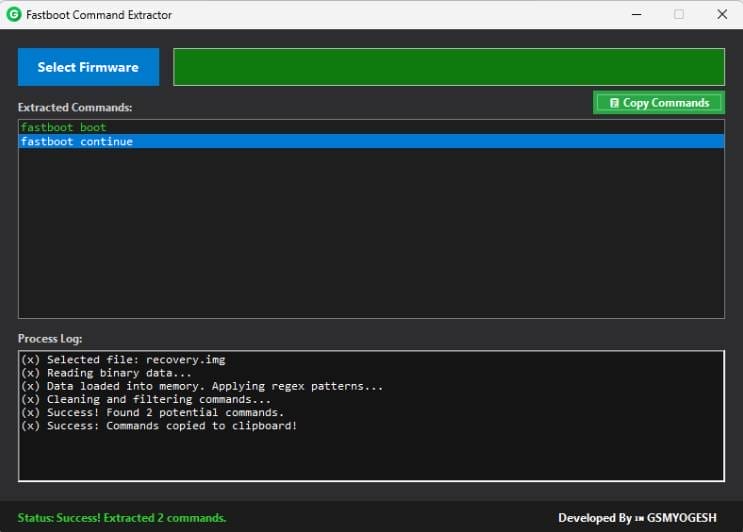
The Fastboot Command Extractor Tool Is A Powerful And User Friendly Designed To Simplify The Process Of Extracting Fastboot Commands Directly From Android Firmware Files. Instead Of Manually Searching Through Binary Data Or Scripts This Tool Automatically Scans Firmware Images Such As Boot Img And Recovery Img To Detect And Display The Required Fastboot Commands Instantly.
It Is Especially Useful For Android Mobile Repair Technicians And Advanced Users Who Frequently Work With Device Flashing Debugging Or Custom Rom Installation. With Its Clean Interface Automatic Command Detection And One Click Copy Feature The Fastboot Command Extractor Tool Helps Save Time Reduce Errors And Make The Fastboot Workflow Faster And More Efficient.
What Is Fastboot Command Extractor Tool?
Fastboot Command Extractor Tool Is A Lightweight Windows Based Software That Reads Android Firmware Files Such As Boot Img And Recovery Img And Identifies Embedded Fastboot Commands. These Commands Are Displayed In A Clear List Format Making Them Easy To Copy And Use.
Instead Of Manually Analyzing Firmware Data The Tool Uses Smart Filtering Methods To Detect Only Useful Fastboot Commands. This Makes It Ideal For Both Beginners And Professionals.
Also Read:
Whatsaap Groups Link:
- GSM ATOZ TOOLS SOFTWAR:: Group Link Join
- GSM ATOZ TOOLS Tech::Group Link Join
- GSM ATOZ TOOLS EXPERTS::Group Link Join
- WORLD OF GSM ATOZ TOOLS::Group Link Join
- GSM ATOZ TOOLS MOBILE SOFTWARE::Group Link Join
Join Us On Telegram
- Telegram Channel: GSM ATOZ TOOLS::Link Join
- Telegram Group Link: GSM ATOZ TOOLS:: Link Join
Key Features Of Fastboot Command Extractor Tool
- Fastboot Commands Extract Karna
- Firmware File Analysis
- Utomatic Command Detection
- One-click Command Copy
How To Use It?
- First, Download The Tool.
- Extract The Rar File And Open The Folder.
- In File Content, You Can Find The Setup File By Simply Double-clicking.

- Run The Tool As Admin “Sam Yemen Arabic Android Tool“.
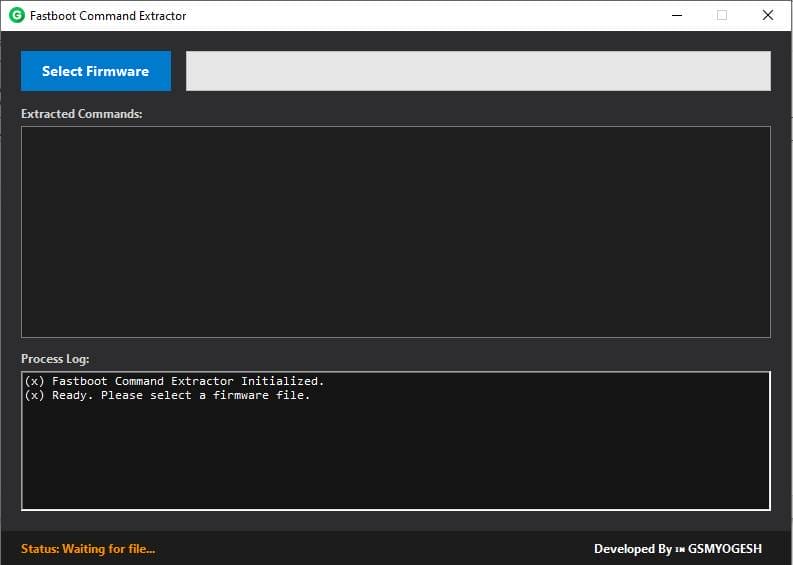
- The Tool Will Open On Your Pc Screen.
- Enjoy Using The Tool.
Frequently Asked Questions (faqs)
Can Fastboot Unlock My Phone?
To Unlock The Bootloader And Enable Partitions To Be Reflashed, Run The Fastboot Flashing Unlock Command On The Device
Is Fastboot Mode Safe?
It Also Comes With Risks.
How To Enter Recovery From Fastboot?
In Fastboot Mode, Press The Volume Down Button Twice To Select Recovery Then Press The Power Button To Confirm The Selection. When You See The Broken Android On Your Screen, Press And Hold The Power Button Then Press The Volume Up Button Once. Your Device Should Boot Into Recovery Mode.
What Problems Can Fast Boot Cause?
Compatibility Issues With Certain Hardware Components, Such As Usb Devices Or Older Peripherals
Final Words
The Fastboot Command Extractor Tool Latest Version Is A Must-have Utility For Anyone Working With Android Firmware Files. With Its Simple Design And Powerful Extraction Capability It Makes Fastboot Command Management Easier Than Ever. Download It Today And Streamline Your Flashing Process Like A Pro
How To Download?
- Visit The Gsmatoz Tools Website Of The Tool.
- Find The Download Page. Don’t Click The Button, And Click Only The (Download Link)
- Below Buttons Are Advertisements.Please Use The Download Links Above.
- Once The Download Is Complete, Locate The Downloaded File On Your Device.
- Tap On The File To Begin The Installation Process.
- Follow The On-screen Instructions To Complete The Installation.
Fastboot Command Extractor Tool






