
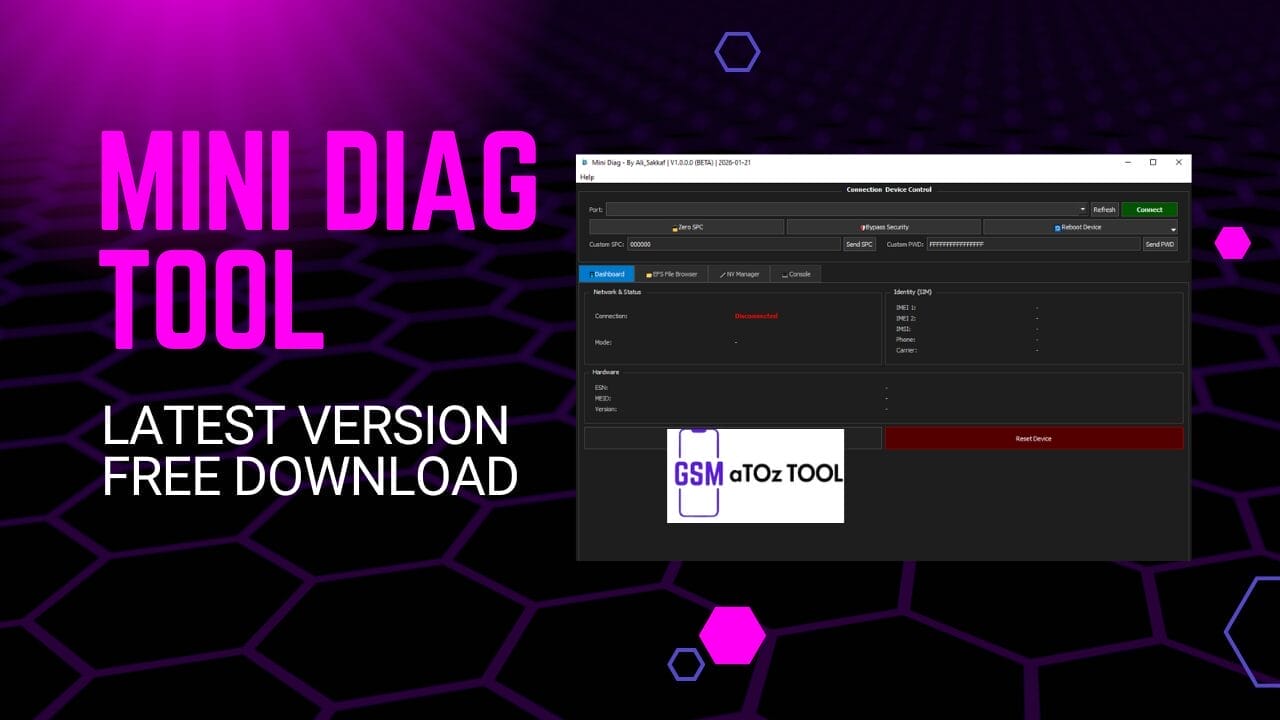
Mini diag tool latest version free download
Sometimes You Connect A Phone To Your Pc And Just Want To Read Basic Information Or Fix A Small Problem But The Tools Are Too Hard To Use. Errors Missing Files And Confusing Options Can Make Anyone Feel Frustrated. Many People Search For The Mini Diag Tool Because They Want Something Simple Fast And Easy That Actually Works.
In This Blog Post You Will Learn What The Mini Diag Tool Is And How It Helps You Work With Diag Mode Imei Nv Items And Efs Files.we Will Explain Its Main Features In An Easy Way So Anyone Can Understand.by The End You Will Know If This Tool Is Right For You And How It Can Make Your Mobile Repair Work Easier.
What is Mini Diag Tool?
The Mini Diag Tool is a stand-alone application built for users who want direct access to DIAG functions without heavy software or complex setup. You don’t need external DLL files and there’s no dependency on QPST or QLIB which already removes a lot of common headaches. It connects using direct raw DIAG protocol support so communication stays fast and stable.
What really makes it appealing is how simple it feels when you open it. Automatic device detection helps you get started quickly, while the clean dashboard shows connection status hardware details and version info in one place. It’s a lightweight executable but it still delivers high-speed operation and real time response monitoring which makes daily work smoother and less stressful.
Also Read:
Whatsaap Groups Link:
- GSM ATOZ TOOLS SOFTWAR:: Group Link Join
- GSM ATOZ TOOLS Tech::Group Link Join
- GSM ATOZ TOOLS EXPERTS::Group Link Join
- WORLD OF GSM ATOZ TOOLS::Group Link Join
- GSM ATOZ TOOLS MOBILE SOFTWARE::Group Link Join
Join Us On Telegram
- Telegram Channel: GSM ATOZ TOOLS::Link Join
- Telegram Group Link: GSM ATOZ TOOLS:: Link Join
Imei And Network Information Reading
One Of The First Things Many Users Want Is Quick Access To Phone Identity And Network Data. This Tool Lets You Read Imei 1 And Imei 2 Making It Useful For Both Single Sim And Dual Sim Devices. You Can Also View Esn Meid Imsi And Even The Phone Number (mdn) Without Jumping Between Different Programs.
Beyond Identity It Also Helps With Deeper Network Insight. You Can Read Mcc And Mnc Check Firmware And Baseband Info And Review Basic Network And Status Details. For Technicians This Saves Time. For Learners It Makes Understanding Device Information Much Easier And More Practical.
Why People Use Mini Diag Tool
Most People Turn To The Mini Diag Tool Because They’re Tired Of Bloated Software And Unstable Setups. They Want Something That Opens Fast Detects Devices Automatically And Works Without Extra Frameworks. The Stand-alone Design Combined With High-speed Performance Makes It Ideal For Both Quick Checks And Longer Repair Sessions.
Another Big Reason Is Control. Features Like Spc Read And Write, Security Bypass For Writing And A Live Command Logger Give Users More Visibility Into What’s Happening. Instead Of Guessing You Can Actually See Real-time Responses And Understand How The Device Reacts. That Level Of Feedback Builds Confidence Especially When You’re Handling Sensitive Operations.
Online, Offline, And Ftm Mode Explained
Phones Don’t Always Connect The Same Way And That’s Where Mode Support Becomes Important. This Tool Can Detect Online Offline Ftm And Download Mode (edl 9008) Which Helps In Both Normal Servicing And Emergency Cases. Whether You’re Doing Basic Checks Or Deeper Repair Work Correct Mode Detection Saves Time And Prevents Mistakes.
It Also Includes Useful Control Options Like Diag Mode Switch Reset Mode Check Mode And Even A Power-off Command. These May Sound Small But In Real Repair Situations They Matter A Lot. Being Able To Switch Modes Monitor Responses In Real Time And Keep Operations Stable Makes The Overall Workflow Smoother And More Reliable.
Features Of Mini Diag Tool
- Stand-alone Application
- No External Dll Files Required
- No Qpst Or Qlib Dependency
- Direct Raw Diag Protocol Support
- Automatic Device Detection
- Online / Offline / Ftm / Edl Mode Detection
- Read Imei 1 And Imei 2
- Read Esn, Meid, Imsi
- Read Phone Number (mdn)
- Read Mcc And Mnc
- Read Firmware And Baseband Info
- Efs File System Explorer
- Read Efs Files
- Write Efs Files
- Delete Efs Files
- Recursive Folder Support
- Nv Item Database (100+ Items)
- Nv Item Search Filter
- Raw Nv Hex Editor
- Legacy Nv Support
- Modern Subsystem Nv Support
- Dual Sim Nv Support
- Full Nv Backup
- Nv Backup By Range
- Nv Restore With Report
- Smart Skip Unsupported Items
- Spc Read And Write
- Security Bypass For Writing
- Mode Switch Options
- Diag Mode Switch
- Reset Mode
- Check Mode
- Download Mode (edl 9008)
- Power Off Command
- Live Command Logger
- Real-time Response Monitor
- High-speed Operation
- Lightweight Executable
Main Features
- Dashboard
- Efs File Browser
- Nv Manager
- Console
Dashboard
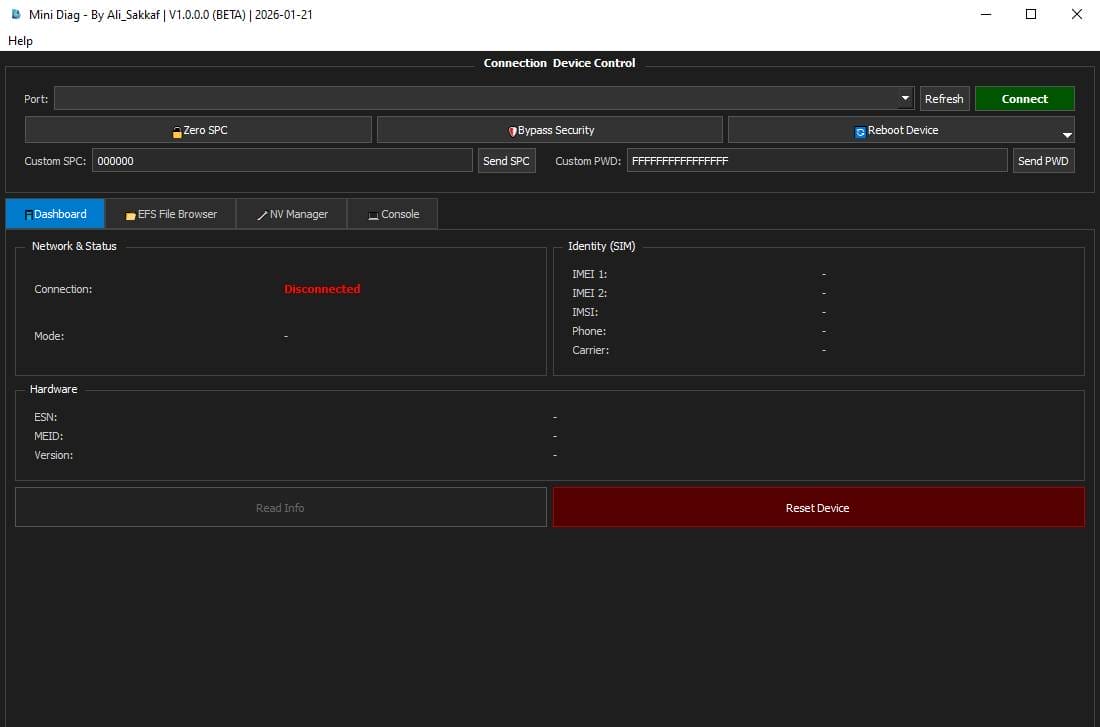
Network And Status
- Connection
- Mode
Hardware
- Esn
- Meid
- Version
- Read Info
Identity (sim)
- Imei 1
- Imei 2
- Imsi
- Phone
- Cerrier
- Reset Device
Reboot Device

- Reboor Normal
- Offline Mode A
- Offline Mode D
- Power Off
How To Use It?
- First, Download The Tool.
- Extract The Rar File And Open The Folder.
- In File Content, You Can Find The Setup File By Simply Double-clicking.
- Run The Tool As Admin “Mini Diag Tool“.
- The Tool Will Open On Your Pc Screen.
- Enjoy Using The Tool.
Final Thoughts
Working With Diag Functions Nv Items And Efs Data Doesn’t Have To Feel Overwhelming. With The Right Tool Even Complex Tasks Become Easier To Manage And Understand. The Right Balance Of Simplicity And Power Is What Many Technicians And Learners Look For Today.
If Your Goal Is To Save Time Reduce Setup Problems And Work More Confidently This Kind Of Lightweight Yet Capable Solution Is Worth Exploring. Used Carefully And With Proper Backups It Can Become A Helpful Part Of Your Mobile Repair And Testing Toolkit.
Frequently Asked Questions
What Is The Mini Diag Tool?
The Mini Diag Tool Is Used To Work With Diag Mode On Supported Devices. It Helps Users Read Phone Information Manage Nv Items Explore Efs Files And Switch Between Different Device Modes. Many Technicians Use It For Testing Learning And Basic Repair Tasks.
Do I Need Qpst Or Qlib To Use This Tool?
No You Don’t Need Qpst Or Qlib. The Tool Is A Stand-alone Application And Does Not Depend On External Dll Files. This Makes Setup Easier And Reduces Common Connection And Compatibility Problems.
Can It Read Imei And Network Information?
Yes It Can Read Imei 1 And Imei 2 Along With Esn Meid Imsi And Phone Number (mdn). It Also Shows Mcc Mnc, Firmware And Baseband Information. This Is Useful When Checking Identity Network Status Or Device Details.
Does It Support Nv Backup And Efs Management?
Yes, It Supports Full Nv Backup Nv Backup By Range And Nv Restore With Reports. It Also Includes An Efs File System Explorer That Lets You Read Write And Delete Efs Files. These Features Are Helpful For Repair Work And Data Safety.
Which Modes Are Supported?
The Tool Supports Online Offline Ftm And Download Mode (edl 9008). It Also Offers Diag Mode Switching Reset Mode Check Mode And A Power-off Command. This Wide Mode Support Makes It Useful In Both Normal And Emergency Situations.
Is This Tool Safe For Beginners?
Beginners Can Use It For Reading Information And Learning Basic Functions. However Features Like Nv Editing Security Bypass And Efs Writing Should Be Used Carefully And Only After Making Full Backups. With The Right Precautions It Can Be A Good Learning Tool.
How To Download?
- Visit The Gsmatoz Tools Website Of The Tool.
- Find The Download Page. Don’t Click The Button, And Click Only The (Download Link)
- Below Buttons Are Advertisements.Please Use The Download Links Above.
- Once The Download Is Complete, Locate The Downloaded File On Your Device.
- Tap On The File To Begin The Installation Process.
- Follow The On-screen Instructions To Complete The Installation.
Mini Diag Tool






