
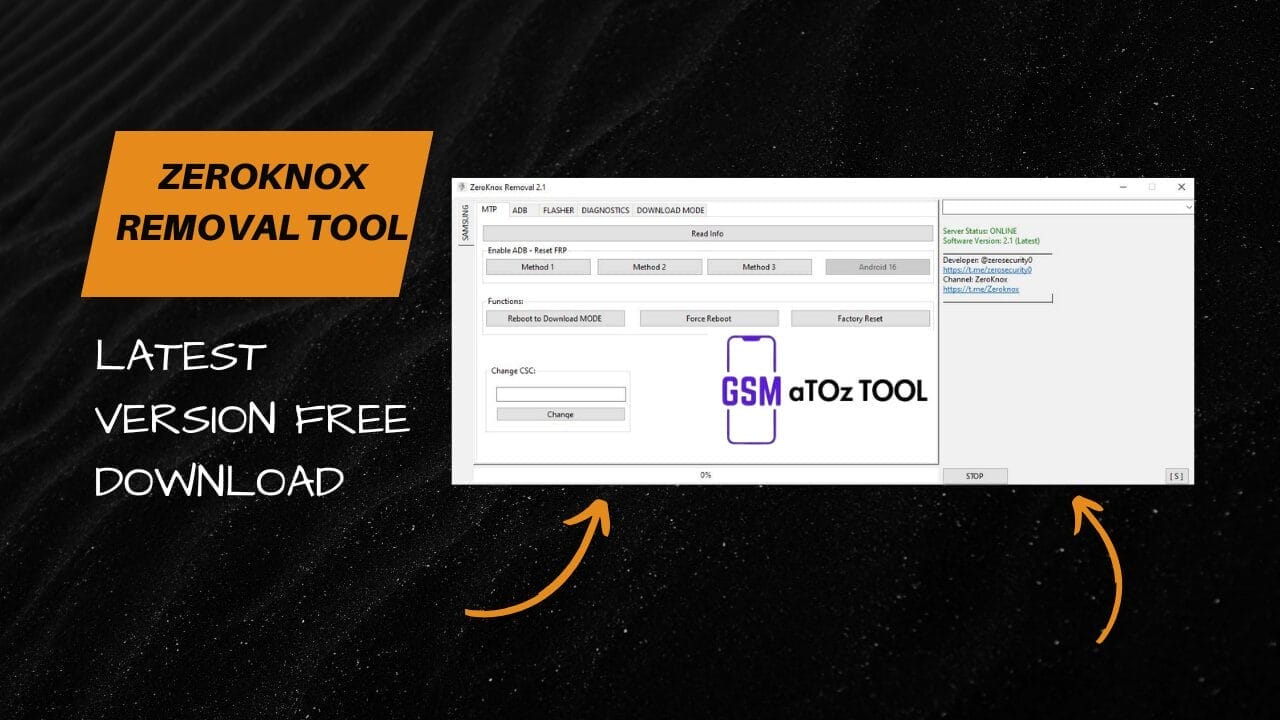
Zeroknox removal tool v2. 4 latest version free download
If You’ve Ever Been Stuck With A Locked Samsung Device Frp Issues Or Confusing Adb Errors You Know How Frustrating It Can Feel. Searching For A Reliable Solution Like Zeroknox Removal Tool Usually Comes From A Place Of Urgency Your Phone Isn’t Working The Way It Should And You Just Want It Fixed Without Risk Or Stress.
In This Blog You’ll Learn How The Zeroknox Removal Tool Helps With Tasks Like Mtp Access, Reading Device Info Enabling Adb Resetting Frp Changing Csc Flashing Firmware And Working With Android 16 Features. We’ll Break Down Its Functions Step By Step In Simple Language So You Clearly Understand What It Does And How It Can Solve Your Problem Quickly And Safely.
What Is Zeroknox Removal Tool?
Zeroknox Removal Tool Is A Multifunction Utility Designed For Samsung Android Devices, Including Support For Android 16. It Lets You Connect Your Phone Via Mtp Read Device Info Enable Adb And Perform System-level Actions Without Unnecessary Complexity. Think Of It As A Control Panel That Puts Essential Phone Functions In One Place.
With Features Like Read Info Diagnostics And Download Mode Access, The Tool Helps You Understand Your Device Before Making Changes. You Can Check Storage Ram Cpu Status And Connectivity Which Reduces Mistakes. This Approach Makes Troubleshooting Smarter Not Harder.
Also Read:
Why People Are Useing Zeroknox Removal Tool?
People Usually Turn To This Tool When Common Fixes Fail. Frp Locks After A Factory Reset, Disabled Adb Or Csc Mismatches Can Block Normal Use. The Tool Offers Multiple Paths—method 1 Method 2 And Method 3—so You’re Not Stuck With A Single Option.
Another Reason Is Control. Users Can Reboot To Download Mode Force Reboot A Frozen Phone Or Change Csc To Match Their Region. Tasks Like Reset Frp Enable Adb And Factory Reset Feel More Manageable When Everything Is Clearly Laid Out.
Benefits Of Zeroknox Removal Tool?
One Big Advantage Is Efficiency. Instead Of Juggling Separate Apps, Zeroknox Removal Tool Combines Flashing, Diagnostics, And System Checks Into One Workflow. You Can Read Battery Info Check Connectivity And Monitor Storage Health In Minutes.
It Also Reduces Risk By Encouraging Informed Actions. Before Flashing Firmware Or Changing Csc, You Can Review Device Details And Confirm Compatibility. For Users Who Value Speed And Safety That Balance Matters.
This Tool Easy And Simple To Use. Explane
Ease Of Use Is Where This Tool Stands Out. The Interface Guides You Step By Step Whether You’re Flashing Smart Firmware (select Zip Firmware) Turning Ota Updates On Or Off Or Making Root Changes. Clear Buttons And Labels Help You Avoid Guesswork.
For Example If Your Phone Won’t Boot You Can Enter Download Mode Flash The Firmware, And Reboot All From One Place. Even Advanced Actions Feel Approachable Because The Tool Explains What’s Happening As You Go. That Confidence Keeps Users Coming Back.
Features
Mtp

- Read Info
- Enable Adb-Reset Frp
- Method 1
- Method 2
- Method 3
- Android 16
Function
- Reboot To Download Mode
- Force Reboot
- Factory Reset
- Change csc
Adb
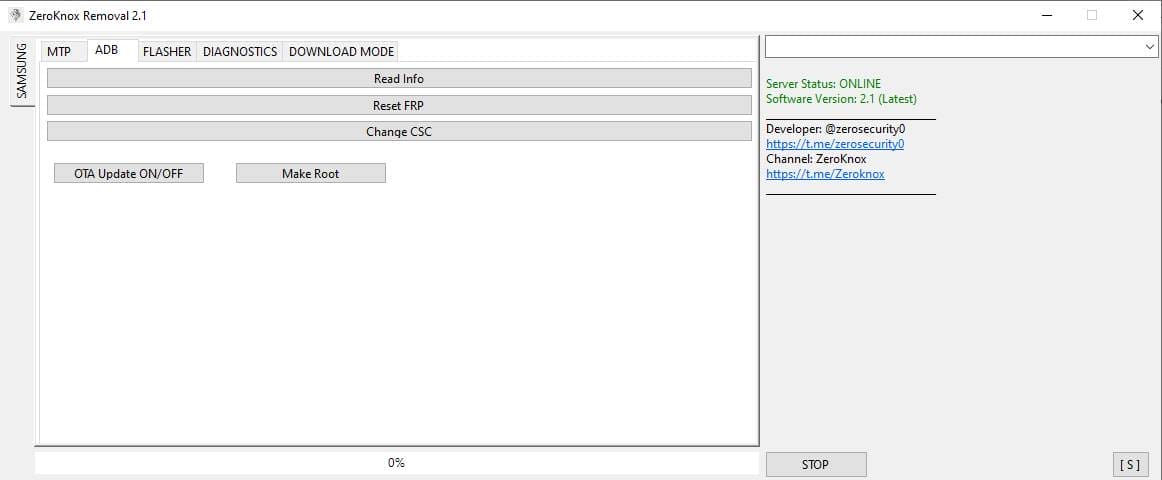
- Read Info
- Reset frp
- Change Csc
- Ota Update On/Off
- Make Root
Flasher
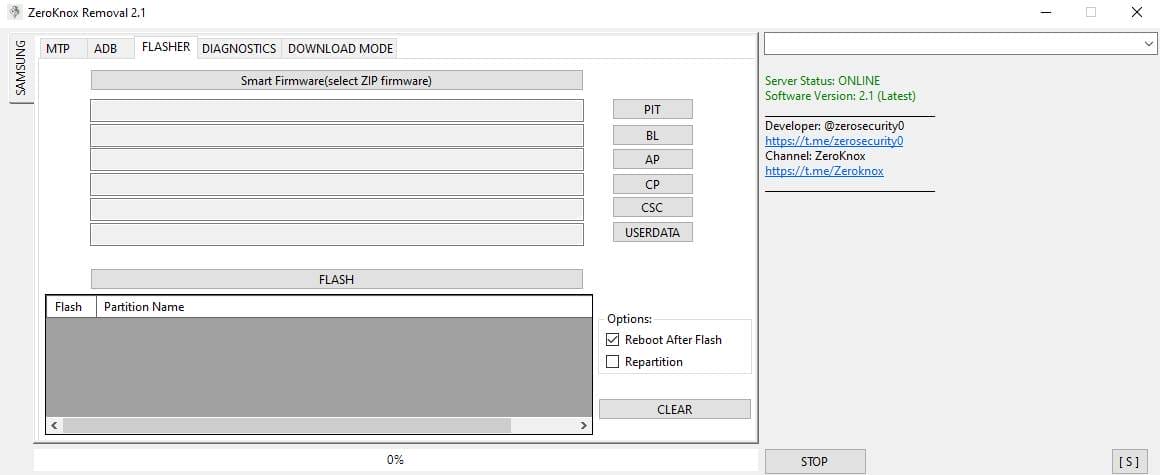
- Smart Firmware(select Zip Firmware)
- Flash
Diagnostics
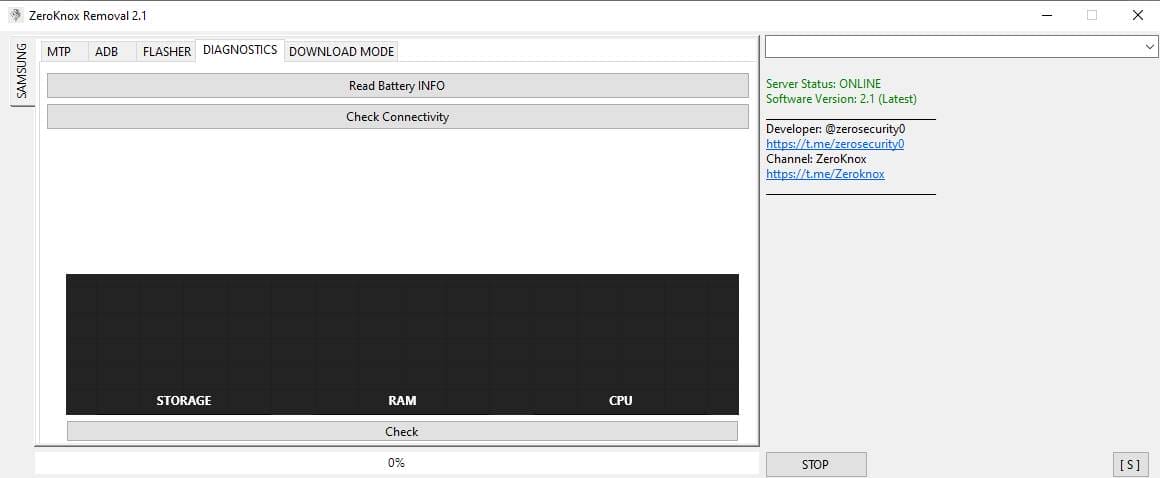
- Read Battery Info
- Check Connectivity
- Storage
- Ram
- Cpu
- Check
- Download Mode
How To Use It?
- First, Open The Tool From The Download Option.
- Extract The Rar File And Open The Tool Folder.
- In File Content, You Can Find The Setup File By Simply Double-clicking.

- A Setup Will Open In Front Of You. Click Next To Continue.
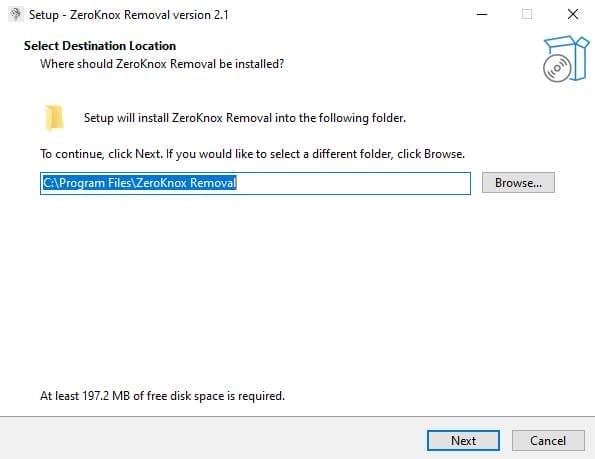
- Click Next To Create A Shortcut.

- Now, A Setup Will Open In Front Of You. Click Install To Continue The Installation.
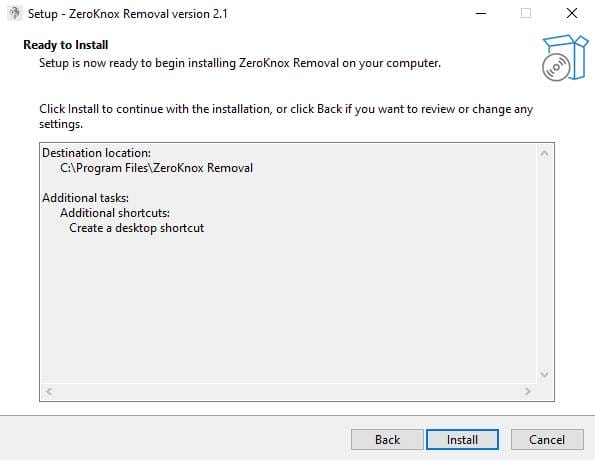
- After Some Time, The Tool Will Be Installed On Your Pc.
- After The Installation Is Complete, Click On Finish To Close The Setup.
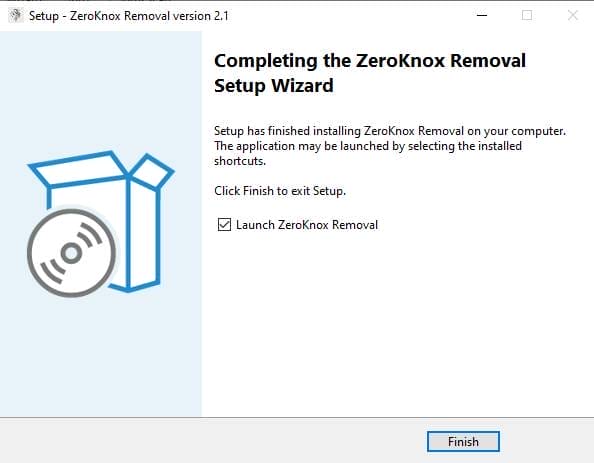
- Go To The Desktop Of Your Pc And Open The Tool.
- Run The Tool As Admin “Zeroknox Removal Tool”.
- The Tool Will Open In Front Of You.
- Use The Features You Need For Free And Enjoy!
How To Download?
- Visit The Gsmatoz Tools Website Of The Tool.
- Find The Download Page. Don’t Click The Button, And Click Only The (Download Link)
- Below Buttons Are Advertisements. Please Use The Download Links Above.
- Once The Download Is Complete, Locate The Downloaded File On Your Device.
- Tap On The File To Begin The Installation Process.
- Follow The On-screen Instructions To Complete The Installation.
Final Thoughts
If Your Goal Is To Fix Issues Without Wasting Time This Tool Delivers A Practical Path Forward. It Combines Powerful Functions With A Friendly Experience So You Stay In Control Of Your Device. Use It Carefully, Follow Each Step And You’ll Likely Wonder How You Managed Without It.
Zeroknox Removal Tool
Download Link:: Usersdrive – Mediafire – 4shared – My.pcloud – Playbook – Limewire – Disk.Yandex – DropBox – Mega – Vexfile






